Introduction
A Practical, Balanced Guide for Modern Workplaces (2026)
Employee monitoring is one of those topics that instantly divides opinions.
Some leaders see it as a way to bring clarity, accountability, and structure to work. Others see it as intrusive, demotivating, or even harmful to trust.
And if you’re reading this, chances are you’re not asking whether employee monitoring exists—you’re asking a much more practical question: Does employee monitoring actually help teams work better, or does it create more problems than it solves?
After working closely with remote, hybrid, and in-office teams for over 10+ years, here’s the honest answer: Employee monitoring can be extremely effective—or deeply damaging—depending on how and why it’s used.
This guide walks you through the real pros and cons of employee monitoring, without hype or fear-mongering, so you can make an informed decision that works for your team.
What Is Employee Monitoring?
Employee monitoring refers to the practice of tracking certain aspects of how work is done—such as time spent, applications used, activity patterns, or compliance-related signals—during working hours.
In modern workplaces, monitoring usually includes things like:
- Time tracking (manual or automated)
- Application and website usage
- Productivity and workload patterns
- Security or compliance alerts
What it doesn’t have to mean is constant surveillance, spying, or mistrust.
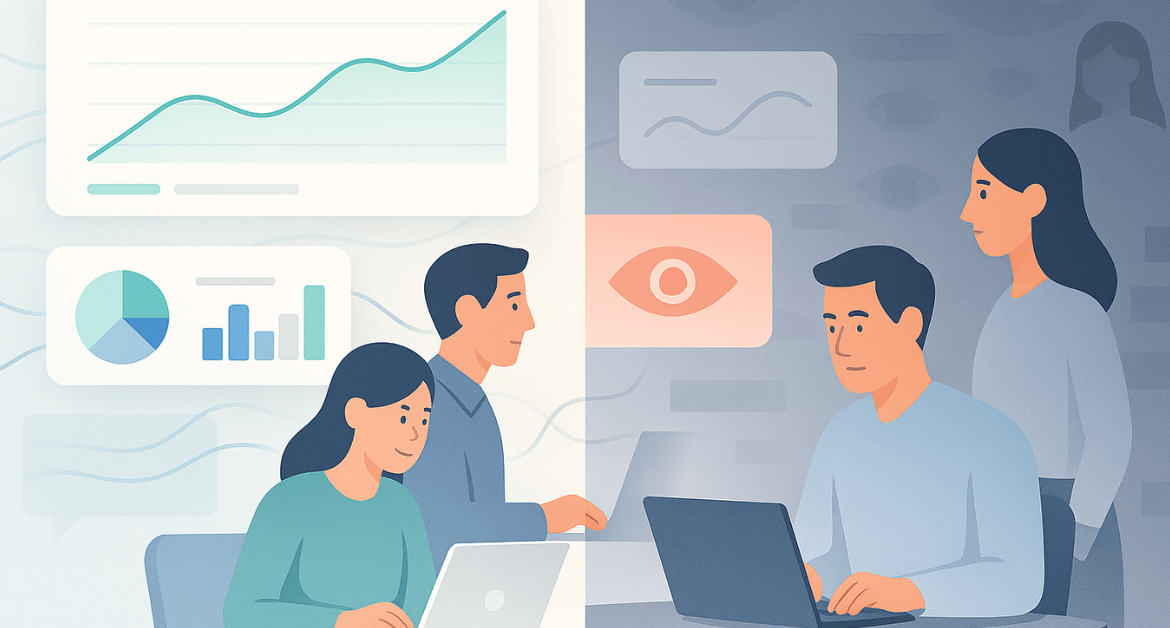
A critical distinction to understand early: Employee monitoring is about understanding work patterns. Employee surveillance is about watching people.
The difference lies in intent, transparency, and proportionality—and that difference determines whether monitoring helps or harms.
Why Companies Monitor Employees (and Why Employees Push Back)
Before diving into pros and cons, it helps to understand both sides of the equation.
Why employers choose to monitor work
Most organizations don’t adopt monitoring tools out of suspicion. They do it because they want answers to practical questions:
- Where is time actually going?
- Are teams overloaded or underutilized?
- Which processes slow work down?
- Are there security or compliance risks we’re missing?
Research from Gartner consistently highlights that leaders seek better visibility into work not to control employees, but to improve decision-making, capacity planning, and operational efficiency in distributed teams.
Why employees resist monitoring
At the same time, employees worry about:
- Loss of privacy
- Being judged on raw activity instead of outcomes
- Misinterpretation of data
- Feeling constantly watched
According to Gallup, employee trust and engagement decline when people feel monitored without transparency or context—especially when data is used punitively rather than supportively.
These concerns are valid. And ignoring them is one of the fastest ways to turn a good initiative into a cultural problem.
The Pros of Employee Monitoring
Let’s start with the benefits—because when monitoring is done right, it can genuinely improve how teams work.
1. Clearer, more accurate productivity insights
One of the biggest advantages of employee monitoring is visibility.
Instead of guessing who’s busy or assuming who’s productive, leaders can see:
- Workload distribution across teams
- Focus time vs. fragmented time
- Repetitive or inefficient tasks
Actionable advice: Use monitoring data to identify patterns, not to rank individuals. Trends are far more useful than isolated data points.
2. Better workload balance and burnout prevention
Monitoring often reveals something surprising: Your top performers are frequently the ones closest to burnout.
By tracking workload trends, managers can:
- Spot chronic overwork early
- Redistribute tasks more fairly
- Have proactive conversations instead of reactive ones
Actionable advice: Review workload data weekly or bi-weekly—not daily—to avoid overreacting to short-term fluctuations.
3. Stronger security and compliance posture
In industries handling sensitive data, monitoring plays a legitimate protective role.
It can help detect:
- Unusual access patterns
- Policy violations
- Risky behavior before it escalates
Used narrowly and responsibly, this protects both the organization and employees.
Actionable advice: Limit security monitoring to clearly defined use cases. Avoid repurposing it for performance evaluation.
4. More objective performance conversations
When used thoughtfully, monitoring data can actually reduce bias.
Instead of subjective impressions, discussions are grounded in:
- Evidence
- Context
- Shared understanding
In my experience working with cross-functional teams over the years, performance conversations improve dramatically when data is used to support dialogue—not to deliver verdicts.
Actionable advice: Always pair data with conversation. Numbers alone never tell the full story.
5. Process improvement and cost optimization
Monitoring often highlights:
- Redundant tools
- Inefficient workflows
- Time lost to context switching
Fixing these issues improves productivity without asking people to “work harder.”
Actionable advice: Treat productivity problems as system problems first—not people problems.
The Cons of Employee Monitoring
Now for the other side—because ignoring the downsides is a mistake.
1. Trust and morale damage (when done wrong)
The biggest risk of employee monitoring isn’t technical—it’s cultural.
When monitoring is:
- Introduced silently
- Poorly explained
- Used punitively
…trust erodes quickly.
I’ve seen high-performing teams disengage almost overnight after monitoring tools were rolled out without context. The issue wasn’t the tool—it was the lack of transparency.
MIT Sloan Management Review has repeatedly emphasized that perceived surveillance reduces psychological safety, which directly impacts collaboration and innovation.
Actionable advice: Never introduce monitoring as a surprise. Explain the “why” before the “how.”
2. Privacy concerns and over-collection of data
Just because you can track something doesn’t mean you should.
Highly invasive practices—like keystroke logging or webcam monitoring—often create far more problems than value.
Actionable advice: Collect only what you need to achieve a clearly stated purpose. Nothing more.
3. Legal and compliance risks
Employee monitoring laws vary widely by country and region, especially around:
- Consent
- Notice requirements
- Data retention
Getting this wrong can create serious exposure.
Actionable advice: Involve legal or compliance teams early, and document policies clearly.
4. Misinterpretation of data
Activity does not equal impact.
Someone may appear “inactive” while doing deep thinking, planning, or offline work.
Actionable advice: Train managers on how to read productivity data responsibly. Data literacy matters.
5. Encouraging “busy work” instead of meaningful work
If people feel measured only on visible activity, they optimize for appearances—not outcomes.
That’s when you see:
- Mouse movement tricks
- Excessive tool usage
- Less creative thinking
Actionable advice: Align monitoring metrics with outcomes, not motion.
What Should You Monitor (and What Should You Avoid)?
This is where most organizations go wrong.
Generally acceptable to monitor (with transparency)
- Work time patterns
- Application or category usage
- Task or project-level time
- Aggregated productivity trends
- Security and compliance signals
High-risk or best avoided
- Keystroke logging
- Webcam or audio monitoring
- Tracking personal devices
- After-hours surveillance
Across many implementations I’ve seen, the healthiest setups focused on aggregated trends rather than minute-by-minute individual behavior. The moment monitoring becomes constant and personal, trust starts to break.
Actionable advice: Design monitoring around roles and use cases, not blanket tracking.
How to Implement Employee Monitoring the Right Way
If you take only one section seriously, make it this one.
Step 1: Start with purpose, not tools
Ask:
- What problem are we trying to solve?
- Productivity? Security? Compliance?
If you can’t answer this clearly, stop.
Step 2: Create a transparent monitoring policy
A good policy answers:
- What is tracked?
- What is not tracked?
- Why data is collected
- Who can access it
- How long it’s retained
Actionable advice: Write the policy in plain language. If employees can’t understand it, it will fail.
Step 3: Pilot before rolling out
Start small.
- One team
- One use case
- One clear goal
Use the pilot to learn—not to judge.
Step 4: Use data for coaching, not punishment
This is where monitoring either succeeds or collapses.
The best leaders I’ve worked with used productivity data to ask, “What’s blocking your focus?” instead of “Why were you inactive?” That single shift changed how teams perceived monitoring.
Actionable advice: Data should open conversations, not close them.
Step 5: Review and refine regularly
Monitoring should evolve.
- Remove metrics that don’t help
- Adjust thresholds
- Re-communicate intent
Real-World Use Cases Where Monitoring Adds Value
Employee monitoring tends to fail when it’s applied broadly and abstractly. It succeeds when it’s tied to a specific, real-world problem and used with restraint.
Below are practical scenarios where monitoring consistently adds value—without harming trust.
Remote and Hybrid Teams: Visibility Without Proximity Bias
In distributed teams, managers can no longer rely on “seeing people work” to gauge progress. That often leads to proximity bias—where visibility is confused with productivity.
Monitoring helps by:
- Showing workload and focus patterns across locations
- Highlighting collaboration gaps or overload
- Ensuring remote employees aren’t disadvantaged in performance discussions
The key benefit here isn’t control—it’s fairness.
When everyone is evaluated using the same transparent data, assumptions based on availability or online presence fade away.
Actionable insight: Use monitoring data to level the playing field between in-office, remote, and hybrid employees—not to compare them.
Call Centers and Support Teams: Quality, Compliance, and Consistency
In high-volume service environments, monitoring plays a legitimate operational role.
Used well, it helps:
- Track adherence to schedules and service levels
- Identify bottlenecks in workflows
- Ensure compliance with customer interaction standards
Importantly, this type of monitoring focuses on process reliability, not personal scrutiny.
When data is reviewed in aggregate, teams can improve response times and quality without singling out individuals unfairly.
Actionable insight: Pair monitoring data with coaching and training—not performance penalties alone.
Outsourced or Distributed Vendors: Accountability Without Surveillance
Organizations working with outsourced or third-party teams often struggle with visibility—not trust.
Monitoring adds value when it:
- Confirms delivery patterns
- Identifies misaligned expectations early
- Provides objective data during reviews
The goal here isn’t to watch individuals, but to ensure:
- Agreed service levels are met
- Capacity is aligned with demand
- Conversations are fact-based, not subjective
Actionable insight: Keep monitoring scoped to deliverables and timelines, not personal behavior.
Security and Compliance Investigations: Narrow, Time-Bound Use
One of the most defensible uses of monitoring is security and compliance investigation.
Examples include:
- Detecting unusual access patterns
- Investigating suspected data misuse
- Responding to compliance audits or incidents
In these cases, monitoring should be:
- Purpose-specific
- Time-limited
- Auditable
When handled correctly, it protects both the organization and employees by creating a clear, evidence-based process.
Actionable insight: Never repurpose security monitoring data for routine performance management.
Process Improvement and Workflow Optimization
Some of the highest ROI from monitoring comes not from evaluating people—but from improving systems.
Monitoring can reveal:
- Excessive context switching
- Tool overload
- Inefficient handoffs between teams
- Repetitive manual work
Fixing these issues often boosts productivity without increasing pressure on employees.
Actionable insight: Treat productivity gaps as workflow problems first, not performance problems.
The Common Thread Across All Use Cases
Across all successful implementations, the pattern is consistent:
- A clearly defined purpose
- Limited scope
- Transparency with employees
- Focus on trends, not individuals
When monitoring answers a real question—and stops there—it adds value. When it expands without purpose, it quickly becomes harmful.
Pros and Cons Summary
Monitoring works when:
- It’s transparent
- It’s proportional
- It’s used to support people
Monitoring fails when:
- It’s hidden
- It’s invasive
- It’s used to punish
Final Thoughts
Employee monitoring isn’t inherently good or bad.
It’s a tool—and like any tool, its impact depends on:
- Intent
- Design
- Leadership behavior
If your goal is clarity, fairness, and support, monitoring can be a powerful ally. If your goal is control, suspicion, or constant oversight, it will backfire—every time.
The smartest organizations don’t ask, “How much can we track?” They ask, “What data genuinely helps our people do their best work?”
FAQs
Employee monitoring can be both good and bad—it depends on how it’s implemented. When used transparently to improve productivity, security, and workload balance, it can be beneficial. When used secretly or punitively, it often damages trust and morale.
The main advantages include better visibility into productivity, improved workload distribution, stronger security and compliance, and more objective performance discussions—especially for remote and hybrid teams.
Common disadvantages include reduced employee trust, privacy concerns, legal risks if implemented incorrectly, and the potential to encourage “busy work” instead of meaningful outcomes.
Employee monitoring can increase productivity when data is used to improve processes and support employees. Productivity often decreases when monitoring focuses only on activity tracking or micromanagement.
Monitoring affects trust positively when employees understand what is being tracked and why. Trust erodes when monitoring is hidden, overly invasive, or used primarily for punishment rather than support.
Employee monitoring is generally legal, but laws vary by country and region. Most regulations require transparency, legitimate business purpose, and limits on how data is collected, stored, and used.
Employers typically monitor work-related activities such as time spent on tasks, application usage, productivity trends, and security-related events. Personal activities and off-hours behavior should usually not be monitored.
Highly invasive practices include keystroke logging, webcam monitoring, audio recording, and tracking employees outside work hours. These methods often raise serious privacy and trust concerns.
Companies can avoid micromanagement by focusing on aggregated trends instead of individual behavior, setting clear expectations, and using monitoring data to coach and support employees rather than penalize them.
Yes. Best practices—and often legal requirements—state that employees should be clearly informed about what is being monitored, how data is used, and who has access to it.
Employee monitoring focuses on understanding work patterns and improving outcomes, while employee surveillance focuses on constant observation of individuals. The difference lies in intent, transparency, and level of intrusiveness.