



































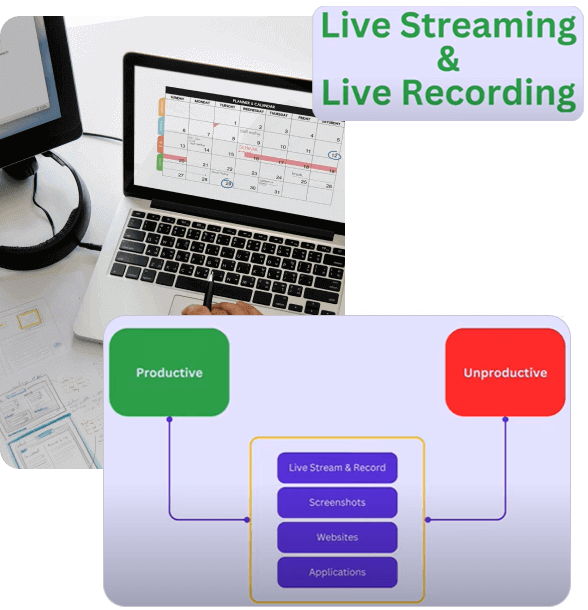
Live Screen Monitoring Software
Improve Real-Time Work
Visibility Without Constant Follow-Ups
Mera Work helps managers view employee screens in real time to understand work progress, support remote and hybrid teams, identify productivity gaps, and improve accountability with clear, controlled screen visibility.
No Credit Card required | 14 days Free Trial
Know What Needs Attention Before Work Slows Down
Know if critical work is actually moving.
Know who needs support right now.
Stop asking. Start seeing.
Every check-in message your team receives today — Mera Work makes it unnecessary.
Guide new employees without a single call.
See exactly where they're stuck — step by step — and support them live without interrupting their flow.
Live Screen Monitoring Features Built to Improve Real-Time Work Visibility
See Work Progress as It Happens
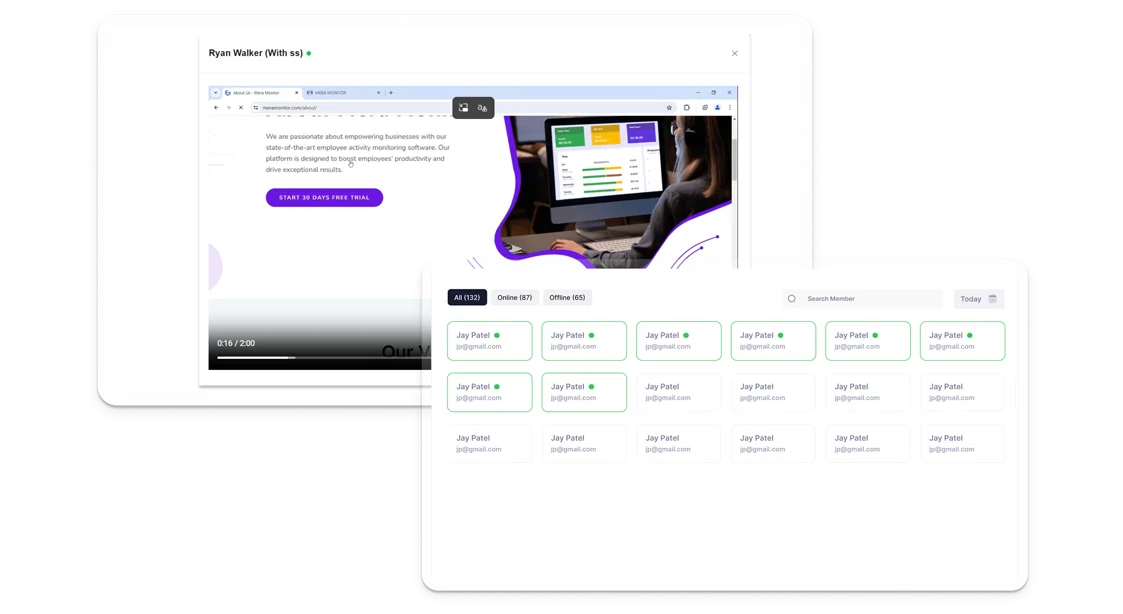
Mera Work helps managers view employee screens in real time when immediate work visibility is needed. This allows leaders to understand progress, identify blockers, and support teams without depending only on manual updates.
- View employee screens in real time
- Understand work progress as it happens
- Reduce delays caused by limited visibility
Manage Distributed Teams with More Confidence
Live screen monitoring gives managers clearer visibility into remote and hybrid employees during active work hours. This helps teams stay accountable while reducing the need for constant calls, messages, or status check-ins.
- Monitor remote employee screens during work
- Support hybrid and work-from-home teams
- Improve accountability without micromanagement
Identify Focus Gaps Before They Affect Output
Mera Work helps managers understand live screen activity, work patterns, and task focus in the moment. This makes it easier to spot distractions, inactivity, or workflow issues before they impact performance.
- Review real-time work activity
- Identify productivity gaps faster
- Help teams stay focused on priority work
Guide Employees When They Need Help
Use live screen visibility to support new employees, remote workers, or team members working on complex tools and processes. Managers can quickly understand where employees are stuck and provide timely guidance.
- Support onboarding and remote training
- Identify process confusion in real time
- Help employees resolve blockers faster
Keep High-Priority Tasks on Track
For urgent projects, client escalations, launches, or time-sensitive deliverables, Mera Work gives managers real-time visibility into work progress so they can act quickly when support is needed.
- Track urgent work progress live
- Identify delays during critical tasks
- Support faster decision-making during deadlines
Keep Live Monitoring Structured and Relevant
Mera Work keeps live screen monitoring controlled with structured access and role-based visibility. Managers can view relevant team screens while organizations maintain responsible and policy-aligned work visibility.
- Give access to authorized users
- Keep screen visibility role-based
- Support transparent and responsible monitoring
Work Visibility with Privacy in Mind
Mera work is designed to help teams gain clarity into how work happens without compromising trust, transparency, or employee experience.
-
Keep Visibility Focused
on Work Hours -
Control Who Can
Access Screen Activity -
Align Screen Monitoring
with Company Policy -
Protect Work Data with Security
and Reliability Practices
Where User Activity Monitoring Creates the Most Impact
What our customers are saying

Based on 2000+ reviews on
55%
60%
See what your favorite AI says about Fellow
Still not sure that Fellow is the right AI meeting assistant and note-taker for you? Click a button and let Claude, ChatGPT, Gemini, Perplexity, or Grok do the thinking:
Available On
Everything You Need to Know About Live Screen Monitoring
CONTENTS
What Is Live Screen Monitoring Software?
Live screen monitoring software allows authorized managers to view employee screens in real time during active work hours. It gives businesses a live view of work activity, system usage, task progress, and productivity context.
The goal is not to interrupt employees or micromanage every action. The real value is giving managers controlled visibility when real-time clarity matters, such as during urgent deliverables, remote support, training, compliance-sensitive work, or high-priority operations.
Why Do Businesses Use Live Screen Monitoring?
Businesses use live screen monitoring to reduce visibility gaps during active work. In fast-moving teams, managers cannot always wait for screenshots, reports, or manual updates to understand what is happening.
Live screen visibility helps managers:
- Understand work progress in real time
- Support remote and hybrid employees faster
- Identify blockers before they delay delivery
- Reduce unnecessary follow-up messages
- Improve accountability during active work hours
- Provide live support during training or onboarding
- Maintain better visibility during critical workflows
This makes live screen monitoring useful for team leads, operations managers, IT teams, project managers, business owners, and workforce leaders.
How Live Screen Monitoring Supports Remote and Hybrid Teams
Remote and hybrid teams need a balance between visibility and trust. Managers need enough context to understand progress, while employees need uninterrupted time to focus on their work.
A live employee screen view helps managers check work progress when needed without scheduling repeated calls or asking for constant updates. This supports faster decision-making while giving employees more space to continue their work without unnecessary interruptions.
When used responsibly, live screen monitoring helps distributed teams stay aligned, accountable, and focused.
Live Screen Monitoring vs Screenshot Monitoring
Live screen monitoring and screenshot monitoring both improve work visibility, but they serve different needs.
Screenshot monitoring captures screen images at scheduled or random intervals. It is useful for reviewing work activity later, verifying time records, and maintaining visual proof of work.
Live screen monitoring provides real-time visibility into employee screens. It is useful when managers need immediate context, such as during urgent projects, live support, remote training, escalations, or time-sensitive work.
For many businesses, both features work best together. Screenshots provide historical records, while live viewing helps managers act in the moment.
How Live Screen Monitoring Improves Productivity
Live screen monitoring helps managers identify productivity gaps as they happen. If an employee is stuck on a process, switching between too many tools, or facing technical friction, managers can identify the issue faster and provide support.
This helps teams reduce delays, remove blockers, and stay focused on priority work. It also reduces dependency on repeated check-ins because managers can access work context directly when needed.
Where Live Screen Monitoring Is Most Useful
Live screen visibility is most valuable in situations where immediate context matters. Common use cases include:
- Remote employee supervision
- Hybrid team visibility
- Client support operations
- BPO and customer service teams
- IT support and troubleshooting
- New employee onboarding
- Process training
- Critical project delivery
- Compliance-sensitive workflows
- High-priority task monitoring
For teams handling time-sensitive or process-heavy work, real-time screen monitoring can help managers respond faster and keep work moving.
Privacy and Responsible Live Screen Visibility
Live screen monitoring should be implemented with clear policies, controlled access, and transparent communication. Employees should know when screen visibility may be used, who can access it, and why it is part of the company’s work visibility process.
A responsible approach should focus on productivity support, work clarity, security, and accountability—not unnecessary surveillance. Role-based access and structured permissions help ensure that only authorized users can view relevant employee screens.
What to Look for in Live Screen Monitoring Software
The right live screen monitoring tool should be easy for managers to use while keeping visibility structured and controlled. Businesses should look for features that support real-time work visibility without creating unnecessary complexity.
Key capabilities to consider include:
- Live employee screen view
- Remote screen monitoring
- Real-time employee activity visibility
- Team and employee screen monitoring dashboard
- Role-based access control
- Support for remote and hybrid teams
- Integration with productivity reports
- App and website activity context
- Structured visibility during work hours
- Privacy-aware monitoring controls
A strong platform should help managers understand what is happening in the moment and take faster action when support, clarity, or accountability is needed.
How Mera Work Helps with Live Screen Monitoring
Mera Work helps businesses improve real-time work visibility with live screen monitoring software built for modern teams. Managers can view employee screens during active work hours, understand live work progress, support remote employees, and reduce dependency on repeated status updates.
With Mera Work, businesses can manage remote and hybrid teams more confidently, identify blockers faster, improve accountability, and support employees without constant interruptions.
For growing teams, this means clearer visibility, faster decisions, better productivity support, and a more structured way to manage work in real time.
A responsible approach focuses on productivity improvement, work visibility, security, and accountability—not unnecessary surveillance. Role-based access, structured reporting, and clear communication help maintain employee trust while giving managers the visibility they need.
Talk With Our Team About Your Workforce Operations
Connect with our team to explore how Mera Work helps organizations improve productivity, monitor workflows, and streamline workforce operations.
Get started today. No credit card required.
Frequently asked questions
Can managers view employee screens only when required?
Yes. Live screen viewing can be used when managers need immediate work context, such as during urgent tasks, support situations, escalations, or high-priority workflows. This keeps screen visibility purposeful instead of constant.
Can live screen access be limited to authorized users?
Yes. Access can be controlled so only authorized managers, team leads, or admins can view relevant employee screens. This helps keep live visibility structured, secure, and aligned with internal policies.
Can live screen monitoring be used during defined work hours?
Yes. Businesses can use live screen visibility during active work hours or tracked work sessions. This helps ensure monitoring stays focused on work-related activity and supports a transparent process.
Can managers monitor multiple employee screens from one dashboard?
Does live screen viewing help reduce productivity delays?
Can live screen monitoring support IT and support teams?
Yes. IT, support, and operations teams can use live screen visibility to understand user issues faster, troubleshoot process gaps, and guide employees through complex tools or workflows.
Is live screen monitoring suitable for BPO and customer service teams?
Can live screen visibility help during urgent client deliverables?
How can businesses avoid micromanagement while using live screen monitoring?
Businesses should use live screen visibility with clear rules, limited access, and a defined purpose. It works best when used for support, accountability, security, and urgent visibility—not constant supervision.
Can live screen monitoring be combined with other productivity insights?
Can employees be informed about live screen visibility policies?
Does live screen monitoring help with accountability?
Yes. Real-time screen visibility helps managers confirm work progress, understand task focus, and reduce dependency on manual status updates. This supports accountability with clearer work context.
Can live screen monitoring help identify workflow issues?
What teams benefit most from live screen monitoring?
Why choose Mera Work for live screen monitoring?
Mera Work helps businesses view employee screens in real time, manage remote and hybrid teams with better clarity, support employees faster, and maintain structured screen visibility with controlled access.