Gain complete visibility into your team’s productivity with Mera Monitor’s automatic screenshot monitoring. Track progress, ensure accountability, and foster trust—without micromanaging.
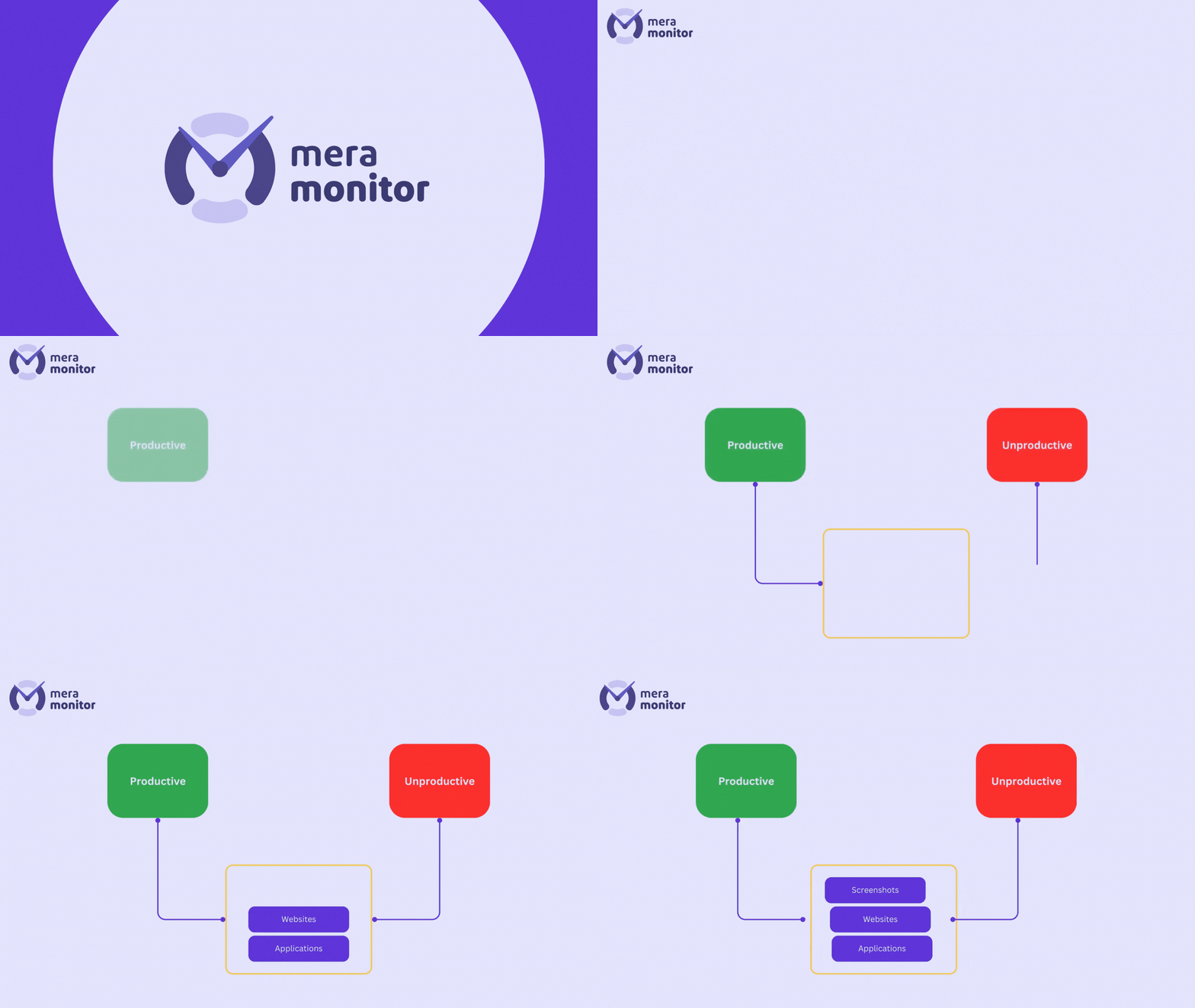
Real-Time Screenshot Monitoring Software
Gain complete visibility into your team’s productivity with Mera Monitor’s automatic screenshot monitoring. Track progress, ensure accountability, and foster trust—without micromanaging.
Mera Monitor’s screenshot monitoring helps teams understand work patterns, verify progress, and maintain accountability—while staying aligned with privacy and workplace policies.
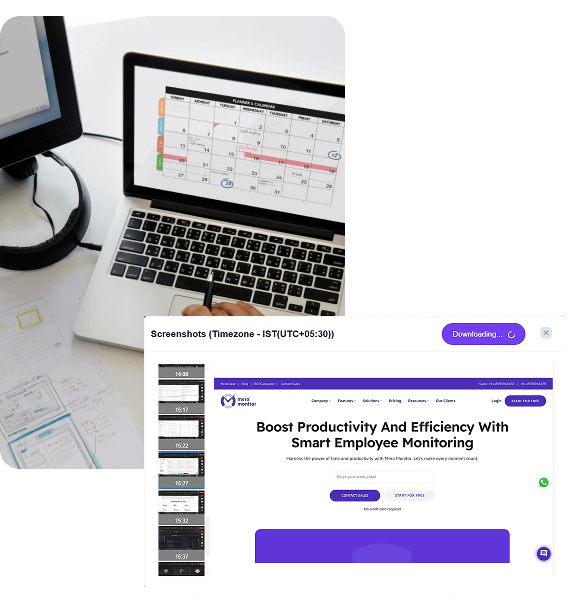
Capture time-stamped screenshots at defined intervals to review progress, validate tasks, and ensure accountability—without constant follow-ups.
Continue capturing screenshots even without internet access. All data syncs automatically once connectivity is restored.
Control how often screenshots are taken—every 1, 5, 10, or 15 minutes, or custom intervals—to match your team’s workflow.
Blur screenshots to protect sensitive information such as passwords or client data—while maintaining meaningful visibility into work activity.
Ensure screenshots are visible only to authorized users with role-based permissions, supporting governance and transparency.
Just install the Mera Monitor app on your team’s computers. That’s it. Once installed and activated, it automatically starts running in the background whenever the computer is turned on.
Screenshots are captured at admin-defined intervals based on configured work hours and monitoring policies—ensuring visibility stays controlled and purposeful.
All screenshots are securely stored and organized in a single dashboard, allowing managers to review activity by user, team, or timeline.
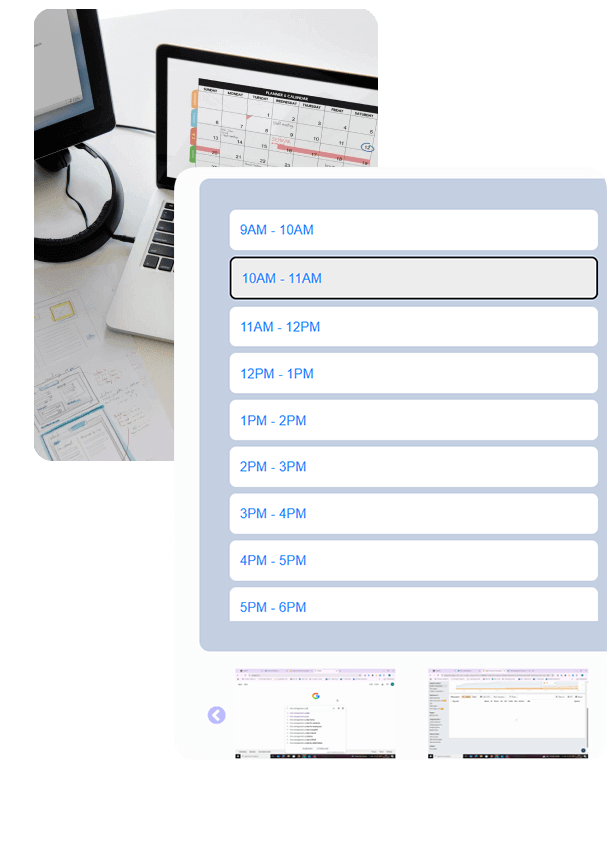
Screenshot monitoring provides a visual record of employee activity, ensuring that team members stay focused and accountable for their tasks during work hours.
Whether your team is in-office, remote, or hybrid, screenshots give you visibility into their day without hovering. It removes guesswork and helps build mutual trust.
Regular screenshot capture discourages time-wasting and helps employees remain more focused, ultimately leading to improved overall productivity.
For client-based or freelance work, screenshots serve as proof of task completion and time spent, helping justify billing and avoid payment disputes.
Managers can visually confirm whether employees are using the right tools and applications for a project, allowing for better guidance and resource allocation.
In cases of performance disputes or client concerns, screenshots provide verifiable evidence that can help resolve misunderstandings quickly and fairly.
Screenshot logs help ensure that employees are following company policies and maintaining work quality, especially in regulated industries.
Client Reviews
⚡ Fast, free, and no card required
Mera Monitor is an excellent software with very useful features. The one-minute screenshot option is extremely helpful, and the live streaming functionality works smoothly, allowing us to monitor activities easily. Keyboard and mouse strokes, along with productivity levels, can also be viewed without any difficulty, which adds great value in tracking performance. Additionally, the support team is very cooperative and responsive. Whenever we have any doubts or issues, they connect immediately and resolve them quickly. Overall, Mera Monitor has been a very efficient and reliable tool, and we are highly satisfied with its service.

Our experience with Mera Monitor has been seamless and efficient. We appreciate the proactive support and consistent responsiveness from the team whenever needed.
Reliable Employee Monitoring Software with Good Productivity Insights

Mera Monitor has significantly simplified my daily monitoring and management tasks. The interface is clean, intuitive, and easy to navigate even for non-technical users. I highly recommend it to anyone in need of a reliable and user-friendly monitoring solution. Thank you for building such a robust and thoughtful platform.

Mera Monitor offers a user-friendly platform that provides valuable real-time insights into team productivity, helping managers optimize workflows and enhance performance.

We use this tool daily. It is super usefull for employee monitoring, specially in remote team culture.

Mera Monitor is an exceptional tool for performance monitoring, offering invaluable support for organizational decision-making. Its real-time monitoring and live-streaming capabilities provide complete visibility into team activities, ensuring transparency and accountability. It’s a must-have solution for any organization looking to optimize performance and drive success.

Mera Monitor provides reports on work patterns and performance. Reduces bias in performance reviews. Great monitoring tool for any organization!

The best employee monitoring tool out there! Mera Monitor has features like live streaming and screen capturing that make it unique!

Mera Monitor is a handy monitoring system that enhances productivity and efficiency across the workforce. It is simple to use and very helpful in managing projects with a diverse workforce working from home. It also checks and oversees the work ethics of employees.

It just amazing and beneficial software specially for the StartUps like 4Tuners Technologies. The main feature which actually attracted me is to track the live performance of employees and their tracking. And one more thing which suits me is, its easy to use interface with covering all necessary features.
I really like the live streaming feature, as it allows us to monitor the team’s tasks without bothering or stopping their work. I’m also pleased with the support we received to resolve our issues.

I must say that I’ve found the reports section of Mera Monitor to be exceptionally impressive. It’s not only user-friendly but also highly understandable. Moreover, the various alerts provided by Mera Monitor, such as the idle alert and suspicious activities alerts, have proven to be invaluable in day-to-day operations.

I can’t express how impressed I am with MeraMonitor. It’s a game-changer in system monitoring apps, It surpasses all others with its comprehensive features and user-friendly interface. MeraMonitor’s support team adds to the exceptional experience, making it the go-to choice for anyone seeking a reliable and efficient monitoring solution. Highly recommended!

Mera Monitor is a user-friendly and effective application, this app has become my go-to tool for tracking and optimizing my productivity. In the Mera Monitor app, I can track every activity very accurately and get more detailed information about the various activities during the run time of the application I feel it’s a valuable tool for boosting productivity in our corporate environment.

The application is very well designed as well as works very smoothly.

MM stands as the ultimate remote attendance monitoring solution, skilfully overseeing your team’s presence with ease and precision. Its user-friendly interface seamlessly delivers comprehensive reports, offering features like automatic screenshot capture to various activity level monitoring.

Mera Monitor allows us to focus on what really matters. An attractive UI that offers 360 degree view and automated timetracking make Mera Monitor a good choice for time monitoring. You can view your daily productivity analysis, that making it a useful productivity tracker as well.

We find Mera Monitor to be of great use to us working from a remote environment.

Employee screenshot monitoring software captures snapshots of employees’ computer screens at scheduled intervals during work hours. This helps businesses visually verify how work time is being used and ensure tasks are aligned with assigned responsibilities.
Tools like Mera Monitor offer screen monitoring capabilities that are discreet, secure, and customizable. Admins can adjust the frequency of screenshots, set capture rules, and review visual logs through an intuitive dashboard.
It’s especially useful for remote or hybrid teams where real-time computer screen monitoring ensures accountability without constant check-ins—supporting both transparency and productivity.
There are no second thoughts on accepting that, the pandemic introduced employee desktop monitoring tools to 80% of the successful businesses. But they have stuck to it post-pandemic because of the alluring features it offers. Employee monitoring tools have been proven advantageous to businesses in every aspect. Some of its captivating benefits include:
With all the notable advantages that employee screen monitoring provides, there are also some unnoticed disadvantages that come with it. Know the pros and cons of employee screen monitoring to understand the tools deeply.
Pros:
Cons:
Introducing desktop monitoring software to your team requires a transparent, thoughtful approach to ensure understanding, acceptance, and trust.
Here’s how to do it effectively:
Communicate the Why
Explain the purpose clearly—whether it's improving productivity, enabling smoother remote collaboration, or ensuring data security. Emphasize that it’s about support, not surveillance.
Highlight the Benefits for Employees
Share how computer screen monitoring helps reduce micromanagement, identify workload imbalances, and even support performance reviews based on real data.
Be Transparent About What’s Tracked
Inform your team about what will be monitored—screenshots, app usage, idle time—and how the data will be used. Transparency builds trust.
Set Clear Policies
Draft and share a monitoring policy that outlines when and how monitoring occurs, who has access to the data, and what safeguards are in place.
Encourage Feedback
Make it a two-way conversation. Invite questions and feedback to address any concerns early.
Mera Monitor supports a smooth rollout with customizable monitoring features, employee access to their own data, and flexible settings—making adoption easier for any team.
It is always mandatory to respect employees' privacy while conducting screen monitoring. Prosecute all the legal rules and regulations applicable to your region while bearing desktop tracking. Above all, be ethical during the monitoring process. Here are some tips you can use to monitor employees' screens in the most principled way perfectly.
Employee screen monitoring software can be a valuable tool for many types of organizations—but its effectiveness depends on your goals, team structure, and work culture.
It’s especially useful if you:
Manage remote or hybrid teams and need better visibility into daily activities
Want to ensure accountability without micromanaging
Handle sensitive data and require an added layer of security
Are looking to optimize productivity through data-backed decisions
With Mera Monitor’s flexible screen monitoring and computer screen monitoring software, you can tailor what’s tracked, how often screenshots are captured, and who sees the data. This ensures that monitoring aligns with your business needs—without disrupting employee trust or workflows.
If you value transparency, productivity insights, and smarter resource management, screen monitoring could be a strong fit for your team.
Employee monitoring software can bring a major change to your company. It can help you boost employee’s or the overall company’s productivity and performance while reducing costs at the same time. Here are some of the benefits that employee monitoring brings to your company.
Screenshots aren’t continuous. Mera Monitor screenshot monitoring software captures them intelligently — only during activity.
When employees go idle or inactive, the system pauses screenshot collection automatically and resumes once activity returns.
This ensures screenshots show real work, not empty screens, keeping data relevant and storage optimized. It’s an efficient, ethical way to document productivity without unnecessary surveillance.
Screenshots show what’s currently open on the employee’s screen — such as apps, documents, or browser tabs — providing visual context for ongoing work.
Admins can enable blurred screenshots to hide sensitive data like HR dashboards or client information.
Employees can view their own screenshot reports anytime from their dashboard for transparency, but screenshots are captured quietly in the background during work hours — without constant on-screen alerts. This ensures balanced visibility for managers and peace of mind for employees.
Yes. Employees can pause screenshot monitoring anytime using Work Mode.
When Work Mode is off, Mera Monitor instantly stops all forms of tracking — including screenshots, app usage, and activity logs.
This feature is especially valuable for hybrid or remote workers who may handle personal tasks during the day.
It ensures complete privacy when needed while maintaining accurate productivity reporting when work resumes.