



























































































































































































Mera Work

Project & Task Time Tracking

Track Project and Task Time
to Improve Planning, Billing, and Delivery Visibility

Understand exactly where team hours go across projects, tasks, clients, and work priorities. Mera Work helps managers track project-wise and task-wise time, improve workload planning, reduce timesheet gaps, support accurate billing, and make delivery decisions with real work data.

No Credit Card required | 14 days Free Trial

Know What Needs Attention Before Work Slows Down 

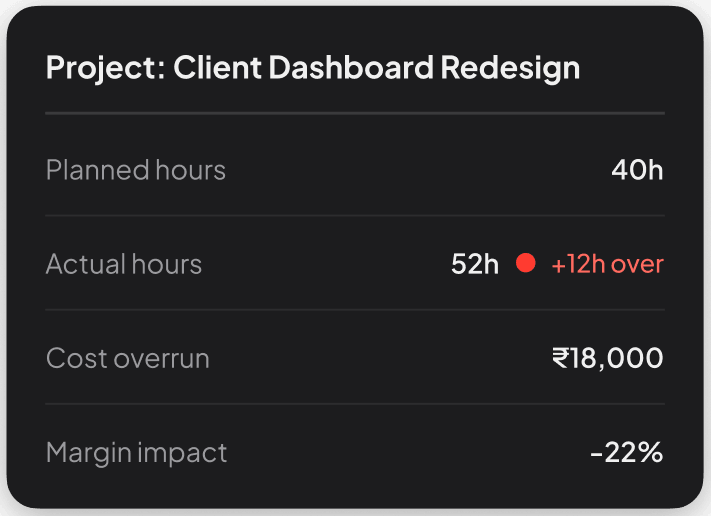
Catch the overrun before it hits the invoice.

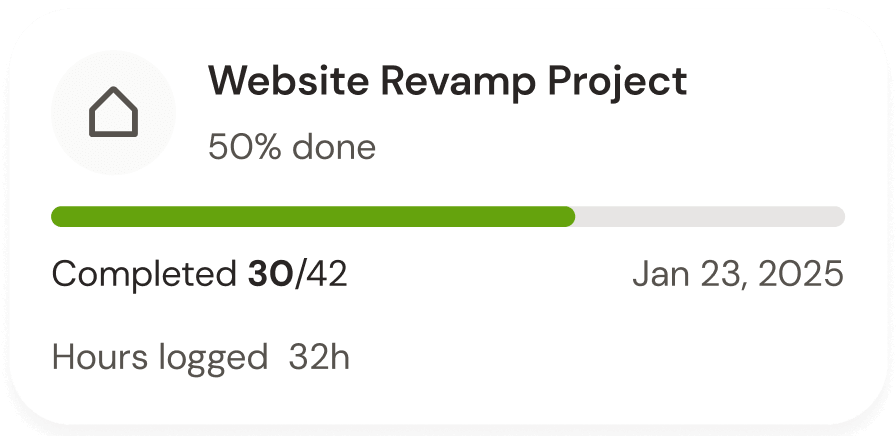
See planned vs actual hours per project — cost overruns flagged before they affect your margins.

Every hour billed. Every hour proven.

Time logs tied to tasks and projects — so client invoices are backed by real work records, not estimates.

Project & Task Time Tracking Features Built to Improve Planning, Billing, and Delivery Visibility

Project Time Tracking

Understand Where Project Hours Are Spen

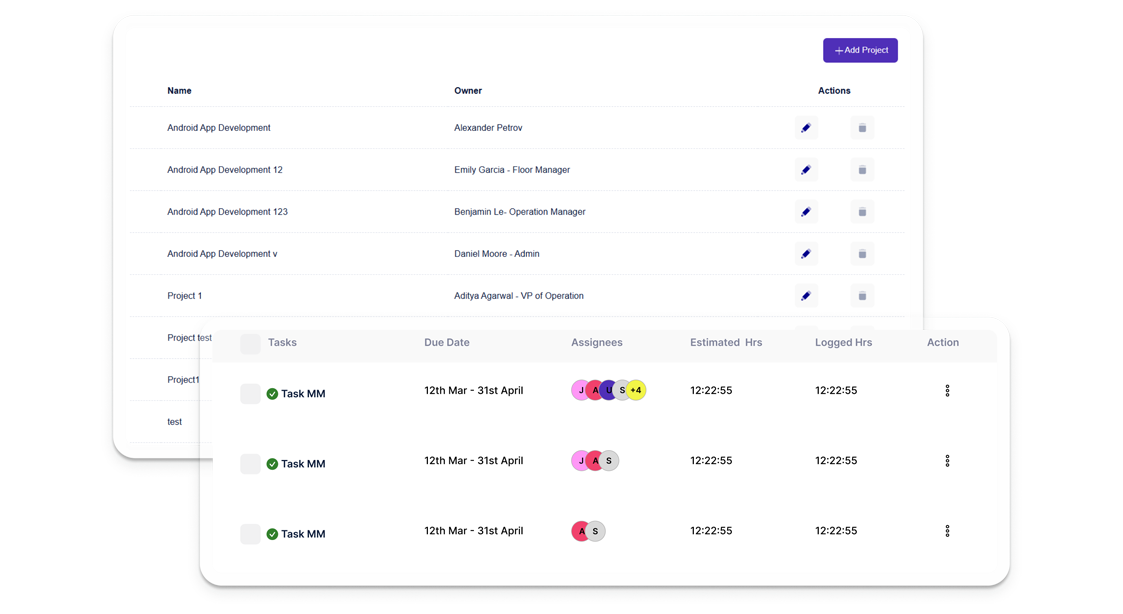
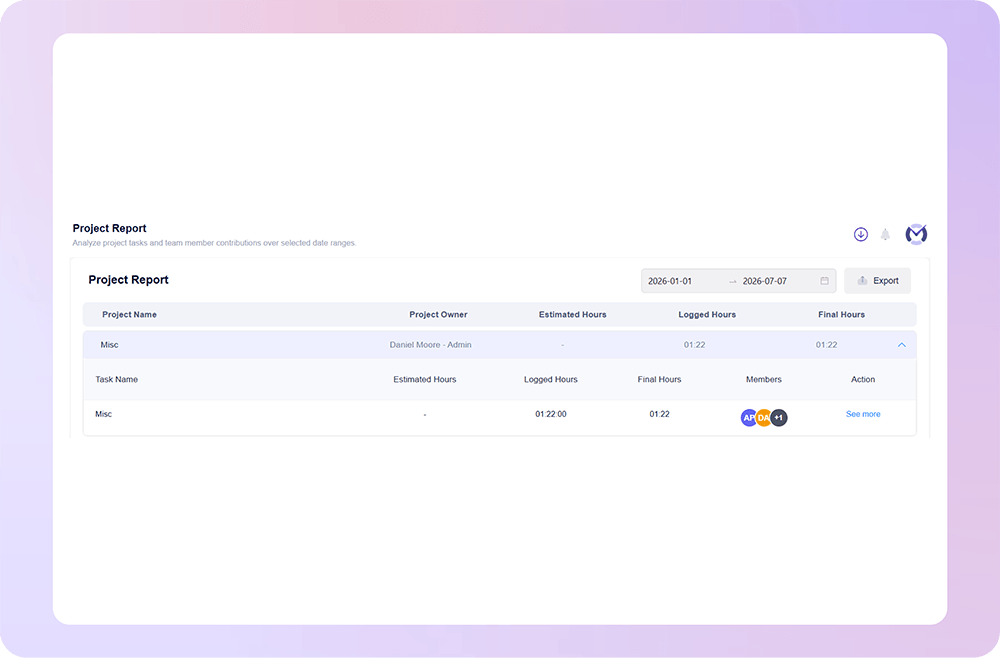
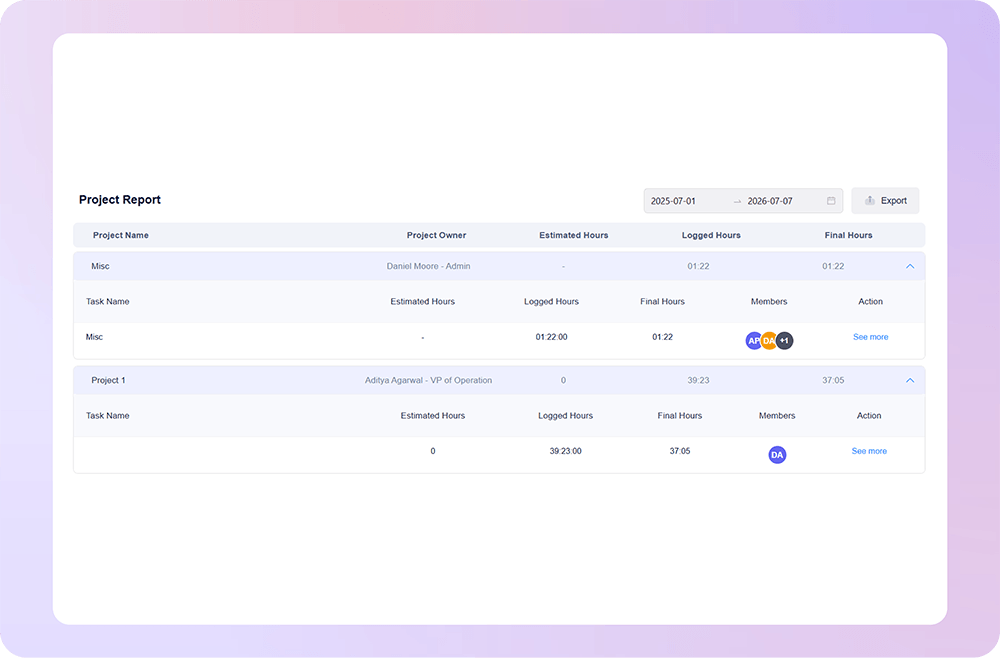
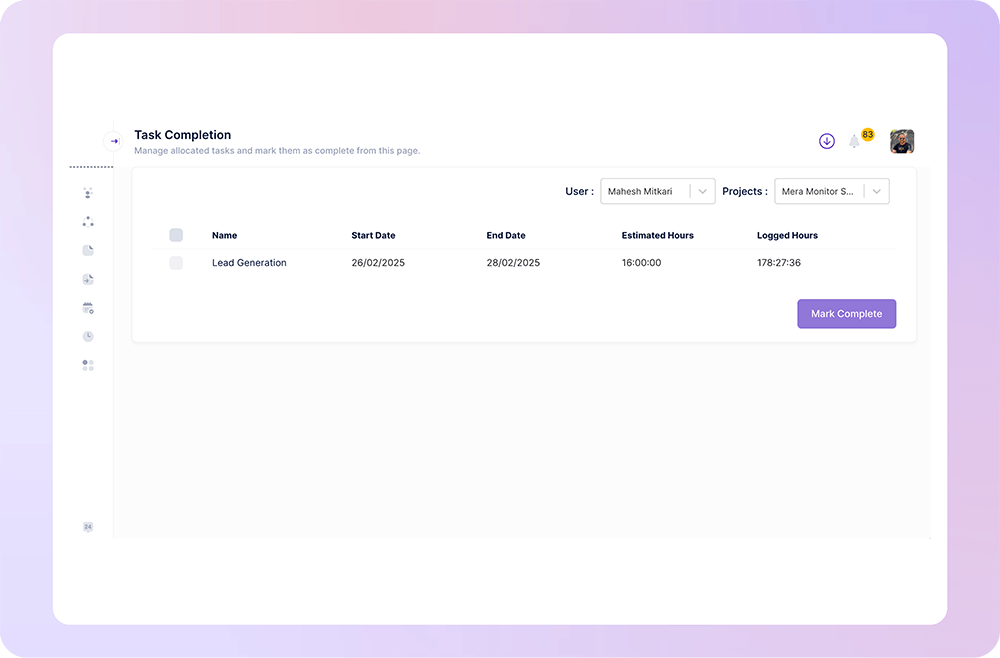
Mera Work helps teams track time by project so managers can clearly see how much effort goes into each client, internal initiative, campaign, or delivery workflow. This gives leaders better visibility into project progress, cost, and workload.

Task Time Tracking

Know How Much Time Each Task Really Takes

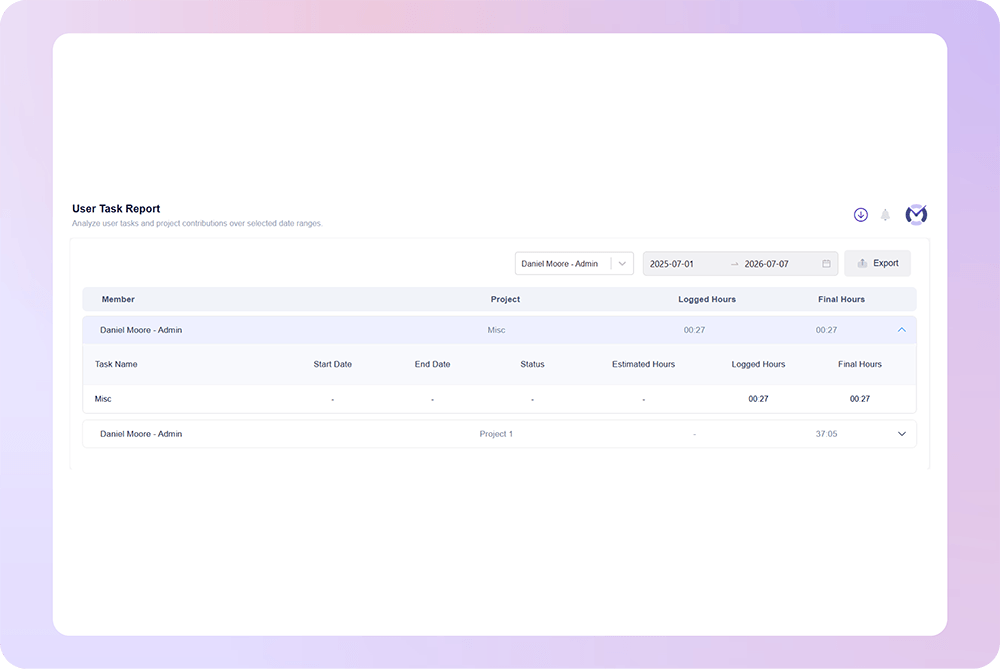
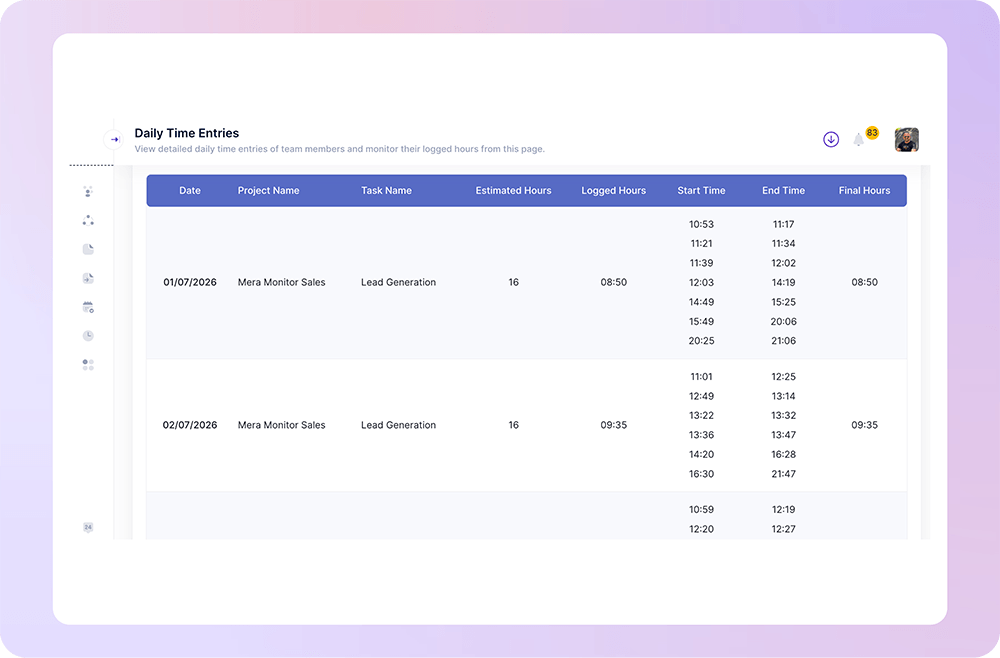
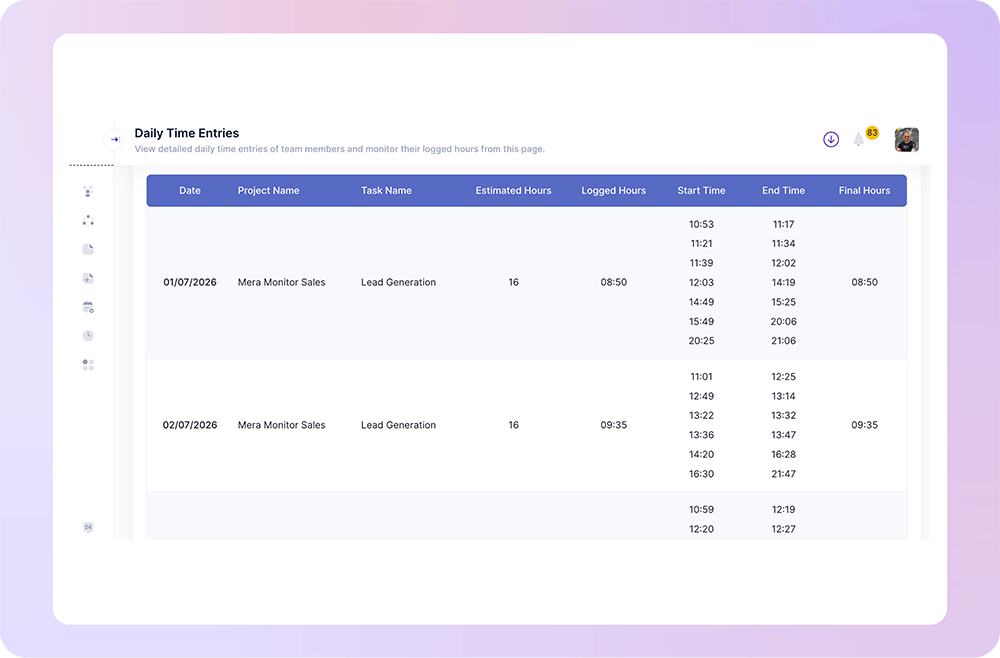
Track time by task to understand where daily effort is going at a more detailed level. Managers can see how much time employees spend on specific tasks, activities, phases, or deliverables.

Project & Task Reports

Turn Time Data into Clear Work Reports  

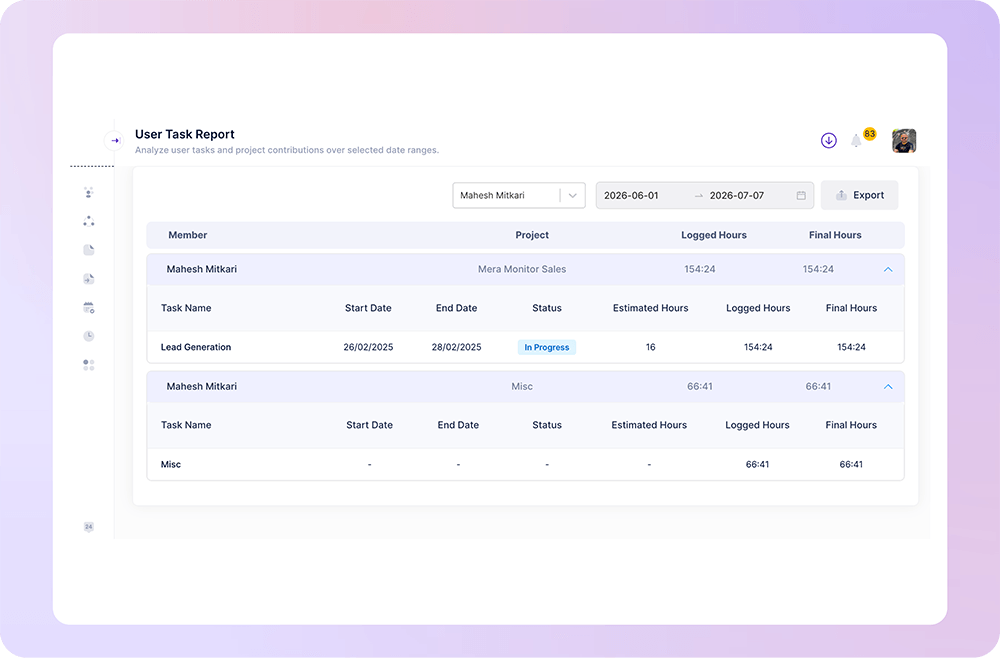
Mera Work converts project and task time tracking data into easy-to-read reports that help managers review team effort, delivery progress, and workload patterns without depending on manual updates.

Client & Billing Visibility

Improve Billing Accuracy with Proof of Work

For service teams, agencies, and delivery businesses, Mera Work helps capture project-wise and task-wise time so client billing becomes more transparent and accurate. Teams can reduce missed hours and support invoices with clear time data.

Workload & Capacity Insights

See Which Teams Are Overloaded or Underutilized

Project and task time tracking helps managers understand how workload is distributed across employees, teams, and projects. This makes it easier to spot capacity pressure, balance assignments, and plan resources more effectively.

Project Profitability Insights

Understand the Real Cost of Delivery

Mera Work helps leaders see how much time is actually spent on project execution, revisions, support work, and recurring tasks. This gives businesses better insight into delivery cost, scope creep, and project profitability.

Delivery Timeline Tracking

Keep Projects Moving with Better Time Visibility

Track how project and task hours progress over time to understand whether delivery is on track or falling behind. Managers can identify delays early and take action before timelines are affected.

Role-Based Time Visibility

Keep Project Time Data Structured and Relevant

Mera Work helps businesses manage project and task time tracking with structured visibility. Managers can review relevant team data, while leadership can access broader project, workload, and delivery insights.

Work Visibility with Privacy in Mind

Mera work is designed to help teams gain clarity into how work happens without compromising trust, transparency, or employee experience.

Where Project & Task Time Tracking Helps Work Stay on Track

What our customers are saying

Based on 2000+ reviews on

The best employee monitoring tool out there! Mera Work has features like live streaming and screen capturing that make it unique!
Abhishek Sharma
Startup Founder

70%

Workforce Visibility
We find Mera Work to be of great use to us working from a remote environment.

Mohammed Haris
Human Resource Lead, Dezy IT

60%

Faster Project Completion

See what your favorite AI says about Fellow

Still not sure that Fellow is the right AI meeting assistant and note-taker for you? Click a button and let Claude, ChatGPT, Gemini, Perplexity, or Grok do the thinking:

Available On

Everything You Need to Know About Project & Task Time Tracking

CONTENTS

What Is Project and Task Time Tracking?

Project and task time tracking is the process of recording work hours against specific projects and tasks. It helps managers understand how much time employees spend on client projects, internal initiatives, recurring work, support tasks, revisions, and delivery activities.

Project time tracking shows the total effort spent on a project. Task time tracking gives deeper visibility into individual activities within that project, such as development, design, testing, reporting, client communication, documentation, review, or support.

Together, they give businesses a clearer view of how work is planned, executed, billed, and delivered.

Why Project and Task Time Tracking Matters

When teams do not track time by project or task, businesses often depend on rough estimates, manual updates, or assumptions. This can lead to under-billing, inaccurate project planning, overloaded teams, missed deadlines, and unclear project profitability.

With project-wise and task-wise time tracking, businesses can understand:

  • How much time each project actually takes
  • Which tasks consume the most effort
  • Where scope creep is affecting margins
  • Which clients or project types require more resources
  • Whether teams are overloaded or underutilized
  • How accurately future projects can be estimated
  • Where delivery timelines need better planning

This makes project and task time tracking valuable for both day-to-day management and long-term business planning.

Project Time Tracking vs Task Time Tracking

Project time tracking gives a high-level view of total hours spent on a complete project. It helps managers understand project effort, delivery cost, progress, profitability, and resource usage.

Task time tracking gives a more detailed view of how time is distributed inside the project. It helps identify which activities take longer than expected, where delays happen, and which work phases need better planning.

For example, project time tracking may show that a project took 300 hours to complete. Task time tracking can show that 80 hours went into development, 45 hours into revisions, 30 hours into testing, and 25 hours into client communication. This level of detail helps businesses improve future estimates and reduce delivery surprises.

How Project and Task Time Tracking Improves Billing

For agencies, IT services companies, consultants, and client-facing teams, accurate time tracking helps improve billing transparency. When time is tracked by project and task, businesses can show clients clear proof of work and reduce the risk of missed or unbilled hours.

It also helps teams understand whether fixed-price projects are actually profitable. If a project was estimated for 100 hours but took 160 hours due to extra revisions or unclear scope, the business can use that insight to improve future proposals, pricing, and client agreements.

How It Supports Better Project Planning

Historical project and task time data helps managers create more accurate project plans. Instead of guessing how long a similar project might take, teams can review past work data and understand realistic effort requirements.

This improves planning for timelines, budgets, resource allocation, client commitments, and delivery milestones. Over time, project and task time tracking helps businesses move from assumption-based planning to data-backed project management.

How It Helps With Capacity and Workload Management

Project and task time tracking helps managers see how work is distributed across employees and teams. If one team is consistently spending most of its time on urgent client work, while another team has more available bandwidth, managers can make better workload decisions.

This also helps leadership understand whether hiring is truly needed or whether workload can be balanced through better planning, automation, process changes, or role clarity.

How It Improves Project Profitability

Time is one of the biggest cost factors in project delivery. When businesses track time by project and task, they can calculate the real cost of delivery more accurately.

This helps identify low-margin projects, high-effort clients, repeated revisions, inefficient workflows, and project types that consume more resources than expected. With better time visibility, businesses can protect margins, price work more accurately, and focus on higher-value projects.

Who Should Use Project and Task Time Tracking Software?

Project and task time tracking software is useful for any business where employee time is connected to project delivery, client billing, service output, or internal execution.

It is especially useful for:

  • IT services companies
  • Software development teams
  • Digital marketing agencies
  • Consulting firms
  • BPO and operations teams
  • Project managers and delivery teams
  • Remote and hybrid teams
  • Client service teams
  • Businesses handling multiple projects at the same time

If your business needs to know where work hours are going, which projects are profitable, and how teams are spending time, project and task time tracking can provide the clarity required.

What to Look for in Project and Task Time Tracking Software

The right project and task time tracking software should make it easy to track time accurately without adding unnecessary manual work. It should help managers view project-wise time, task-wise time, team workload, project hours, task hours, and time utilization in a simple reporting format.

A strong solution should support:

  • Time tracking by project
  • Time tracking by task
  • Employee project time reports
  • Team task time reports
  • Project-wise and task-wise visibility
  • Billable and non-billable time insights
  • Workload and capacity reports
  • Clear dashboards for managers
  • Historical data for better estimation
  • Easy access control for relevant users

The goal is not just to record hours. The goal is to turn project time data into better planning, billing, delivery, and profitability decisions.

How Mera Work Helps With Project and Task Time Tracking

Mera Work helps businesses track employee work hours by project and task so managers can understand where team time is actually going. It gives clear visibility into project effort, task-level work, team workload, time utilization, and delivery patterns.

With Mera Work, businesses can reduce manual timesheet gaps, improve billing accuracy, understand project costs, identify workload pressure, and make better decisions around planning and resource allocation.

For growing teams, this means more accurate project tracking, better delivery visibility, stronger accountability, and smarter business decisions backed by real work data.

Talk With Our Team About Your Workforce Operations

Connect with our team to explore how Mera Work helps organizations improve productivity, monitor workflows, and streamline workforce operations.

Get started today. No credit card required.

Frequently asked questions

Yes. Employees can record their work time under assigned projects and tasks, helping managers see exactly where effort is being spent across different work categories, clients, or deliverables.

Yes. Managers can review time at both project and task levels. Project-wise tracking gives an overall view of total effort, while task-wise tracking gives more detailed visibility into specific work activities.

Yes. Structured project and task time tracking reduces missing entries, vague work updates, and inaccurate timesheets by connecting work hours directly with defined projects and tasks.

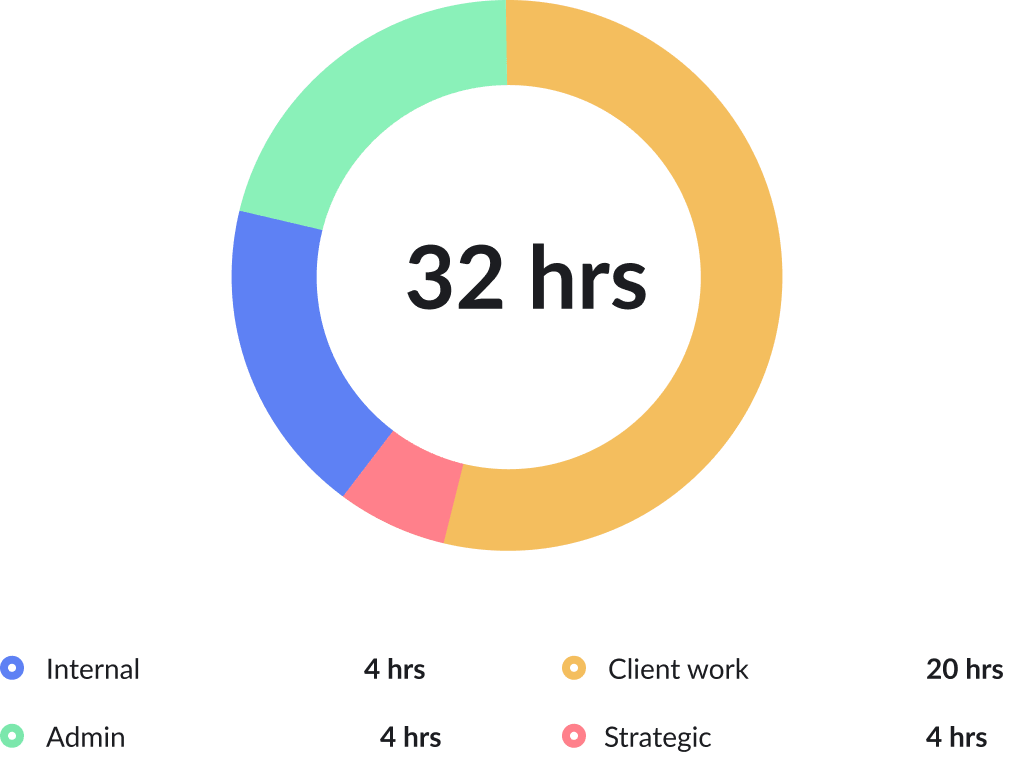
Yes. Businesses can use project and task time tracking to separate billable client work from internal, admin, support, or non-billable activities. This helps improve billing clarity and cost control.

Yes. Project time reports can help managers explain how time was spent across different phases, tasks, or deliverables. This adds more transparency during client updates, reviews, and billing conversations.

Yes. Task-level time data helps identify activities that take more time than expected, such as revisions, coordination, testing, documentation, meetings, or support work.
Yes. Teams working with multiple clients can track time separately for each client project. This helps managers understand client-wise effort, workload distribution, and delivery cost more clearly.

Yes. Historical time data helps businesses understand how long similar projects or tasks usually take. This makes future project planning, estimation, scoping, and resource allocation more reliable.

Yes. When actual hours are compared with planned effort or project value, businesses can identify work that consumes too much time compared to its return. This helps improve pricing and project selection.

Team leads can use project and task time data to understand workload, assign work more fairly, review progress, and identify where team members may need support or clearer priorities.

Yes. It gives remote and hybrid teams a structured way to show project effort and task progress without relying only on meetings, manual updates, or informal follow-ups.

Yes. Tracking actual hours against project and task work makes it easier to notice when extra requests, repeated changes, or unplanned activities are consuming more time than expected.

Managers should look at total project hours, task-wise effort, billable and non-billable time, workload distribution, repeated delays, high-effort activities, and differences between estimated and actual time.

Yes. Service-based businesses can use it to improve client billing, delivery planning, team utilization, project profitability, and workload visibility across multiple clients or engagements.

Mera Work helps teams track work hours by project and task, review time reports, understand delivery effort, improve billing accuracy, and make better decisions around workload, planning, and project performance.