









































































Mera Work

Workforce Analytics Software

Turn Workforce Data into
Productivity, Planning, and Performance Insights

Gain a clear view of how work happens across your team. Track productivity patterns, time usage, attendance trends, application activity, and performance insights to identify gaps, improve planning, and make data-backed workforce decisions.

No Credit Card required | 14 days Free Trial

Know What Needs Attention Before Work Slows Down 

Same clarity. Office or remote.

Spot burnout before it shows up in results.

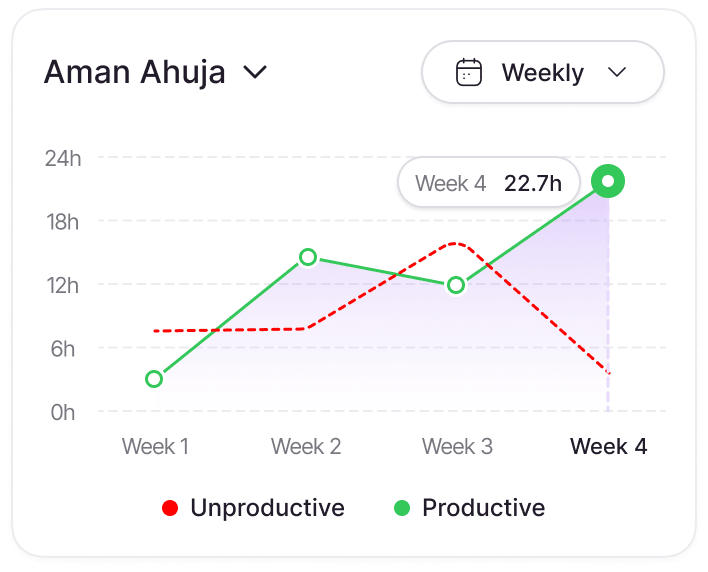
Weekly activity trends reveal who is pushing too hard — declining productivity, late hours, and workload spikes flagged automatically.

Plan capacity before it becomes a crisis.

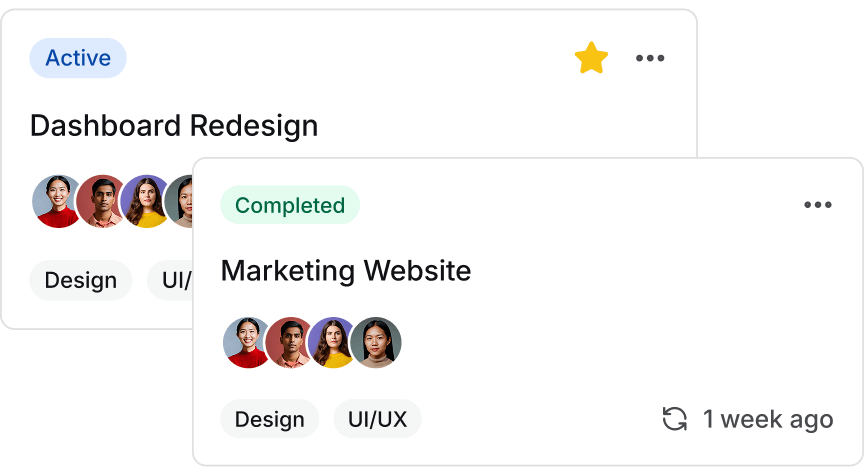
See which projects are active, who is on what, and where capacity is running thin — before deadlines are missed.

Know when your team does their best work.

Focus time, deep work blocks, and peak productivity hours — tracked automatically per person.

Workforce Analytics Features Built to Improve Productivity, Planning, and Performance Insights

Productivity Trend Analytics  

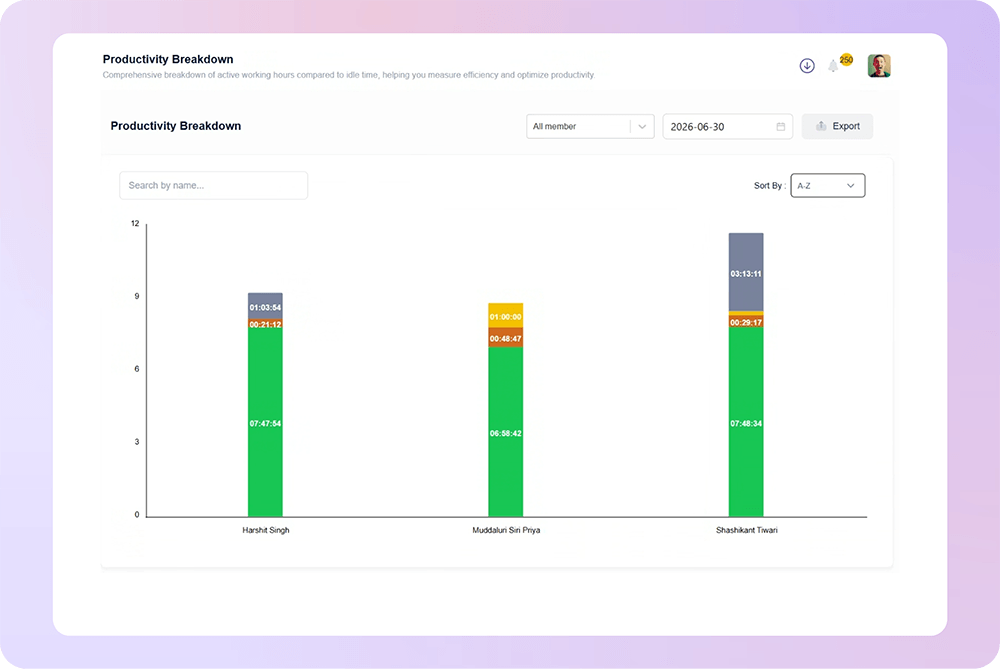
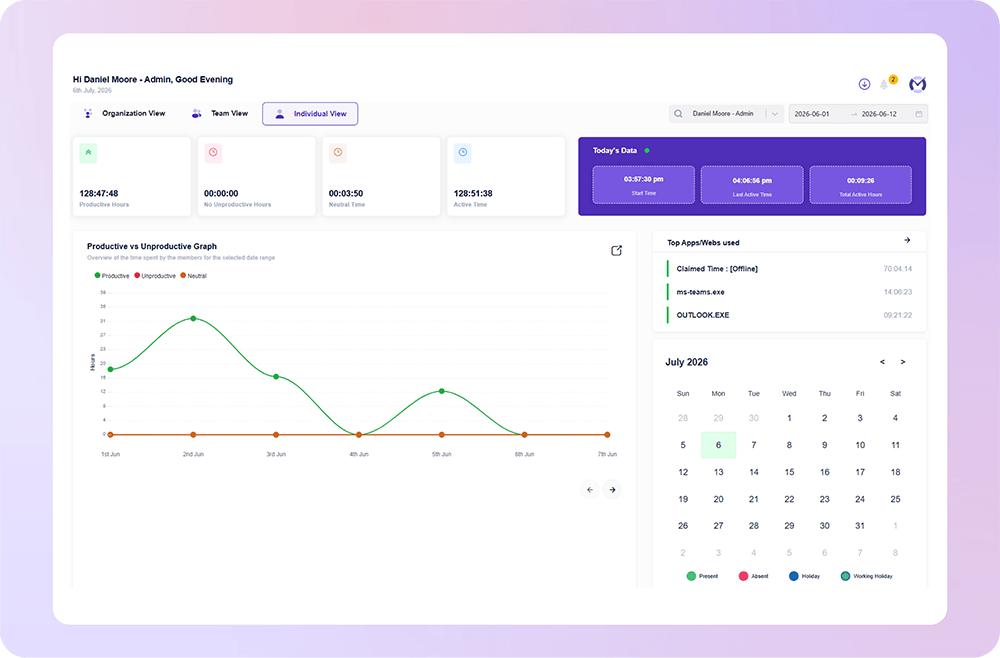
See How Workforce Productivity Changes Over Time

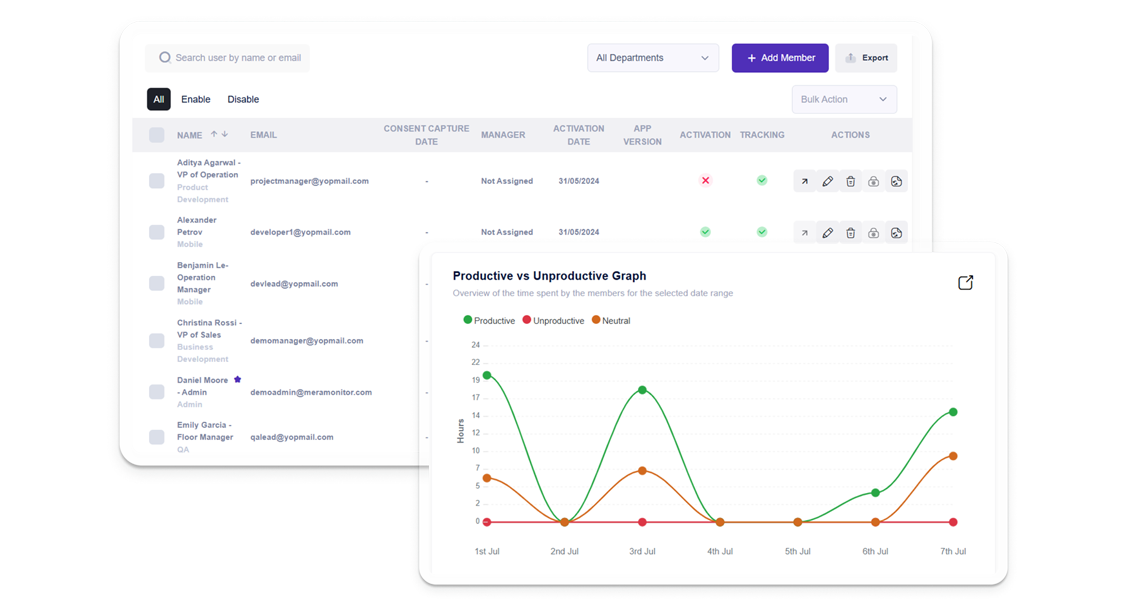
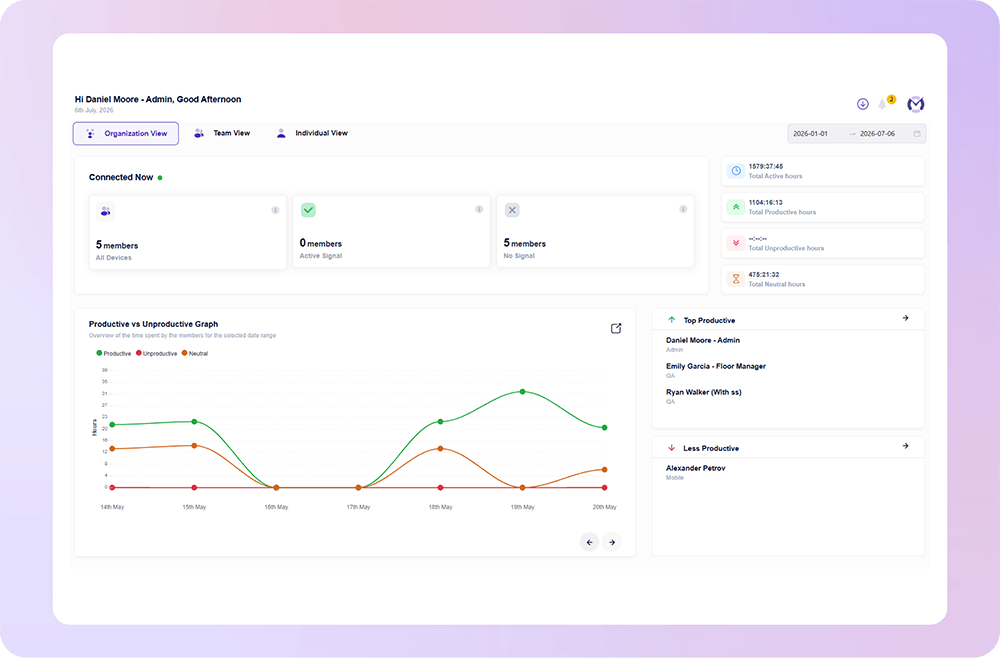
Mera Work helps leaders understand productivity trends across teams, departments, and work patterns. Instead of reviewing isolated work hours, managers can see how productivity changes over days, weeks, and projects.

Workload & Capacity Insights

Know Which Teams Are Overloaded or Underutilized

Workforce analytics helps businesses understand team capacity more clearly by showing where workload pressure is increasing and where available bandwidth exists. This supports better planning, staffing, and workload distribution.

Work Time Utilization

Understand How Work Hours Are Actually Used

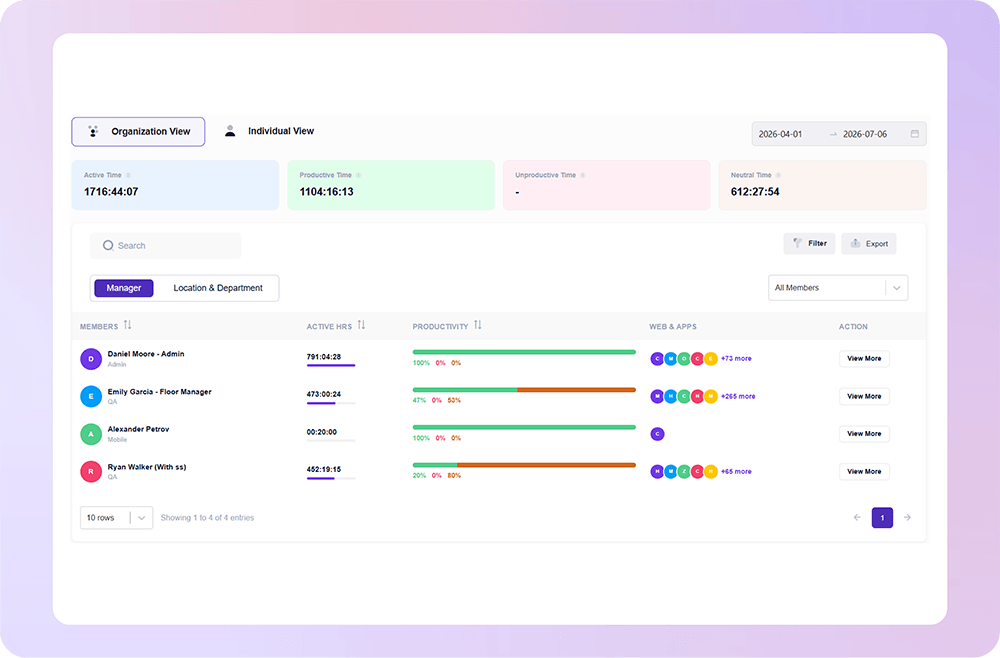
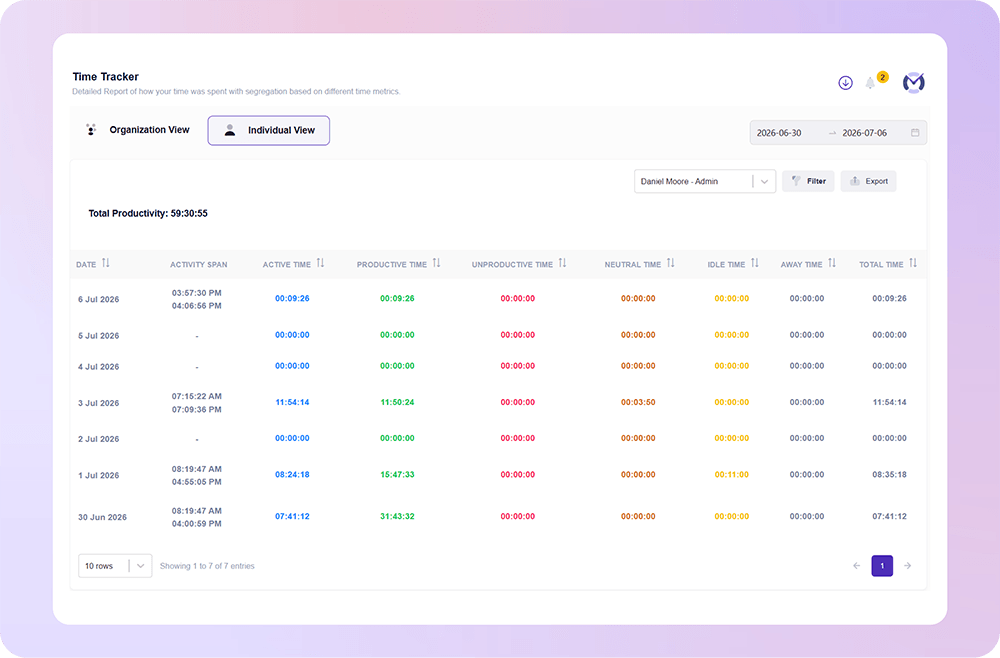
Mera Work gives leaders visibility into how employee work time is distributed across active work, idle time, away time, applications, websites, and tasks. This helps businesses understand where time is going with better context.

Performance Pattern Analysis

Turn Daily Work Data Into Performance Context s

Workforce analytics helps managers review employee and team performance using real work patterns instead of assumptions. By combining activity, time usage, productivity trends, and work behavior, reviews become more contextual and fair.

Burnout & Workload Risk Visibility

Spot Workload Pressure Before It Becomes a Problem

Mera Work helps identify signs of sustained overwork, late-hour activity, irregular activity spikes, and reduced downtime. This allows leaders to act before workload pressure affects performance, engagement, or retention.

Team & Department Reports

Compare Workforce Insights Across Teams

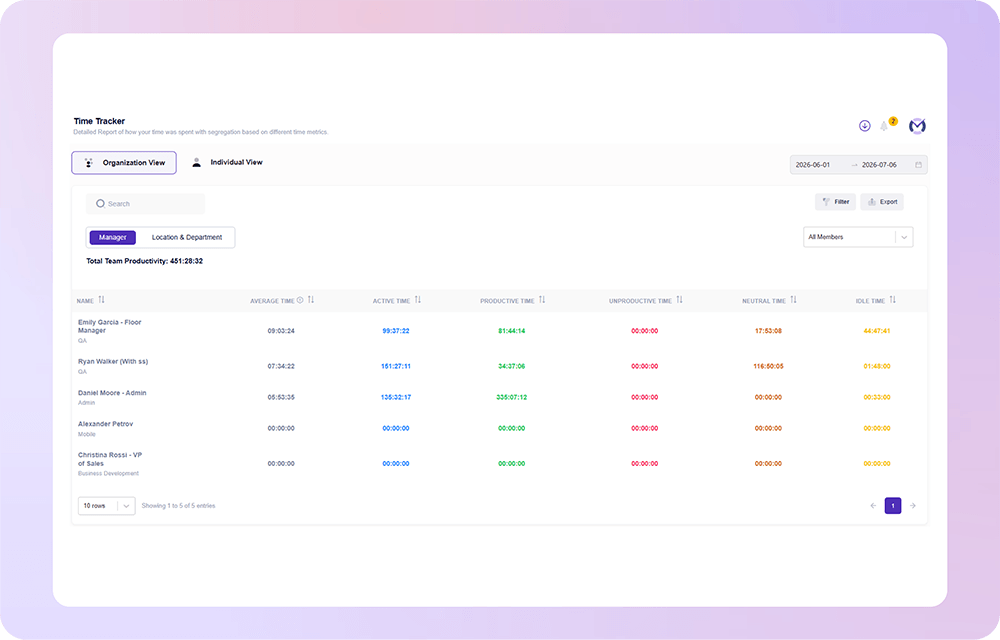
Workforce analytics turns employee work data into clear reports for managers and leaders. Teams can compare productivity, utilization, work patterns, and performance trends across departments to make better operational decisions.

Hybrid & Remote Work Visibility

Manage Distributed Teams With More Confidence

Mera Work helps leaders understand how remote, hybrid, and distributed teams are working without depending on constant follow-ups. Managers get visibility into work patterns, team momentum, and productivity trends while supporting flexible work environments.

Actionable Workforce Dashboards

Turn Workforce Data Into Clear Decision-Making Insights

Mera Work brings workforce analytics into easy-to-read dashboards that help managers quickly understand productivity, workload, utilization, and performance trends. This makes it easier to identify gaps and take timely action.

Work Visibility with Privacy in Mind

Mera work is designed to help teams gain clarity into how work happens without compromising trust, transparency, or employee experience.

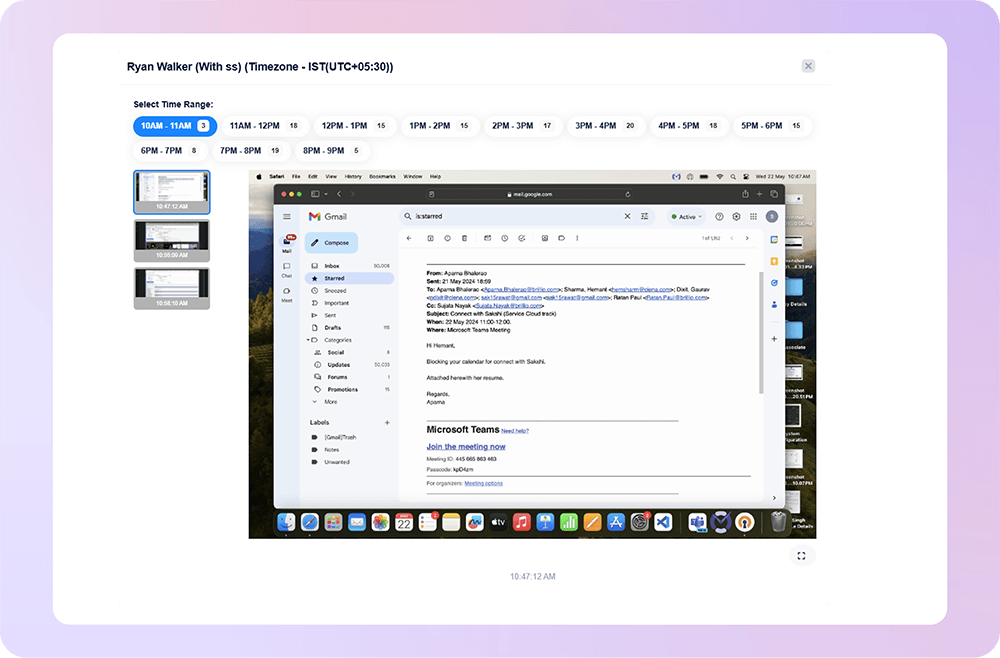
Where Screen Monitoring Helps Work Stay on Track

What our customers are saying

Based on 2000+ reviews on

We find Mera Work to be of great use to us working from a remote environment.
Mohammed Haris
Human Resource Lead, Dezy IT

60%

Faster Project Completion
Mera Work is an exceptional tool for performance monitoring, offering invaluable support for organizational decision-making. Its real-time monitoring and live-streaming capabilities provide complete visibility into team activities, ensuring transparency and accountability.
Prakash Makwana
Product Design Lead at PiplHR

75%

Better Resource Utilization

See what your favorite AI says about Fellow

Still not sure that Fellow is the right AI meeting assistant and note-taker for you? Click a button and let Claude, ChatGPT, Gemini, Perplexity, or Grok do the thinking:

Available On

Everything You Need to Know About Workforce Analytics Software

CONTENTS

What Is Workforce Analytics Software?

Workforce analytics software is a solution that collects and analyzes employee work data to help businesses make better workforce decisions. It can include insights related to work hours, productivity trends, active and idle time, attendance, application usage, website activity, workload distribution, and team performance.

The goal is not just to monitor employees. The real value is to help organizations understand workforce patterns, improve planning, support accountability, reduce inefficiencies, and create better visibility into how work actually happens.

Why Do Businesses Use Workforce Analytics?

Businesses use workforce analytics to move from guesswork to data-backed decision-making. Without clear workforce insights, managers often depend on repeated follow-ups, manual reports, or surface-level productivity assumptions.

With workforce analytics, leaders can identify:

  • Which teams are working at full capacity
  • Where productivity is improving or dropping
  • How work hours are being utilized
  • Which departments may need more support
  • Where operational bottlenecks are slowing work
  • Whether remote and hybrid teams are maintaining momentum
  • How to make performance reviews more contextual and fair

This makes workforce analytics useful for HR teams, operations leaders, project managers, business owners, and department heads.

Key Metrics Tracked in Workforce Analytics

Workforce analytics software can track different types of work-related metrics depending on the business need. Some of the most useful metrics include:

    • Productive time: Time spent on approved work-related tools, tasks, and activities
    • Active time: Time when employees are actively working on their systems
    • Idle time: Time when there is limited or no system activity
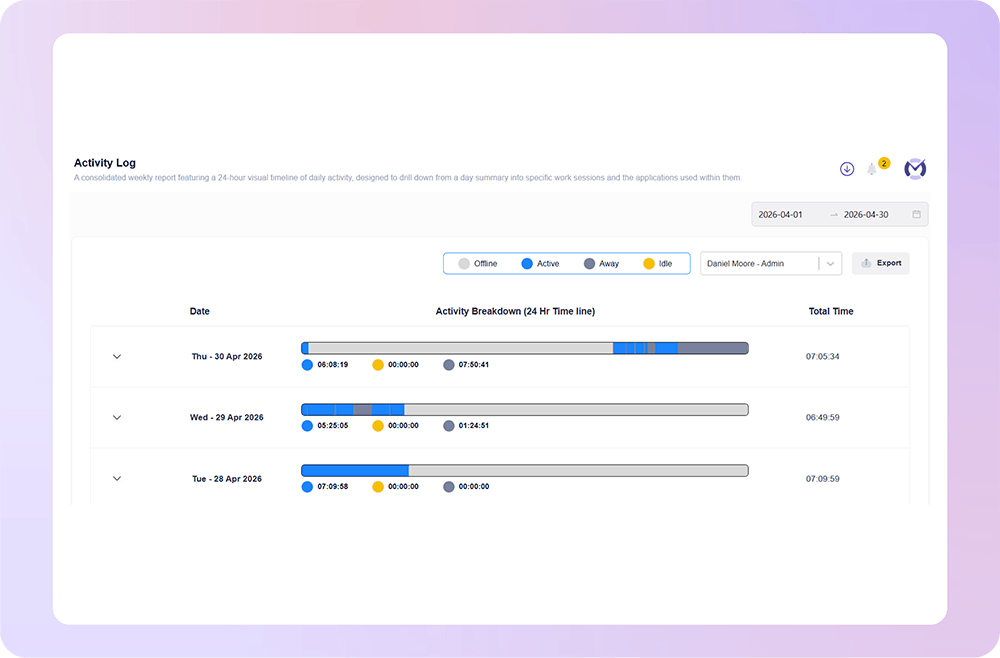
    • Attendance trends: Login, logout, work hours, and availability patterns
    • Application and website usage: Digital tools and websites used during work hours
    • Workload distribution: How work is spread across employees, teams, or departments
    • Focus patterns: Time spent on uninterrupted work versus frequent switching
    • Team productivity trends: Daily, weekly, or monthly performance patterns
    • Capacity indicators: Signals that show whether teams are overloaded or underutilized

These metrics help businesses understand both individual work patterns and larger team-level trends.

How Workforce Analytics Improves Productivity

Workforce analytics improves productivity by showing where time, effort, and attention are going during the workday. If a team is spending too much time switching between tools, working outside regular hours, or losing focus due to repeated distractions, managers can identify the pattern early and take corrective action.

It also helps businesses improve productivity without micromanagement. Instead of constantly asking employees for updates, managers can use workforce reports and dashboards to understand work progress, workload pressure, and team performance with better context.

Workforce Analytics for Remote and Hybrid Teams

Remote and hybrid work has made workforce visibility more important. When employees are working from different locations, managers may not always know whether teams are aligned, overloaded, blocked, or losing focus.

Workforce analytics software gives leaders a structured way to manage distributed teams. It helps track work patterns, productivity trends, attendance, digital activity, and capacity without depending only on manual check-ins. This creates a better balance between trust, flexibility, and accountability.

Workforce Analytics vs Employee Monitoring

Workforce analytics and employee monitoring are related, but they are not the same. Employee monitoring usually focuses on tracking activity, work hours, screenshots, app usage, and attendance. Workforce analytics goes a step further by turning that data into meaningful business insights.

For example, employee monitoring may show that an employee worked eight hours. Workforce analytics helps answer deeper questions like:

  • Was the time spent productively?
  • Is the team overloaded?
  • Are employees spending too much time on repetitive tools?
  • Are productivity trends improving or declining?
  • Is workload pressure affecting performance?
  • Are managers making decisions based on real work patterns?

This makes workforce analytics more strategic for business planning, productivity improvement, and workforce management.

Who Needs Workforce Analytics Software?

Workforce analytics software is useful for any organization that wants better visibility into employee productivity, team performance, and workforce planning. It is especially useful for:
  • Remote and hybrid teams
  • IT and software companies
  • BPOs and customer support teams
  • Agencies and service-based businesses
  • Operations-heavy teams
  • HR and people management teams
  • Project-based organizations
  • Businesses managing distributed employees
If a company wants to understand how work happens, where time is being spent, and how teams can perform better, workforce analytics can provide the clarity needed.

How to Choose the Right Workforce Analytics Software

When choosing workforce analytics software, businesses should look for a platform that offers clear reports, easy dashboards, productivity insights, attendance tracking, application and website usage, role-based access, and team-level visibility.

The right software should not only collect data but also make that data easy to understand and act on. Managers should be able to identify trends, compare teams, review productivity patterns, and make decisions without spending hours analyzing complex reports.

A good workforce analytics solution should help businesses improve productivity, support fairer performance conversations, plan capacity better, and manage teams with confidence.

How Mera Work Helps with Workforce Analytics

Mera Work helps businesses turn daily work data into meaningful workforce insights. With visibility into productivity trends, work hours, application usage, website activity, attendance, active time, idle time, and team performance patterns, leaders can make better decisions with real work context.

Instead of depending on assumptions or manual status updates, Mera Work gives managers a clear view of how teams are working, where productivity gaps exist, and where operational improvements are needed.

For growing businesses, this means better planning, stronger accountability, improved productivity, and more confident workforce decisions.

Talk With Our Team About Your Workforce Operations

Connect with our team to explore how Mera Work helps organizations improve productivity, monitor workflows, and streamline workforce operations.

Get started today. No credit card required.

Frequently asked questions

Workforce analytics data is usually presented through dashboards, reports, charts, and team-level summaries. Managers can review productivity trends, time utilization, attendance patterns, workload signals, and activity insights in a simplified format without manually analyzing raw data.

Yes. Workforce analytics is most useful when it helps managers understand team-level and department-level patterns. It can show how different teams are using time, where workload pressure exists, and which groups may need better support, process changes, or resource planning.

Most workforce analytics software captures work-related data automatically through time tracking, attendance records, application usage, website activity, and productivity reports. This reduces dependency on manual updates, spreadsheets, or self-reported work summaries.

Yes. Workforce analytics can highlight patterns such as repeated tool switching, excessive time on administrative activities, underused software, idle time trends, or teams spending too much time on low-value work. These insights help leaders improve workflows and remove operational friction.

Yes. Workforce analytics helps managers compare productivity, workload, utilization, and work patterns across multiple teams from one place. This makes it easier to prioritize support, identify performance gaps, and make faster decisions.

In many workforce analytics platforms, applications and websites can be classified based on business relevance. This helps companies define what is productive, unproductive, or neutral according to each team’s role, department, or work function.

Workforce analytics can show which tools are actively used and which platforms are underused across teams. This helps businesses review software adoption, reduce unnecessary subscriptions, improve tool usage, and make better software investment decisions.

Yes. When managers have access to clear work visibility and productivity reports, they do not need to depend only on repeated status checks. Workforce analytics gives them better context around team activity, work progress, and performance patterns

Yes. Project-based teams can use workforce analytics to understand how work hours, productivity, and effort are distributed across teams or tasks. This helps improve planning, workload balancing, delivery visibility, and project execution.

Businesses should use workforce analytics to improve visibility, planning, and support—not to monitor every action unnecessarily. Clear policies, role-based access, transparent communication, and team-level insights help keep the approach fair and balanced.

Yes. Workforce analytics can support both real-time visibility and historical trend analysis. Real-time insights help managers understand current work patterns, while historical data helps identify long-term productivity, workload, and performance trends.

A good workforce analytics platform should provide productivity reports, attendance summaries, time utilization reports, app and website usage reports, team performance reports, workload insights, and trend-based dashboards that managers can easily understand.

Role-based access ensures that only authorized users can view relevant workforce data. For example, managers may only see their own team’s reports, while leadership may access broader department or organization-level insights.

Yes. Workforce analytics supports accountability by giving managers and employees a clearer view of work patterns, productivity trends, and time utilization. This makes performance conversations more objective and reduces dependency on assumptions.

Mera Work helps businesses bring productivity trends, work hours, attendance, app usage, website activity, active time, idle time, and team reports into one platform. It gives managers clear workforce visibility so they can improve planning, accountability, and operational performance.