





















































Mera Work

User Activity Monitoring Software

Improve Productivity and
Accountability with Clear User Activity Insights

Mera Work helps managers understand employee work activity, identify productivity gaps, reduce manual follow-ups, and make better workforce decisions with clear, real-time activity visibility.

No Credit Card required | 14 days Free Trial

Know What Needs Attention Before Work Slows Down 

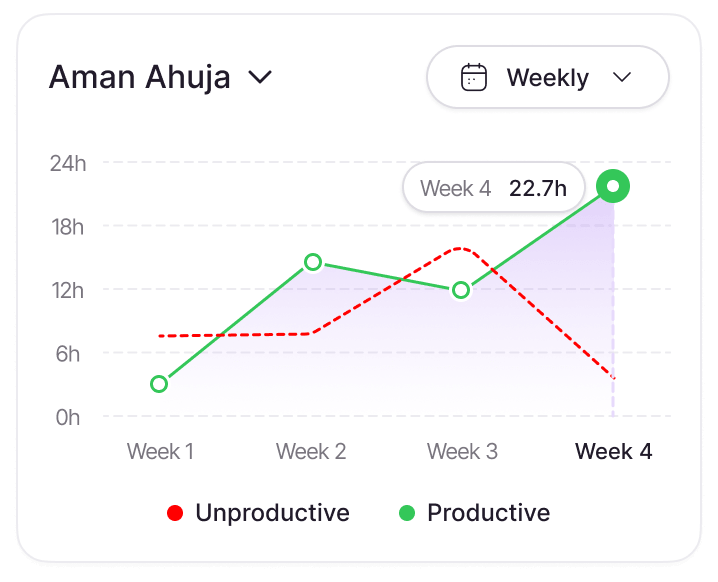
Spot burnout before it breaks your team.

Weekly activity patterns show when someone is pushing too hard — or not enough. Act early, not after.

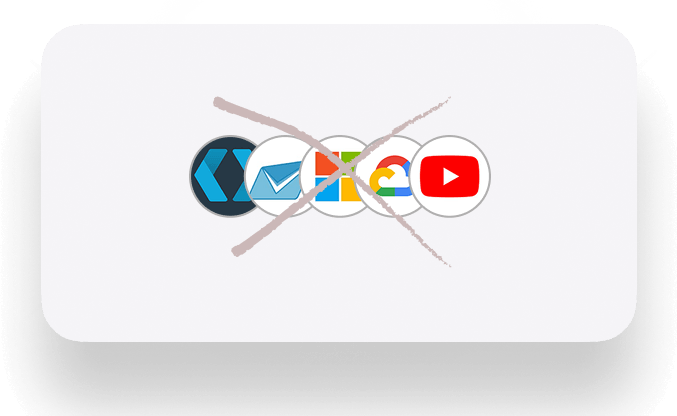
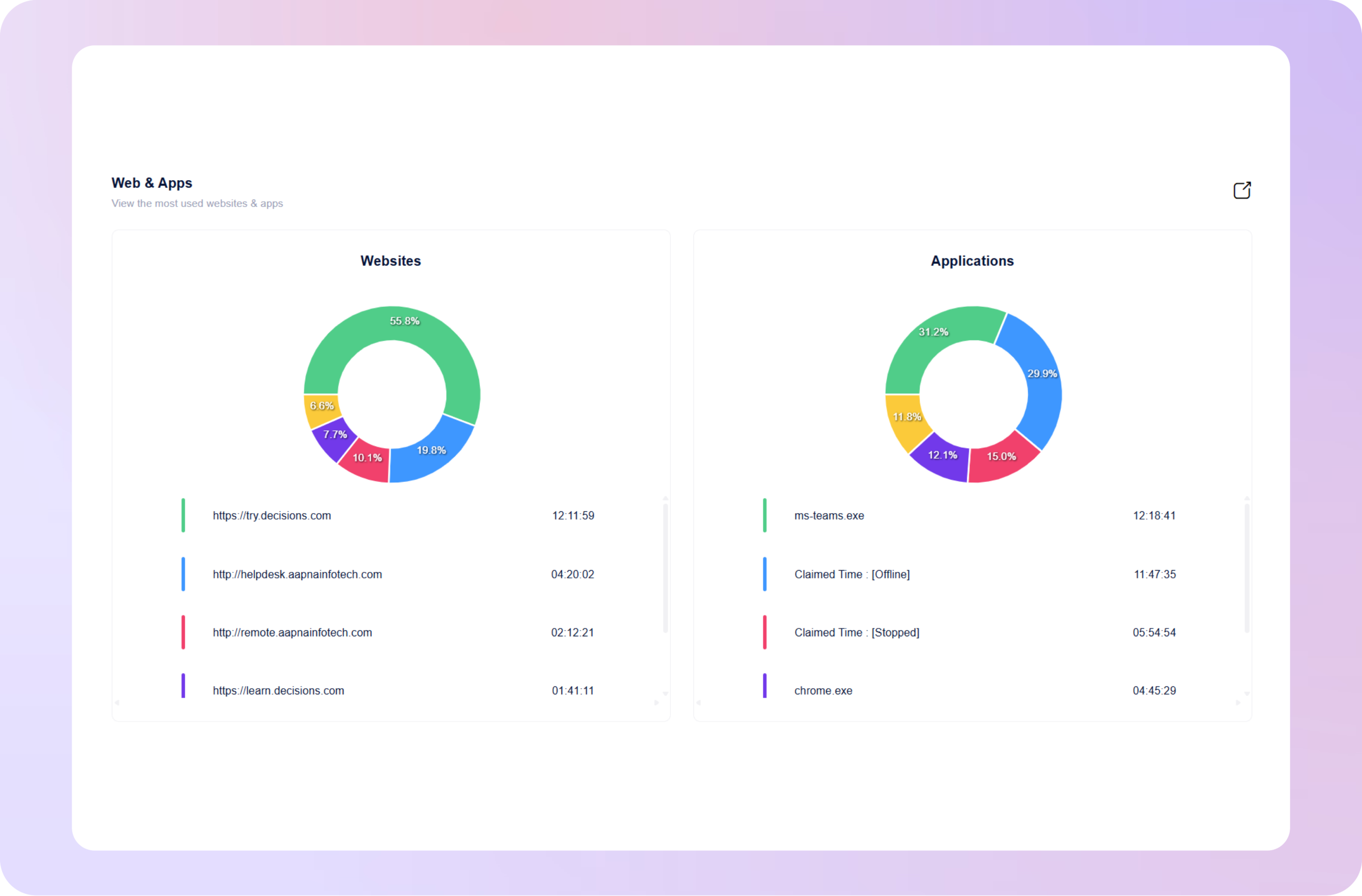
Stop paying for tools nobody uses.

See which apps your team actually uses and which $2340 /month in subscriptions are going to waste.

Know the moment something feels wrong.

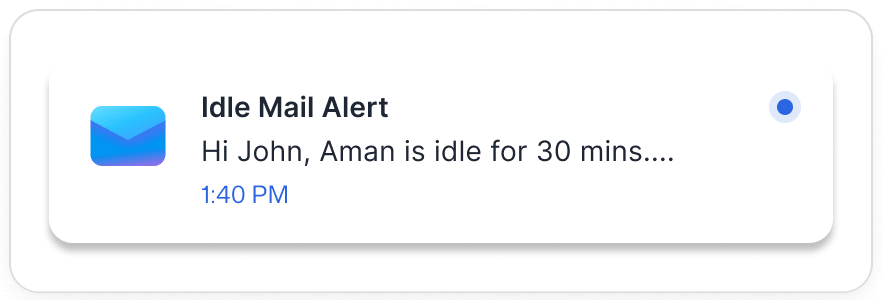
Unusual activity, idle patterns, unauthorized access — flagged instantly. Not discovered later.

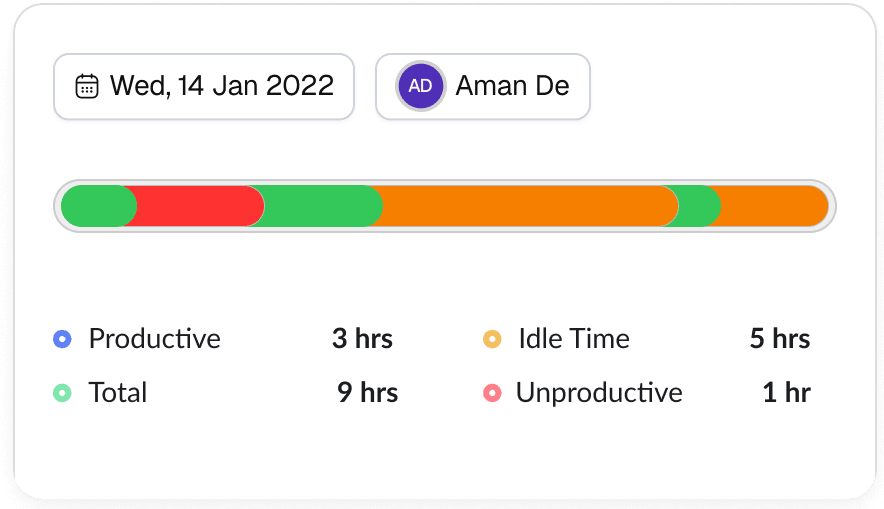
Know exactly how every hour was spent.

User Activity Monitoring Features Built to Improve Productivity, Security, and Workforce Visibility

Employee Activity Tracking

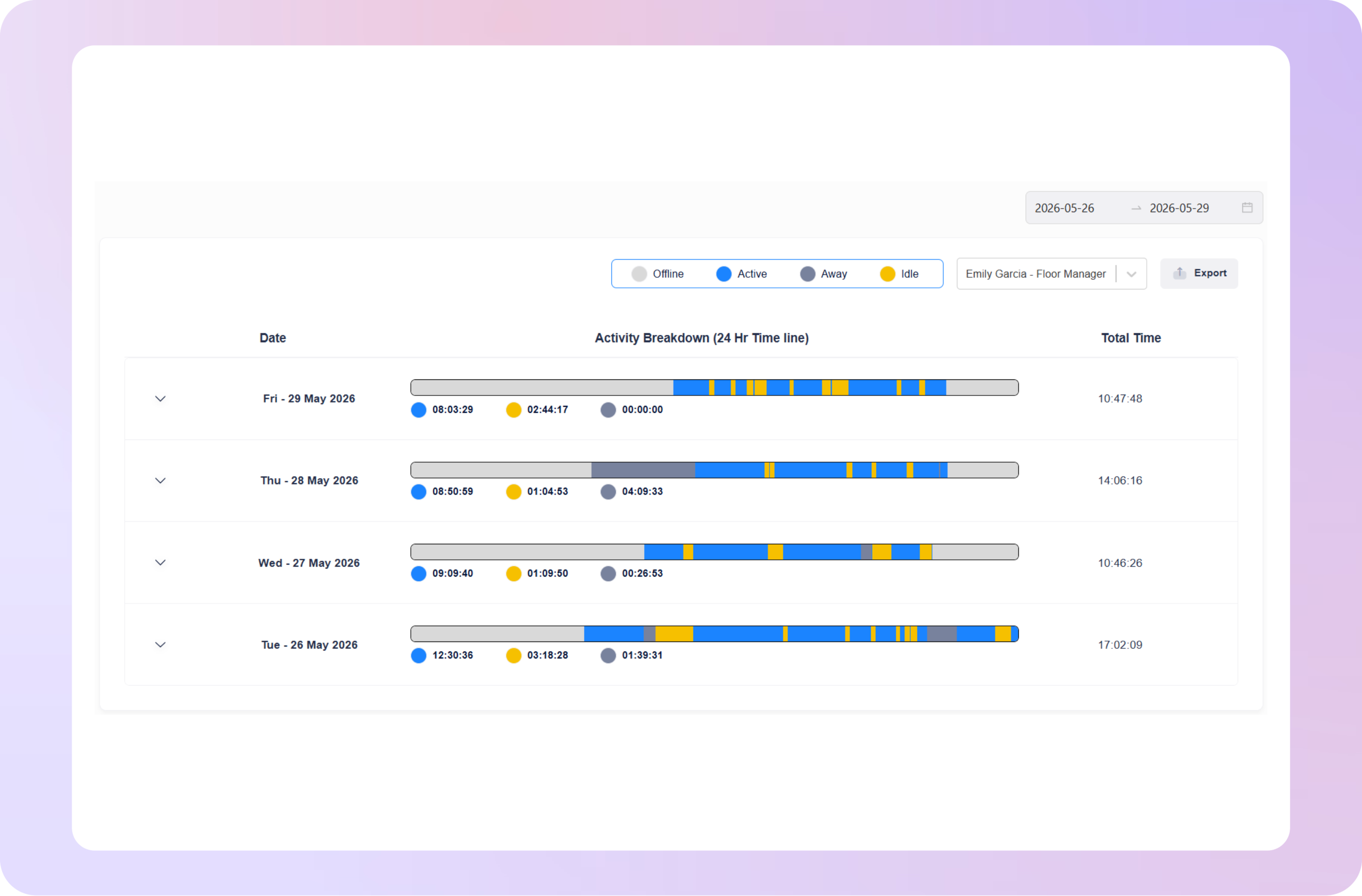
Understand How Employees Work During the Day

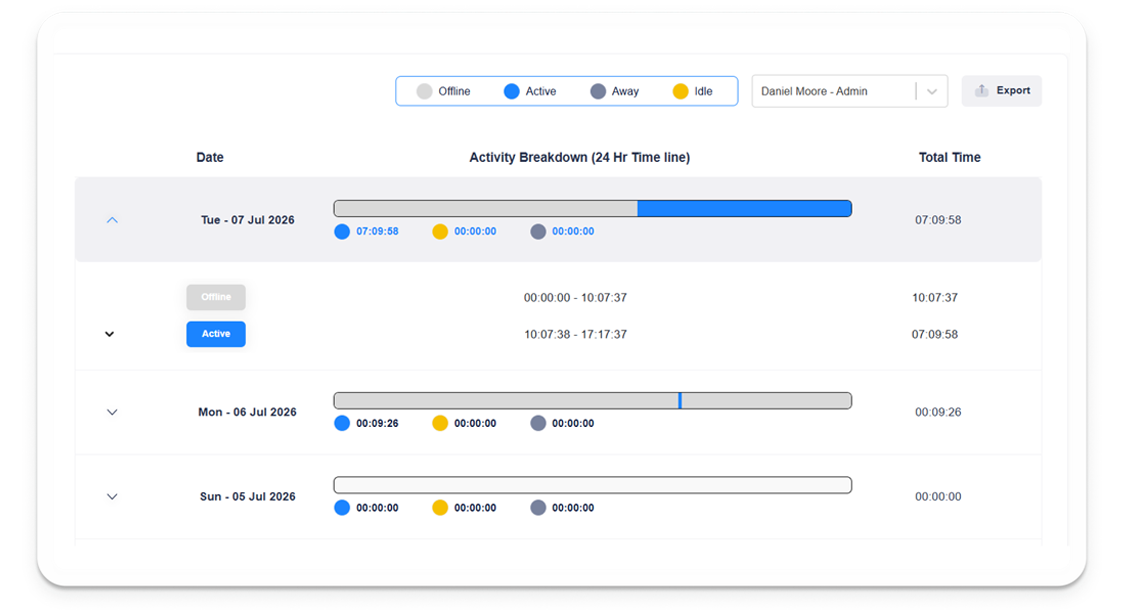
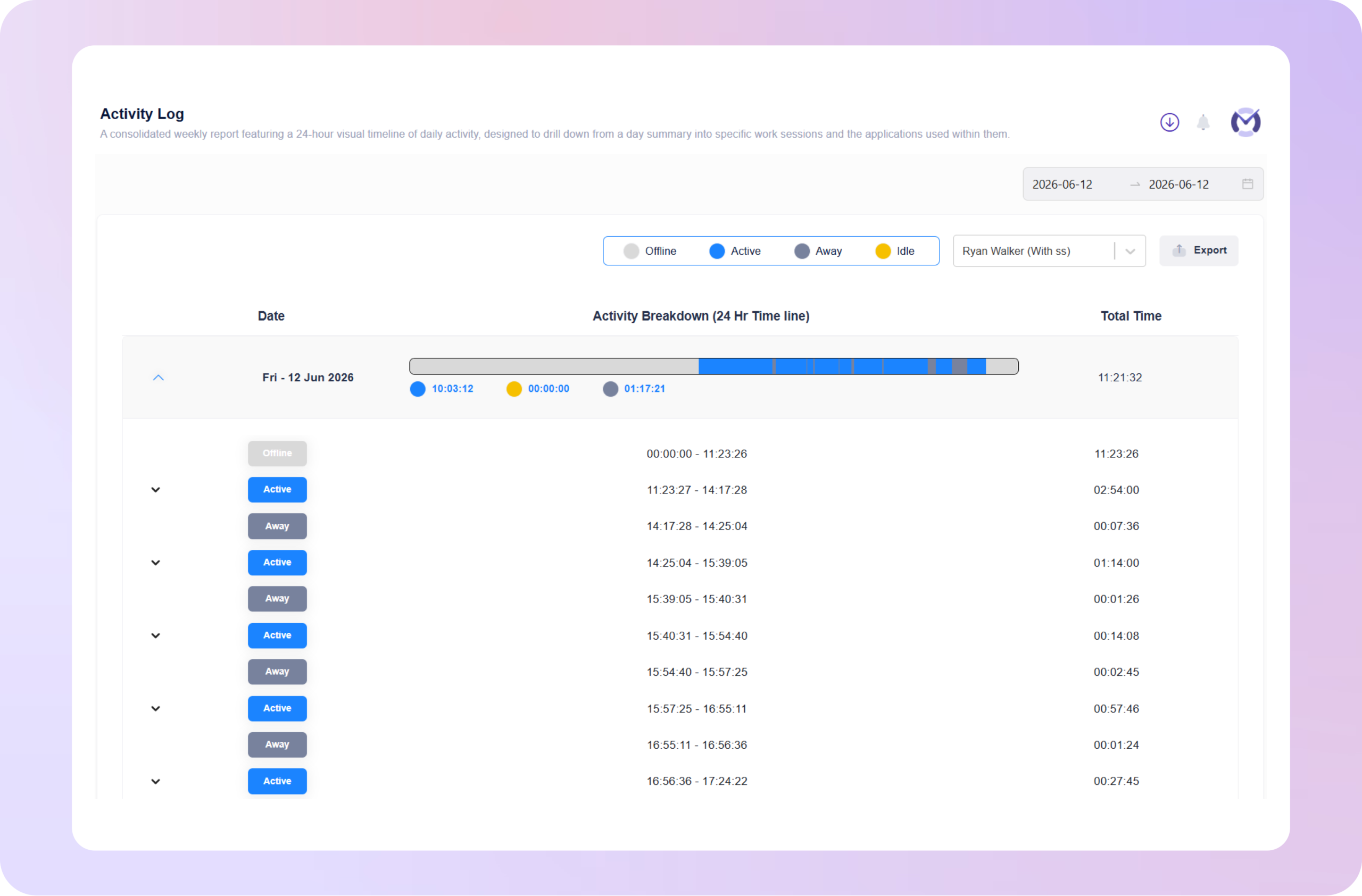
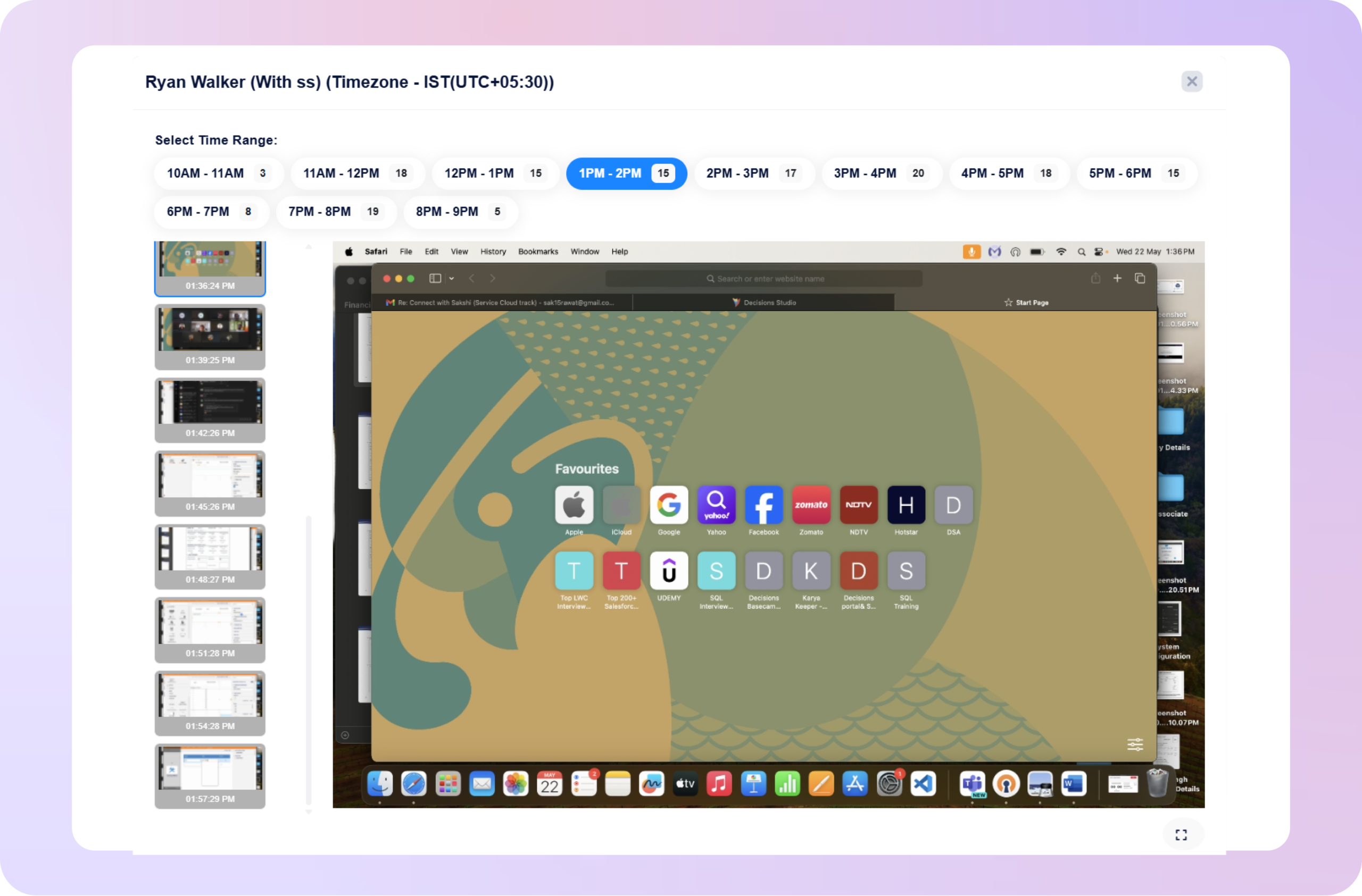
Mera Work helps managers see employee work activity across systems, applications, websites, active time, idle time, and work sessions. This gives leaders clearer visibility into how daily work is progressing without relying only on manual updates.

Computer Activity Monitoring

See Work Activity Across Employee Systems

Monitor user activity on employee desktops and systems to understand how work time is being used across digital tools, tasks, and workflows. This helps managers identify productivity patterns and activity gaps more clearly.

Application & Website Activity

Know Which Digital Activities Support Work

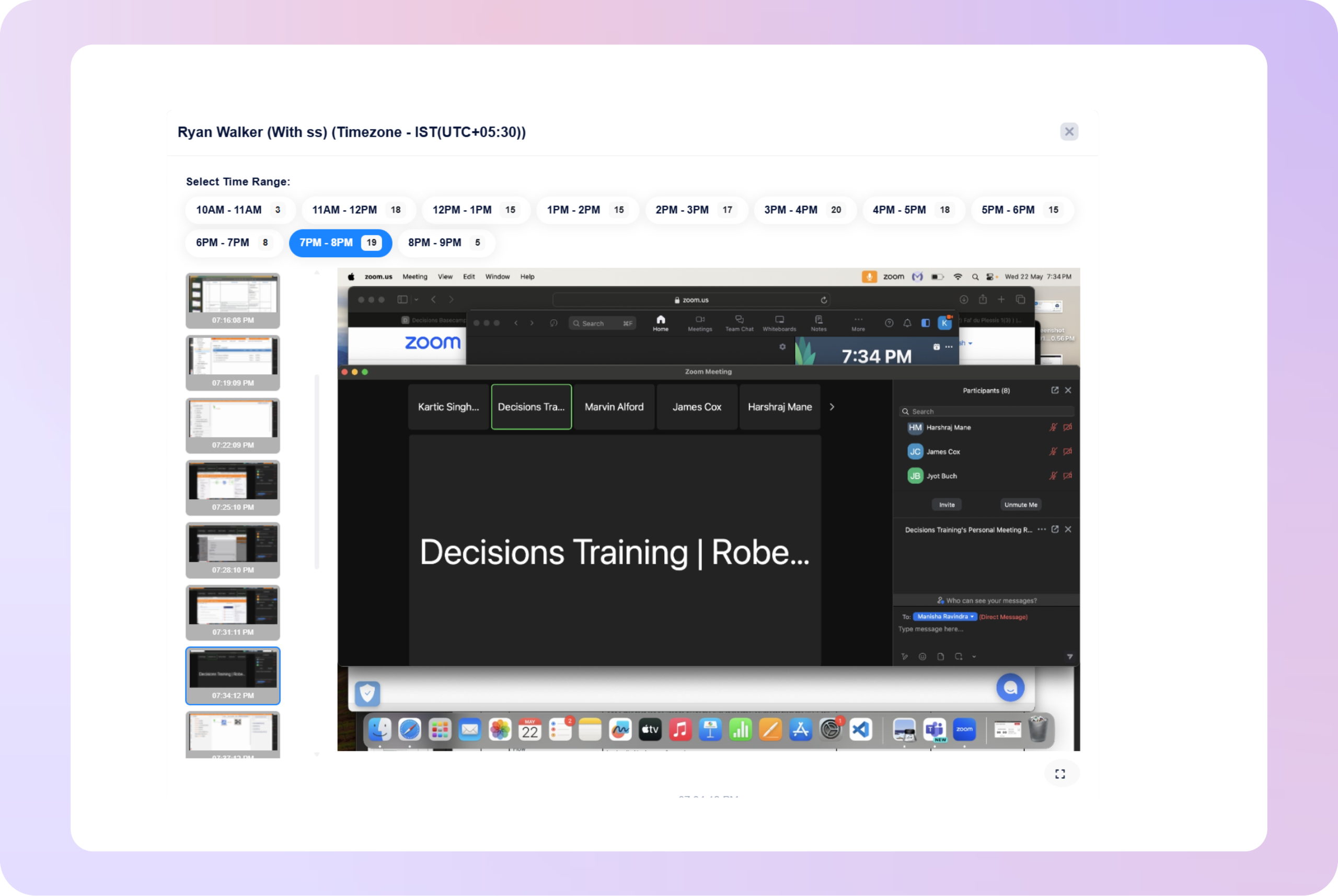
Mera Work helps leaders understand which applications and websites employees use during the workday. This gives better context into productive work, research activity, communication, collaboration, and possible distractions.

Productivity Activity Insights

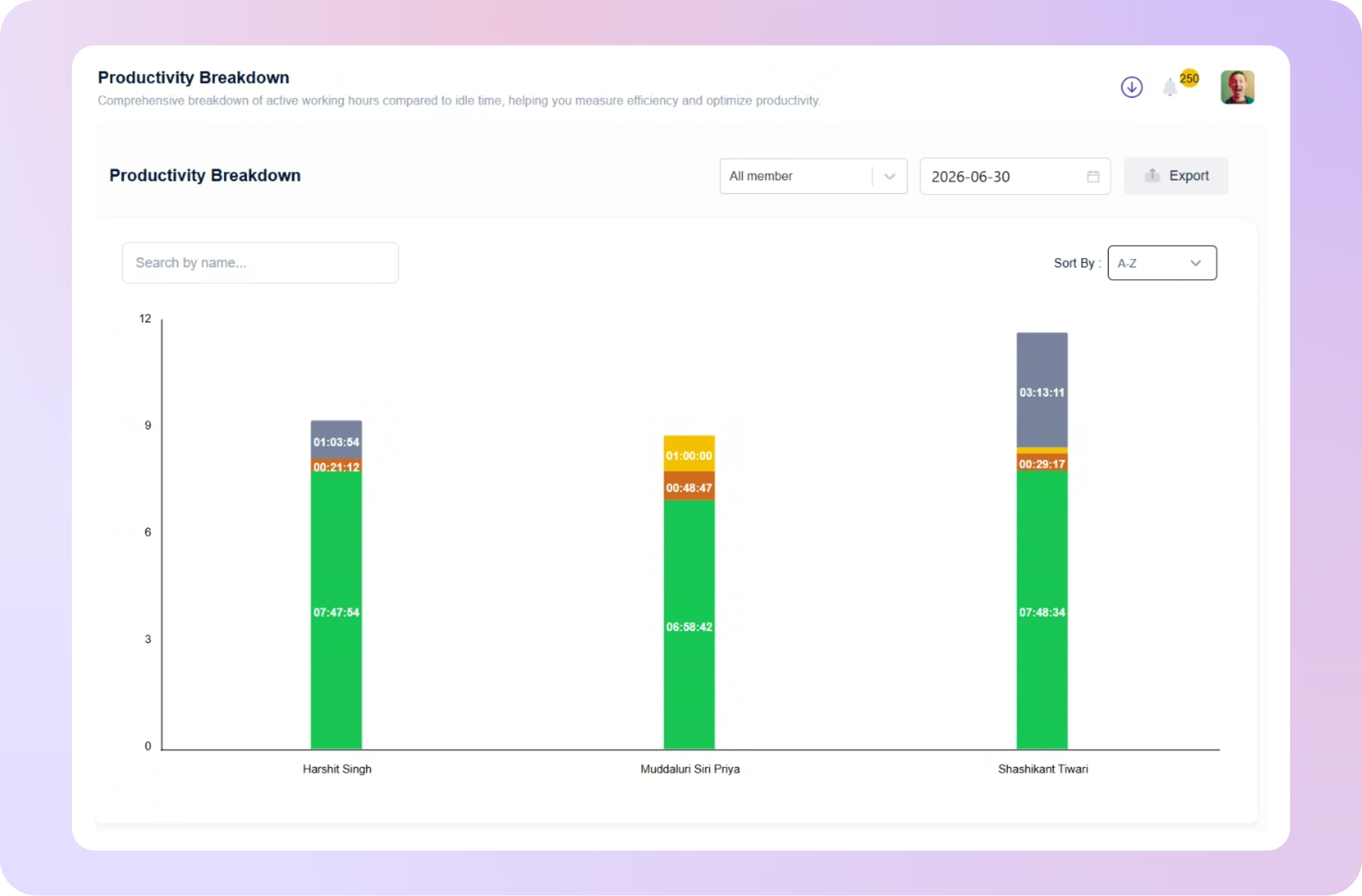
Turn User Activity into Performance Context

Mera Work converts user activity data into clear productivity insights, helping managers understand how employee activity connects with focus, output, and daily performance.

Team Activity Reports

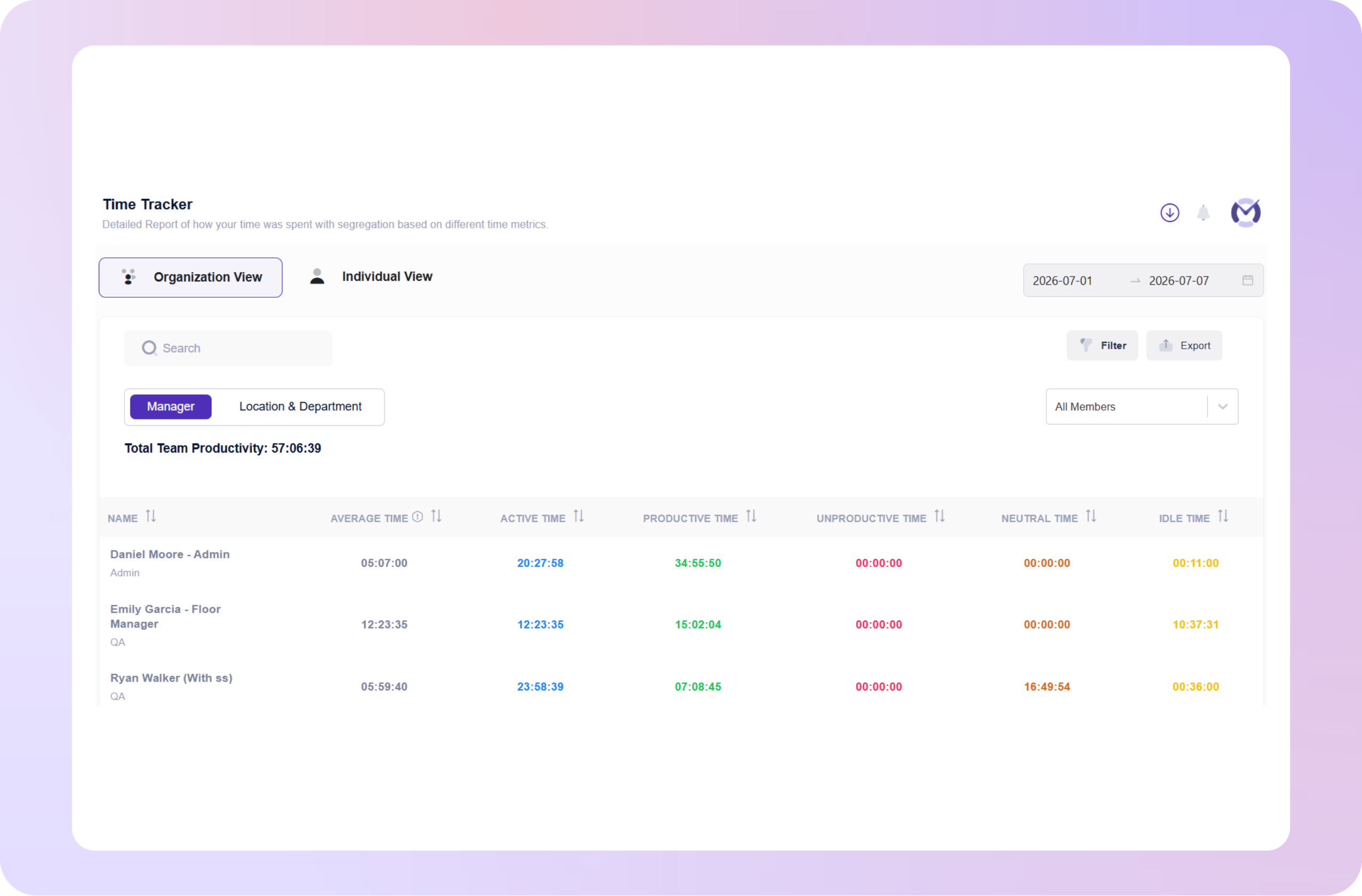
Compare Work Patterns Across Teams

User activity monitoring reports help managers review activity trends across employees, teams, and departments. This makes it easier to understand workload, productivity, and team performance with real work context.

Workflow Friction Visibility

Identify Where Work Slows Down

Mera Work helps businesses spot patterns such as excessive tool switching, repeated idle time, fragmented workflows, or unusual activity drops that may affect productivity.

Security Activity Visibility

Detect Unusual or Risky User Behavior

Monitor employee system activity to identify unusual work patterns, unauthorized tool usage, or activity that may create security and compliance risks.

Controlled Activity Monitoring

Keep User Activity Visibility Structured and Relevant

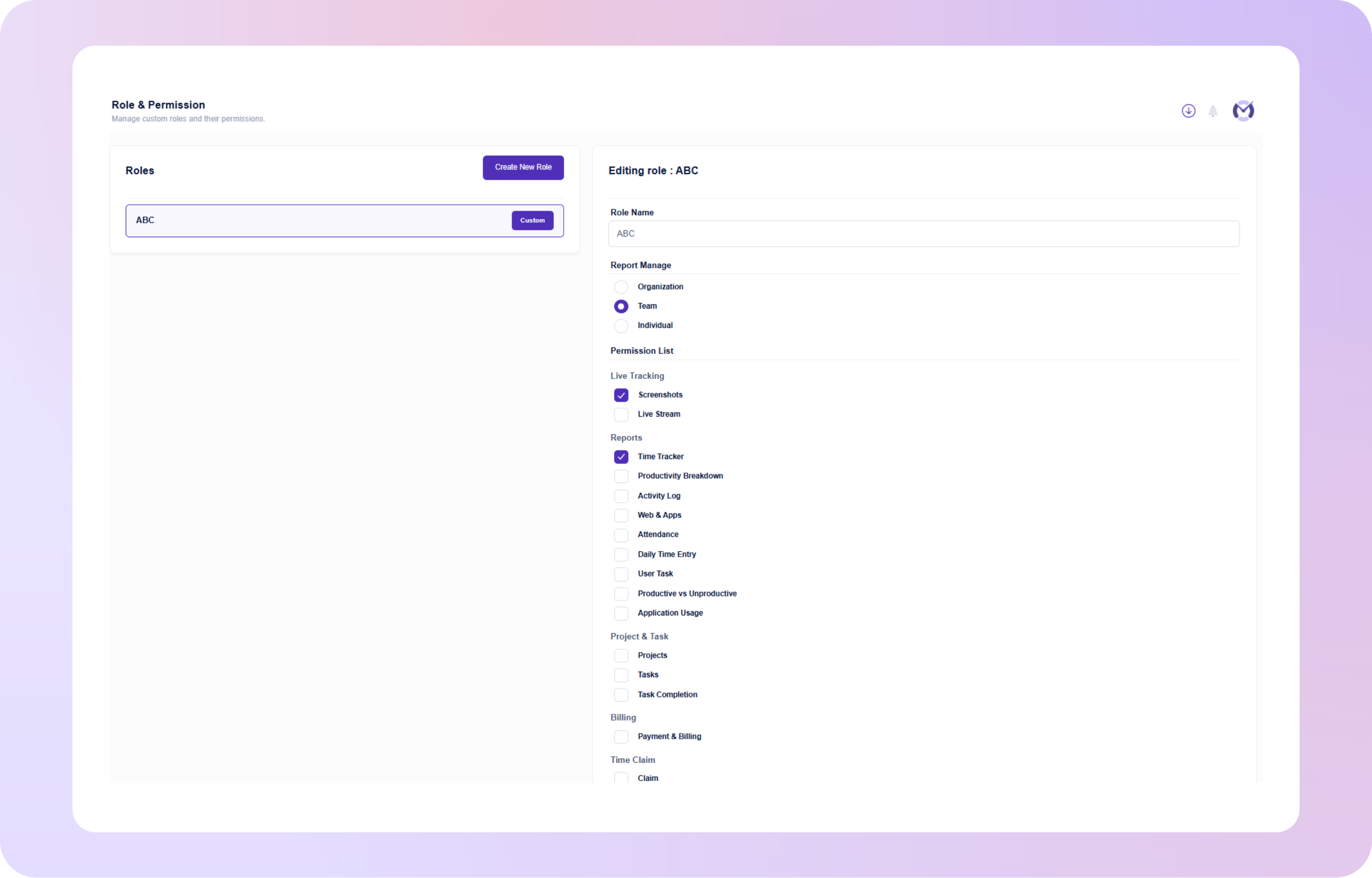
Mera Work supports structured user activity monitoring with role-based access and clear visibility controls, so managers can review only the activity data relevant to their teams.

Work Visibility with Privacy in Mind

Mera work is designed to help teams gain clarity into how work happens without compromising trust, transparency, or employee experience.

Where User Activity Monitoring Creates the Most Impact

What our customers are saying

Based on 2000+ reviews on

We find Mera Work to be of great use to us working from a remote environment.
Mohammed Haris
Human Resource Lead, Dezy IT

60%

Faster Project Completion
The best employee monitoring tool out there! Mera Work has features like live streaming and screen capturing that make it unique!
Abhishek Sharma
Startup Founder

70%

Workforce Visibility

See what your favorite AI says about Fellow

Still not sure that Fellow is the right AI meeting assistant and note-taker for you? Click a button and let Claude, ChatGPT, Gemini, Perplexity, or Grok do the thinking:

Available On

Everything You Need to Know About User Activity Monitoring

CONTENTS

What Is User Activity Monitoring Software?

User activity monitoring software helps businesses understand how employees interact with work systems, applications, websites, and digital tools during working hours. It gives managers visibility into active time, idle time, system usage, application activity, online work behavior, and overall work patterns.

The purpose is not only to track activity. The real value is to help businesses understand how work happens, where productivity gaps exist, where teams may need support, and how managers can make better decisions with real work context.

Why Do Businesses Need User Activity Monitoring Software?

Businesses need user activity monitoring software because modern work is spread across multiple tools, platforms, locations, and teams. Without clear activity insights, managers often rely on manual updates, repeated follow-ups, or assumptions about productivity.

With user activity insights, businesses can understand how employees spend work time, which tools are being used, where activity gaps appear, and whether teams are aligned with business priorities. This helps leaders improve productivity, accountability, workflow efficiency, and team visibility.

How Does User Activity Monitoring Improve Productivity?

User activity monitoring improves productivity by showing where work time and attention are being used during the day. Managers can identify patterns such as frequent idle time, excessive tool switching, non-work activity, delayed workflows, or underused business tools.

These insights help businesses take better action. Instead of assuming the problem is employee effort, managers can identify whether teams need clearer priorities, better tools, improved processes, workload support, or reduced distractions.

How Does User Activity Monitoring Support Remote and Hybrid Teams?

Remote and hybrid teams need a balance between trust and visibility. Managers need enough context to understand work progress, while employees need the freedom to focus without constant calls, messages, or manual check-ins.

User activity monitoring helps create that balance by giving managers clear visibility into work patterns, active work hours, system usage, and productivity trends. This supports accountability without unnecessary micromanagement.

What Activities Can User Activity Monitoring Software Track?

User activity monitoring software can track different work-related signals depending on the platform and company requirements. Common insights include active time, idle time, application usage, website activity, desktop activity, online activity, work session patterns, productivity trends, and team-level activity reports.

These insights help managers understand not just whether employees are working, but how work is being carried out across systems, teams, and workflows.

What Is the Difference Between User Activity Monitoring and Employee Monitoring?

Employee monitoring is a broader category that may include attendance tracking, time tracking, screenshots, app usage, website usage, productivity reports, and other workforce visibility features.

User activity monitoring focuses more specifically on how employees interact with work systems and digital tools. It helps answer practical questions such as which applications are used, when employees are active or idle, whether workflows are slowing teams down, and how activity patterns connect with productivity.

How Does User Activity Monitoring Help Managers Make Better Decisions?

User activity monitoring gives managers real work context instead of relying only on opinions, manual reports, or incomplete updates. Managers can review activity trends, identify productivity gaps, understand team work patterns, and support employees with better decisions.

This helps reduce unnecessary follow-ups, improve accountability, make performance conversations more objective, and manage remote, hybrid, or office teams with greater clarity.

How Can User Activity Monitoring Identify Workflow Friction?

Low productivity is not always caused by low effort. Sometimes employees lose time because of slow tools, duplicate systems, repeated manual work, or disconnected processes.

User activity monitoring can reveal these issues by showing how employees move across applications, websites, and systems during the workday. If teams spend too much time switching between tools or repeating the same manual steps, leaders can identify the workflow problem and improve the process.

How Should Businesses Use User Activity Monitoring Responsibly?

Businesses should use user activity monitoring with transparency, clear policies, and proper access control. Employees should understand what is being monitored, why it is being monitored, and how the data will be used.

A responsible approach focuses on productivity improvement, work visibility, security, and accountability—not unnecessary surveillance. Role-based access, structured reporting, and clear communication help maintain employee trust while giving managers the visibility they need.

What Should You Look for in User Activity Monitoring Software?

The right user activity monitoring software should be easy to use, clear for managers, and practical for day-to-day workforce visibility. Businesses should look for features such as active and idle time tracking, application and website usage reports, desktop activity insights, team dashboards, productivity trends, real-time visibility, and role-based access.

A strong solution should not only collect activity data. It should help managers turn that data into better decisions around productivity, workflows, accountability, and team performance.

How Does Mera Work Help With User Activity Monitoring?

Mera Work helps businesses understand employee work activity across systems, applications, websites, active time, idle time, and daily work sessions. Managers get clear visibility into how work is happening, where productivity gaps exist, and where teams may need support.

With Mera Work, businesses can reduce manual follow-ups, improve accountability, identify workflow friction, support remote and hybrid teams, and make workforce decisions with real activity insights.

Talk With Our Team About Your Workforce Operations

Connect with our team to explore how Mera Work helps organizations improve productivity, monitor workflows, and streamline workforce operations.

Get started today. No credit card required.

Frequently asked questions

Yes. Businesses can configure activity monitoring based on team roles, departments, work policies, and operational needs. This helps managers review relevant activity insights without applying the same visibility rules to every team.

Yes. User activity monitoring software can provide real-time visibility into employee work activity, active sessions, system usage, and work patterns so managers can understand what is happening during the workday.

Yes. Managers can review historical activity reports to understand trends over time. This helps identify recurring productivity gaps, workload changes, workflow issues, and long-term performance patterns.

Yes. Activity reports can support team reviews by showing work patterns, active time, idle time, app usage, website activity, and productivity trends. This gives managers better context for team-level performance discussions.

Yes. When managers have clear visibility into work activity, they do not need to depend only on repeated messages, manual updates, or frequent check-ins. This helps teams stay focused while keeping managers informed.

Yes. The software can help highlight unusual activity patterns such as sudden drops in activity, extended idle periods, unexpected tool usage, or irregular work behavior that may require manager attention. 

Yes. User activity monitoring software is useful for growing teams and large organizations because it gives managers structured visibility across employees, teams, and departments without relying on manual reporting.

Yes. Activity insights can help security and compliance teams review unusual system usage, unauthorized tool access, risky behavior, or policy violations with better context.

Access should be given only to authorized users such as managers, HR, operations leaders, IT, or leadership based on their role. Role-based access helps keep activity data secure and relevant.

Yes. User activity monitoring is helpful for remote employees because it gives managers visibility into work activity, active hours, system usage, and productivity patterns without requiring constant calls or manual updates.

Yes. It can show which applications and platforms are actively used and which tools may be underused. This helps businesses improve software adoption, reduce tool waste, and make better technology investment decisions.

Yes. Managers can use activity insights to guide productivity coaching with better context. Instead of making assumptions, they can discuss work patterns, focus gaps, tool usage, and workload challenges more objectively.

Businesses should explain the purpose clearly, define what will be monitored, share how the data will be used, and communicate the benefits for both managers and employees. A transparent rollout helps build trust and reduce concerns.

No. Activity data should support manager decisions, not replace them. It gives useful work context, but managers should combine activity insights with output quality, deadlines, communication, role expectations, and business outcomes.

Mera Work helps businesses review employee activity, active and idle time, app and website usage, system activity, and productivity trends from one platform. It gives managers practical visibility to improve accountability, workflow efficiency, and team performance.