







































Employee Monitoring Software
Built for Real Visibility into Work
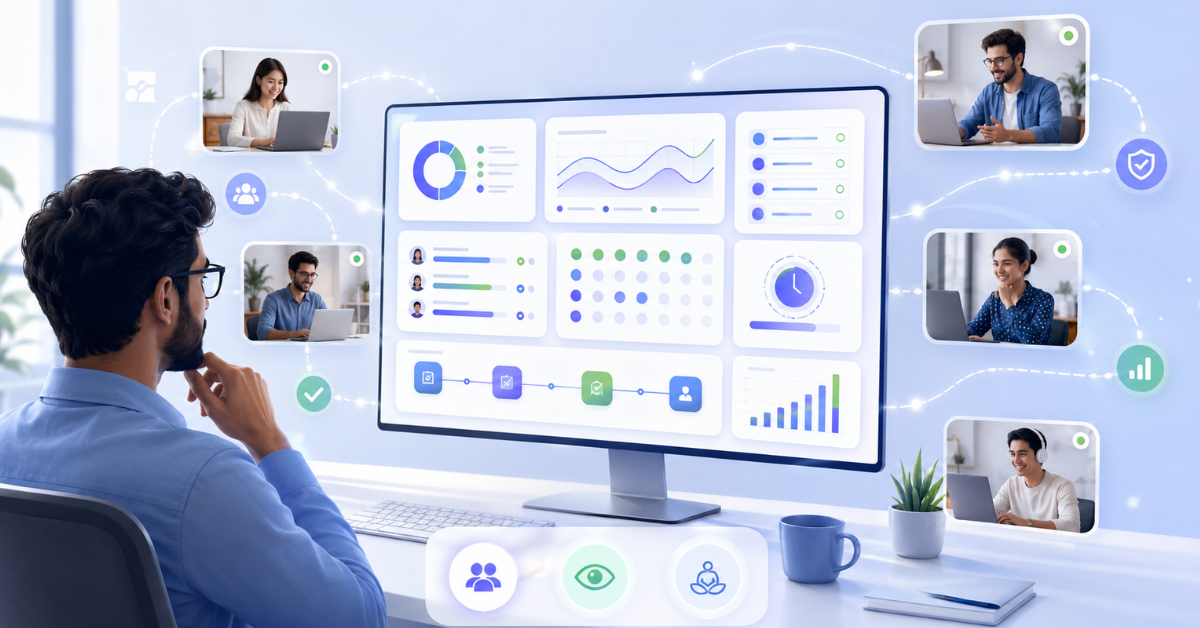
Get a clear understanding of how work happens across your team—so you can improve productivity, spot bottlenecks early, and make better decisions every day.
No Credit Card required | 14 Days Free Trial
Go from Limited Visibility to Clear, Actionable Insights
- THE CHALLENGE
Time is tracked, but not understood — hard to see where output comes from
Teams stay busy, but results feel unclear — productivity remains a guess
Delays happen, but reasons aren’t visible early — deadlines get missed
Work is spread across tools and systems — no single clear view
- THE SOLUTION
See how time is spent — across apps, projects, tasks, and work
Understand real work patterns — know what drives productivity
Spot delays before they grow — take action early and stay on track
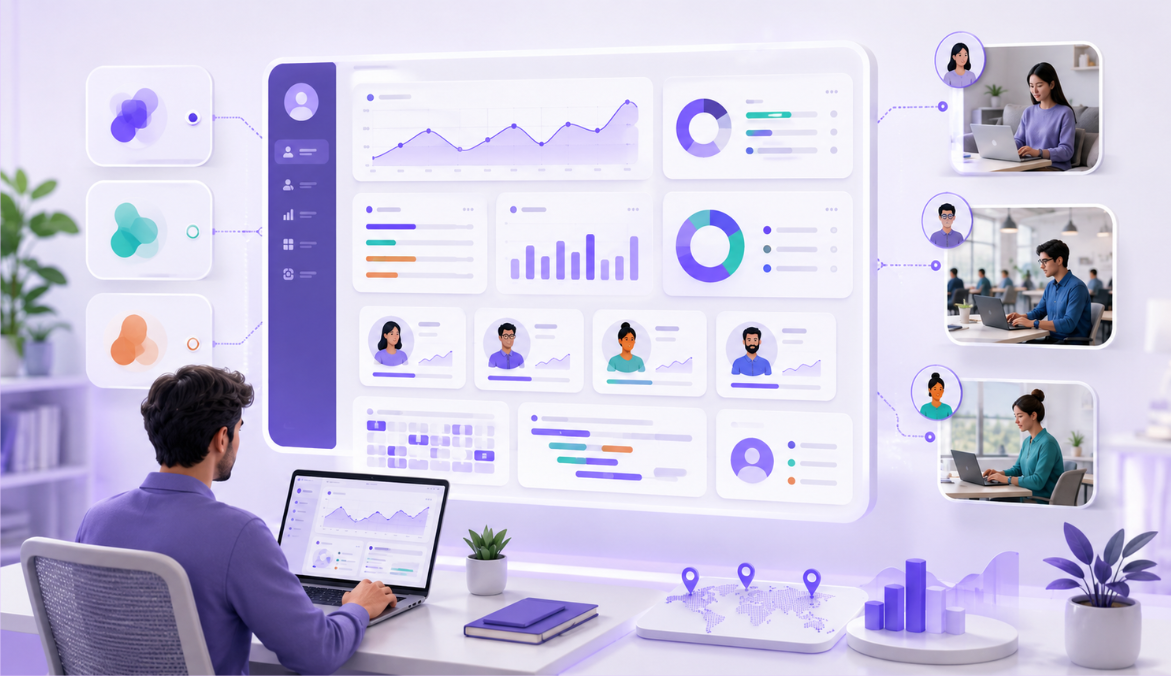
Get one unified view of all work activity and usage
Why Choose Us
Why Choose Mera Work for Employee Monitoring
Privacy and Transparency Balance
Ease of Use and Integration
Actionable Insights for Productivity and ROI
Employee Monitoring Software that Gives you Clear Visibility into how Work Happens
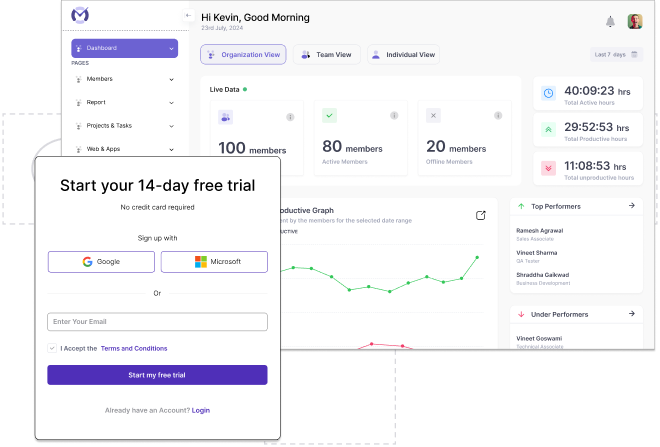
See what’s happening across your team
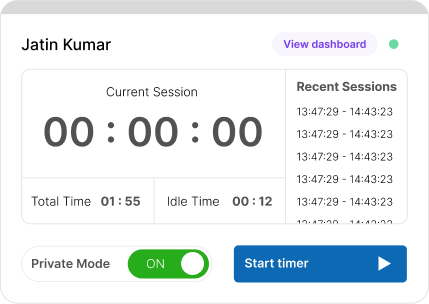
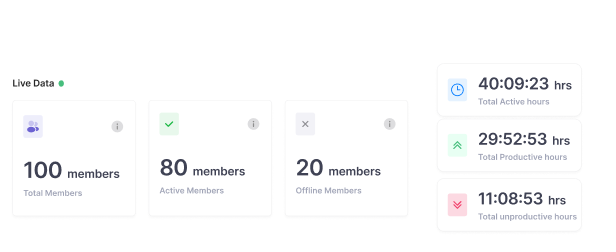
- Know who’s working, idle, or offline at any moment Get a clear view of team availability without relying on updates
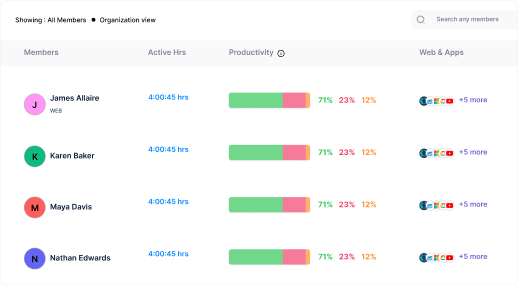
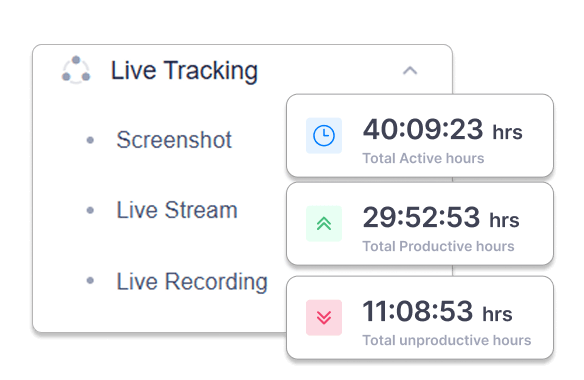
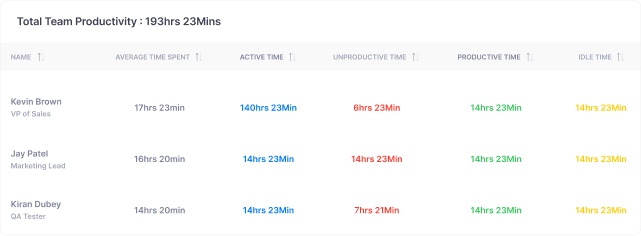
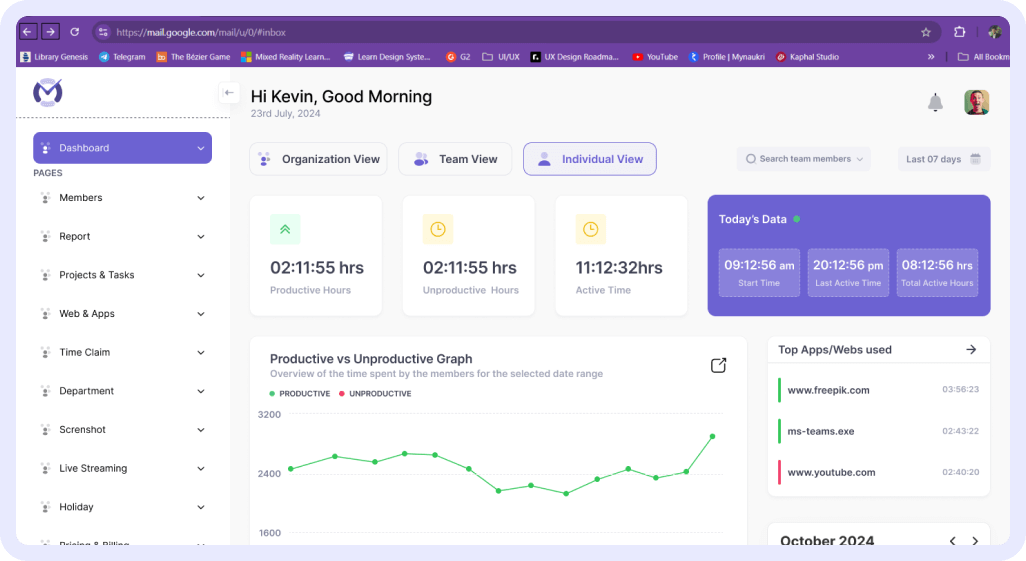
- Understand how work hours are being spent Track active, productive, and unproductive time across any date range
- Spot patterns that impact productivity Use clear visual breakdowns to understand trends and identify where work slows down
See work as it happens—without relying on updates or assumptions
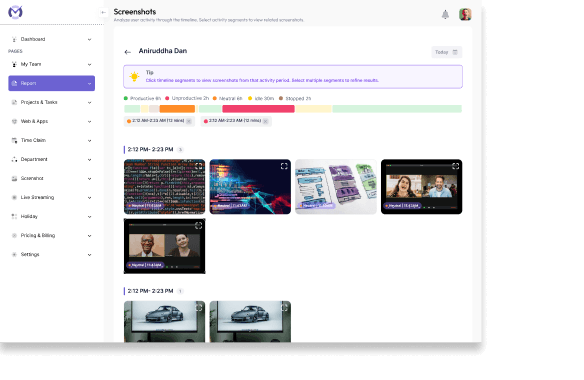
- Get a clear view of ongoing work when you need it Access real-time screen activity to understand what’s being worked on—without interrupting your team
- Review work with the right level of context Use screenshot monitoring to see how time is being spent and bring clarity to day-to-day work
- Address issues early, not after delays Use live screen access to quickly understand blockers and step in with the right support
See where time goes across projects, tasks, and tools—without guesswork
- Understand how work hours are being spent Track time automatically across projects, tasks, and tools—so you don’t have to rely on manual timesheets or scattered updates
- Know what’s impacting productivity during the day When work feels busy, but progress is unclear, see how time is split between productive and non-productive activities to understand what’s slowing things down
- Review work with context when things don’t add up When tasks take longer than expected or timelines slip, use time data and screenshots to understand what was happening—without going back and forth
Understand what’s helping productivity, and what’s getting in the way.
- See productive and unproductive time clearly Understand how work hours are distributed so you can separate meaningful work from wasted effort.
- Identify changing work patterns early Spot trends in activity, idle time, and focus before small issues turn into bigger delays.
- Make decisions based on actual work behavior Use productivity data to improve workloads, coaching, and team planning with more confidence.
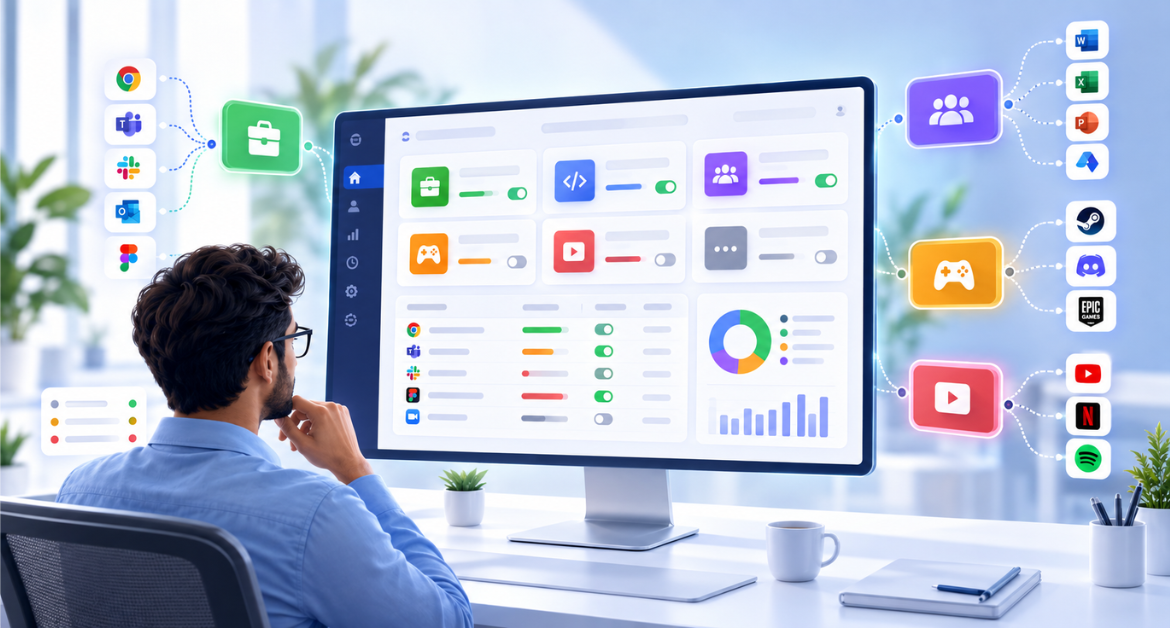
See how time is spent across the tools your team uses every day
- Understand which apps and websites are driving work See what tools your team uses most and how time is distributed across them.
- Reduce confusion around busy work vs real work Use activity logs and usage patterns to understand whether effort is going into productive tasks or distractions.
- Improve workflows with clearer usage insights Identify where teams are switching too often, losing focus, or spending time in the wrong places.
Connect tracked time to actual work progress
- See how effort maps to tasks and projects Understand whether the time being logged is moving real work forward.
- Identify work that takes longer than expected See where projects, tasks, or contributors are slipping behind planned timelines.
- Make project planning more realistic over time Use actual work data to estimate future workloads and timelines with more confidence.
Turn day-to-day work data into decisions you can act on
- Give every stakeholder the visibility they need Share the right level of insight with managers, operations teams, and leadership.
- Use reports to improve planning and accountability Turn tracked work into practical reporting for reviews, performance discussions, and team planning.
- See trends over time, not just daily snapshots Use reporting to understand performance patterns, workload shifts, and recurring blockers.
Keep work hours accurate—even when work happens offline
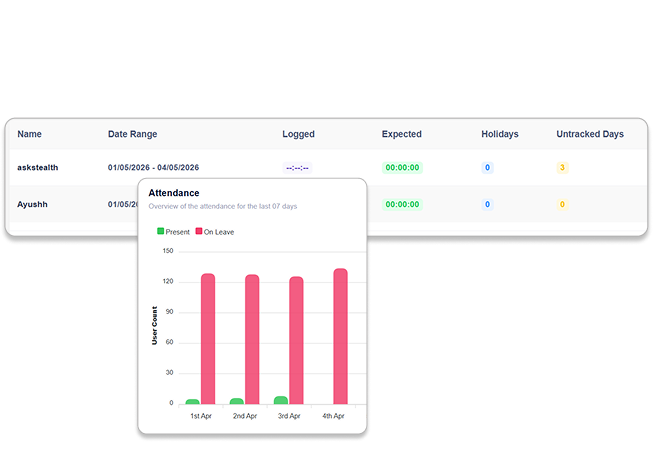
- Track attendance without relying on manual follow-ups Get a clear view of who worked, when they worked, and overall work hours—without maintaining separate attendance records
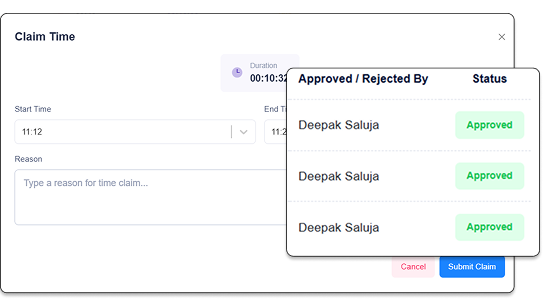
- Capture offline work without losing visibility When work happens outside the system or without tracking, allow team members to submit time claims—so no effort goes unaccounted for
- Reduce confusion around approvals and work records Keep claims, requests, and their status visible in one place—so managers can review, approve, and maintain accurate work logs without back-and-forth
Turn Work Data into Clear Insights without Manual Effort
- Get instant summaries and productivity signals Automatically generate daily and weekly summaries, highlight productivity trends, and surface key updates, so you don’t have to go through multiple reports
- Spot unusual patterns and risks early Identify inconsistencies like fake activity, repetitive patterns, or unexpected behavior—so managers can act before it impacts output
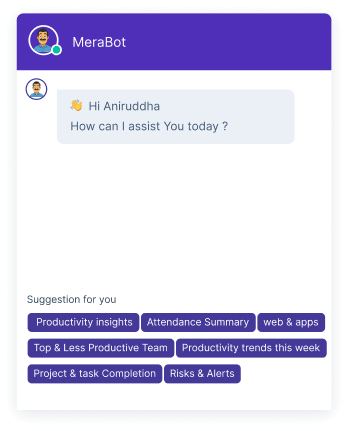
- Ask questions and get answers instantly Use predefined prompts or voice commands to quickly find insights like low performers, overtime trends, or team workload—without filtering data manually
Built for Visibility with Privacy and Trust at the Core
-
End-to-end
data protection -
Secure access &
authentication -
Role-based
access control -
Audit logs and
activity tracking -
Reliable backup and
disaster recovery
Build for Every Team
What our customers are saying

Based on 2000+ reviews on
75%
55%
Ready to turn work data into decisions?
Trusted by teams in India and globally to cut waste and drive real performance with Mera Work.
Available On
Everything You Need to Know About Employee Monitoring Software
CONTENTS
What is employee monitoring software?
Employee monitoring software is a workforce visibility tool that helps businesses track and analyze work-related activity during working hours. It can show when employees are active, idle, or offline, how time is spent across projects or tasks, which apps and websites are being used, and where productivity may be slowing down.
The real purpose is not to watch employees constantly. The bigger value is to understand work patterns, improve planning, and help managers make faster and more confident decisions.
Why do businesses use employee monitoring software?
Businesses use employee monitoring software when they need better clarity into productivity, attendance, time usage, and team performance. This becomes especially important when teams work across different locations, shifts, departments, or client projects.
It helps managers answer important questions like:
- Who is available and actively working?
- Where is team time being spent?
- Which tasks or tools are taking the most time?
- Are productivity gaps appearing before deadlines are missed?
- Is offline work being captured accurately?
- Are managers getting enough visibility without constant follow-ups?
With the right system, teams can move from reactive supervision to proactive workforce planning.
What should good employee monitoring software include?
A good employee monitoring solution should give useful visibility without making work complicated for managers or employees. Important features usually include time tracking, active and idle time, attendance tracking, app and website usage, screenshots, productivity reports, project and task tracking, time claims, audit trails, and role-based access.
The best platforms do not just collect activity data. They turn that data into practical insights that help teams improve planning, accountability, productivity, and daily operations.
How employee monitoring improves productivity
Productivity improves when managers can clearly see where work time is going and where progress is slowing down. Employee monitoring software helps identify long idle periods, unproductive patterns, excessive tool switching, delayed tasks, missed attendance, and unclear work progress.
Instead of waiting for missed deadlines or chasing manual updates, managers can use real-time and historical data to take action earlier. This helps teams stay focused, reduce wasted effort, and improve output with better visibility.
How to use employee monitoring without creating mistrust
Employee monitoring works best when it is implemented with transparency and a clear purpose. Employees should understand what is being tracked, when tracking is active, and how the data will be used.
Monitoring should support better work visibility, not create unnecessary pressure. Features like privacy controls, role-based access, audit logs, defined tracking rules, and clear reporting help organizations maintain trust while improving accountability.
A balanced approach helps teams feel informed and supported — not watched.
Who benefits most from employee monitoring software?
Employee monitoring software is especially useful for teams that need better visibility into time, productivity, attendance, and work progress. This includes IT services, BPOs, agencies, consulting firms, outsourcing teams, professional services, customer support teams, and remote or hybrid workforces.
These teams often manage multiple people, clients, projects, shifts, or tools. With better work data, leaders can improve planning, reduce operational gaps, and make team performance easier to manage.
How Mera Work helps
Mera Work helps organizations go beyond basic tracking by giving clear visibility into how work happens across teams. From real-time activity and attendance to productivity insights, app and website usage, screenshots, project time, reports, and time claims, Mera Work helps managers understand work better and act faster.
It is built for teams that want clarity, accountability, and productivity insights — without making work feel complicated or intrusive.
Talk With Our Team About Your Workforce Operations
Connect with our team to explore how Mera Work helps organizations improve productivity, monitor workflows, and streamline workforce operations.
Get started today. No credit card required.
Frequently asked questions
What is employee monitoring software?
Employee monitoring software helps businesses track and understand employee work activity during working hours. It gives visibility into time spent, active and idle hours, app and website usage, attendance, productivity trends, screenshots, and task-related work.
Is employee monitoring software only for remote teams?
No. Employee monitoring software is useful for remote, hybrid, and office teams. Remote teams use it for visibility, hybrid teams use it for consistency, and office teams use it to improve productivity, attendance tracking, and operational accountability.
How does employee monitoring software help improve productivity?
It helps managers understand where time is being spent, which tools are being used, where idle time is increasing, and which tasks or projects are taking longer than expected. This makes it easier to identify bottlenecks and support teams before small issues become bigger problems.
Does employee monitoring mean micromanaging employees?
No, not when it is used correctly. Employee monitoring should be about visibility, accountability, and better planning — not constant supervision. With clear tracking rules and transparent communication, it can help managers support teams more effectively.
Can employees know what is being tracked?
What activities can Mera Work track?
Mera Work helps track work hours, active and idle time, attendance, app and website usage, productivity trends, screenshots, project and task time, time claims, and work reports.
Can Mera Work track project and task time?
Yes. Mera Work helps connect tracked time with projects and tasks, so managers can see how effort is being spent across actual work. This improves project planning, workload visibility, and accountability.
How does screenshot monitoring help?
Screenshot monitoring gives managers visual work context when needed. It helps review how time is being spent, understand work progress, and bring clarity when productivity, timelines, or task status are unclear.
Can offline work be recorded in Mera Work?
Yes. Mera Work supports time claims so employees can submit time for meetings, calls, field work, or other offline activities. Managers can review and approve claims to keep work records accurate.
Which industries benefit most from employee monitoring software?
Industries such as IT services, BPOs, agencies, consulting firms, outsourcing teams, and professional services benefit strongly because they need clear visibility into time, productivity, attendance, and client or project work.
Is employee monitoring software suitable for small teams?
Yes. Small teams can use employee monitoring software to manage attendance, track productivity, understand time usage, and reduce manual follow-ups from the beginning.
How is Mera Work different from basic time tracking tools?
Basic time tracking tools usually show how many hours were logged. Mera Work gives broader visibility into how work happens — including activity, productivity trends, app and website usage, screenshots, attendance, project time, reports, and time claims.
Can managers access Mera Work from mobile?
Yes. Mera Work mobile apps help managers access team activity, attendance, productivity trends, and work progress when desktop access is not convenient.
Is employee data secure in Mera Work?
Mera Work is designed with secure access, role-based controls, audit logs, data protection, and backup practices to help organizations manage workforce visibility with privacy and trust.
How can a company start using Mera Work?
Teams can start with a free trial or book a demo to understand how Mera Work fits their workflow, team structure, tracking needs, and reporting requirements.