Introduction
Tracking employee hours may sound simple, but in real workplaces, it is not always straightforward.
Teams work from offices, homes, client locations, different shifts, and sometimes across time zones. Work also happens beyond the laptop — in meetings, calls, field visits, and offline tasks.
That is why businesses need a better way to track employee hours accurately.
Accurate hour tracking helps organizations understand attendance, task time, project effort, productivity patterns, and how work time is used across apps, websites, and day-to-day workflows.
The goal is not to micromanage employees. It is to bring clarity, reduce manual follow-ups, and help managers make better decisions with reliable work data.
In this article, we will cover why accurate employee hour tracking matters, five practical methods to do it right, and best practices to keep the process fair and transparent.
Why Accurate Employee Hour Tracking Matters in 2026
Modern teams are no longer limited to one office, one fixed schedule, or one way of working. Many organizations now manage remote employees, hybrid teams, client-facing roles, support teams, field staff, and project-based workers.
In this kind of work environment, tracking hours is not just about attendance. It is about understanding how work time is actually being used.
With proper hour tracking, organizations can understand:
- When employees are available
- How work hours are being used
- Which projects are taking more time
- Whether teams are overloaded or underutilized
- Where productivity gaps are appearing
- Which apps and websites are used during work hours
- How much time is spent on productive, neutral, or unproductive activities
- Whether meetings, calls, field work, or offline tasks are recorded properly
Without this visibility, managers often depend on manual updates, scattered reports, or assumptions.
A project may seem delayed because the team is slow, but the real issue may be unclear task ownership. An employee may appear inactive, but they may be attending calls or working offline. A team may be logging long hours, but a large part of that time may be going into meetings, rework, or low-value tasks.
Accurate work-hour data gives managers the context they need before making decisions.
When companies track employee hours accurately, they can improve:
- Payroll accuracy
- Attendance management
- Project planning
- Client billing
- Team accountability
- Productivity visibility
- Workload distribution
- Resource utilization
- Compliance and audit readiness
- Business decision-making
In 2026, accurate time tracking is not just about counting hours. It is about understanding where time goes, how work flows, and what teams need to perform better.
5 Best Methods to Track Employee Hours Accurately
There are many ways to track employee hours, but not every method gives the same level of accuracy or business value.
Some methods only record attendance. Some depend too much on manual entries. Some provide time data but no productivity context.
The most effective approach is to combine time tracking with work visibility, so managers can see not only when employees worked, but also how work time was used.
1. Use a Work Visibility Platform
The most effective way to track employee hours accurately is to use a work visibility platform that captures attendance, work hours, productivity patterns, app usage, task time, and reports in one structured system.
This is more reliable than depending only on spreadsheets, manual registers, or end-of-day updates.
Manual tracking often creates gaps because employees may forget exact timings, round off hours, miss task details, or update timesheets later from memory. As teams grow, these small gaps can affect payroll, project planning, and performance visibility.
A work visibility platform can track:
- Total work hours
- Active time
- Idle time
- Attendance
- Login and logout activity
- Productive and unproductive time
- Neutral time
- App and website usage
- Project-wise hours
- Task-level time
- Productivity trends
- Team performance reports
For example, if one team member spends more time on support tasks while another is spending more time on internal work, a manager can review the pattern and rebalance work instead of assuming performance issues.
A platform like Mera Work brings employee hours, attendance, productivity insights, app and website activity, project time, and work patterns into one clear view. This helps managers understand team performance without depending on constant follow-ups or scattered manual reports.
The platform should be used for clarity, not control. When employees understand what is being tracked and why, time tracking becomes more transparent and useful for everyone.
2. Track Attendance, Login, and Logout Activity
Attendance tracking is one of the most basic but important methods to track employee hours accurately.
Before a business can understand productivity, task time, or project utilization, it first needs clarity on working hours.
Attendance tracking helps record:
- When employees start work
- When employees end work
- Total working hours
- Late arrivals
- Early logouts
- Break patterns
- Absences
- Availability trends
- Shift compliance
- Overtime
This is especially useful for teams with defined shifts, remote employees, support teams, operations teams, BPO teams, and organizations where payroll depends on work-hour records.
However, attendance tracking alone does not tell the full story.
An employee may be logged in for nine hours, but those nine hours may include meetings, breaks, idle time, focused work, research, admin tasks, or client communication. Another employee may work fewer hours but complete high-value work with better focus.
That is why attendance should be treated as the foundation, not the complete picture.
For example, if a team regularly logs out late, it may look like employees are simply putting in extra effort. But when attendance data is reviewed along with workload and task patterns, the reason may be poor task distribution, last-minute requests, or unclear daily priorities.
Mera Work’s attendance insights help organizations review attendance patterns, work hours, login/logout activity, and availability trends. This makes workforce planning easier and helps managers identify patterns before they turn into bigger issues.
3. Track Time by Projects and Tasks
Tracking total hours is useful, but it does not explain where the time went.
That is why project and task-based time tracking is one of the most important methods for accurate employee hour tracking.
An employee may work eight hours in a day, but those hours may be split across several activities, such as:
- Client work
- Internal meetings
- Project execution
- Testing
- Documentation
- Calls
- Support
- Research
- Rework
- Admin tasks
Without task-level visibility, managers may know how long someone worked, but not what they worked on.
Project and task tracking helps businesses understand:
- How much time is spent on each project
- Which tasks take longer than expected
- Whether project estimates are accurate
- Where delivery delays are happening
- Which clients or projects consume more resources
- How employee utilization is distributed
- Whether teams are spending time on priority work
This is especially important for IT services companies, agencies, consulting firms, professional services teams, support teams, and project-driven businesses.
For example, if a project was estimated for 200 hours but actually takes 320 hours, the business needs to understand the reason. Was the scope unclear? Were there too many revisions? Was the team waiting for approvals? Was rework involved?
Project and task time tracking helps answer these questions.
One practical point businesses often overlook is that task tracking should not be made too complicated. If employees have to choose from too many categories or update too many fields, accuracy will drop. The system should be simple enough for daily use.
A good task structure may include:
- Project work
- Client communication
- Meetings
- Support
- Research
- Documentation
- Training
- Internal work
- Rework
Mera Work’s project and task tracking helps organizations track time spent across projects, tasks, and workflows. This improves planning, accountability, utilization, and delivery visibility.
It also helps managers move away from vague updates like “work is in progress” and toward clearer insights like “this task consumed 12 hours this week and is delayed because of dependency issues.”
4. Use App, Website, and Productivity Insights
Employee hour tracking becomes more meaningful when businesses understand how work time is used across digital tools.
Most modern work happens through applications and websites. Employees use communication tools, CRMs, project management platforms, spreadsheets, browsers, development tools, design platforms, support systems, and many other digital resources throughout the day.
App and website insights help businesses understand:
- Which applications are used most during work hours
- Which websites consume significant time
- How much time is productive, neutral, or unproductive
- Whether employees are spending time on work-related tools
- Where distractions may be affecting focus
- Whether teams are switching between too many tools
- Which departments have different work patterns
This is not about judging employees based on one data point. It is about understanding work patterns.
For example, a marketing employee may spend time on social media platforms for legitimate work. A developer may spend time on technical forums. A recruiter may spend hours on job portals. A sales team may spend more time on CRM, email, and LinkedIn.
So app and website usage should always be reviewed with role-based context.
The same website may be productive for one role and unproductive for another. LinkedIn may be a distraction for one employee, but it can be a core work tool for recruiters, sales teams, and marketing professionals.
Mera Work helps organizations analyze application and website usage to understand productive, neutral, and unproductive work patterns across teams, departments, or individuals.
Productivity reports add another layer of value by showing performance trends, productivity breakdowns, and possible workflow bottlenecks. Instead of only seeing raw activity, leadership can understand whether teams are focused, where time is getting lost, and what changes can improve performance.
Screen activity analytics can also support work visibility when used responsibly. For remote or distributed teams, screen-level work context can help managers understand task progress during working hours without constantly asking for updates. This should always be supported by clear policies, privacy controls, and role-based access.
The purpose should not be unnecessary surveillance. The purpose should be transparent work visibility.
5. Support Time Claims and Audit Trails
Not all work happens directly on a system.
Employees may spend time in:
- Client meetings
- Internal discussions
- Phone calls
- Field visits
- Training sessions
- Travel for work
- Offline documentation
- Strategic planning
- Customer support outside the system
If a tracking system only records digital activity, this kind of work may be missed.
For example, an employee may spend two hours in a client meeting, but the system may show low activity during that period. Without a proper way to claim that time, the employee’s work record may look incomplete.
Time claims solve this problem by allowing employees to record legitimate work that may not be automatically captured. Managers can then review and approve those claims with proper context.
A good time claim process should include:
- Reason for the claim
- Time duration
- Work category
- Project or task association
- Manager review
- Approval or rejection
- Audit history
Audit trails make the process more reliable because they maintain a clear record of what was claimed, who reviewed it, what was approved, and when changes were made.
Mera Work supports time claims and audit trails, allowing users to claim time for meetings, field work, calls, or offline tasks. Managers can review these claims with confidence, while organizations maintain accurate records of work hours and activity history.
This is especially useful for hybrid teams, field teams, client-facing employees, consultants, managers, and employees whose work includes both online and offline activities.
Accurate employee hour tracking should not ignore real work just because it happens away from the keyboard.
Best Practices for Accurate Employee Time Tracking
Choosing the right method is important, but implementation matters even more.
A time tracking system can be powerful, but if employees do not trust it or managers misuse the data, the process can create resistance.
Here are some best practices to track employee hours accurately while maintaining transparency and trust.
1. Be Transparent from the Beginning
Employees should clearly know what is being tracked, why it is being tracked, and how the data will be used.
Before implementing any tracking process, explain:
- What data will be captured
- Why the business needs this visibility
- Who can access the reports
- How attendance and productivity will be reviewed
- How privacy will be protected
- What employees can do in case of incorrect data
- How offline work or meeting time can be claimed
Transparency reduces confusion and helps employees see time tracking as a fair process instead of a hidden control mechanism.
2. Use Privacy Controls Responsibly
Privacy plays an important role in employee time tracking.
If businesses want employees to accept time tracking, they need to show that the system respects boundaries.
Privacy controls are important for confidential work, personal activities, breaks, or situations where tracking may not be appropriate.
Mera Work’s privacy control feature supports this idea by allowing users to pause tracking during confidential work or personal activities. This helps organizations maintain transparency without compromising employee trust.
The best time tracking systems do not just collect data. They also provide control, clarity, and fairness.
3. Keep Time Tracking Simple
Complex tracking systems usually fail because employees struggle to maintain them consistently.
If employees need to fill too many fields, choose too many categories, or update multiple tools, the data will become inconsistent.
Keep the process simple.
Use clear task categories, reduce manual effort, automate where possible, and make it easy for employees to review and correct their time.
The simpler the process, the more accurate the data becomes.
4. Combine Multiple Data Points
No single metric tells the complete story.
Attendance shows when someone worked. Task tracking shows where time was spent. App and website insights show how digital time was used. Productivity reports show broader work patterns. Time claims capture offline or non-system work.
When these data points are combined, managers get a more balanced view and avoid unfair conclusions.
For example, low system activity may be valid if an employee was in meetings or doing field work. Long working hours may not always mean high productivity. High app usage may be productive or unproductive depending on the employee’s role.
Accurate tracking depends on complete visibility, not isolated numbers.
5. Avoid Micromanagement
A useful principle for managers is: track work patterns, not people.
When time tracking data is used only to question individuals, it creates resistance. When it is used to identify workload gaps, planning issues, and process delays, it becomes a tool for better team management.
Time tracking should not become minute-by-minute supervision.
If managers use reports only to question employees, the system will create fear and resistance. But if they use the data to improve planning, remove blockers, balance workloads, and support teams, it becomes valuable.
Good managers use time tracking data to ask better questions, such as:
- Is this employee overloaded?
- Is this project taking more time than expected?
- Are we estimating work correctly?
- Is too much time going into meetings?
- Are employees waiting on approvals?
- Are teams using too many tools?
- Is workload distributed fairly?
This is how time tracking becomes a decision-making tool instead of a pressure tool.
6. Use Role-Based Access
Not everyone needs access to all employee data.
Role-based access helps organizations keep visibility structured and controlled. Managers should see the data relevant to their teams. Leadership may need broader reports. HR may need attendance and payroll-related records.
This keeps the system organized and reduces unnecessary exposure of employee data.
For a platform like Mera Work, role-based control is important because it supports responsible workforce visibility. The right people get the right insights, which helps businesses maintain both accountability and trust.
7. Review Reports Regularly
Time tracking data becomes useful only when businesses review it regularly.
Reports can help identify:
- Attendance trends
- Productivity gaps
- High idle time
- Overloaded teams
- Underutilized resources
- Project delays
- Unproductive app or website usage
- Time spent on non-priority work
- Workflow bottlenecks
A weekly or monthly review can help managers take timely action.
For example, if one team is consistently spending more hours than planned, leadership can investigate whether the issue is workload, process inefficiency, unclear priorities, or unrealistic deadlines.
The goal is not just to collect reports. The goal is to improve how work happens.
Conclusion
To track employee hours accurately, businesses need more than basic attendance records or manual timesheets.
They need structured visibility into work hours, attendance, tasks, projects, app and website usage, productivity patterns, time claims, and audit history.
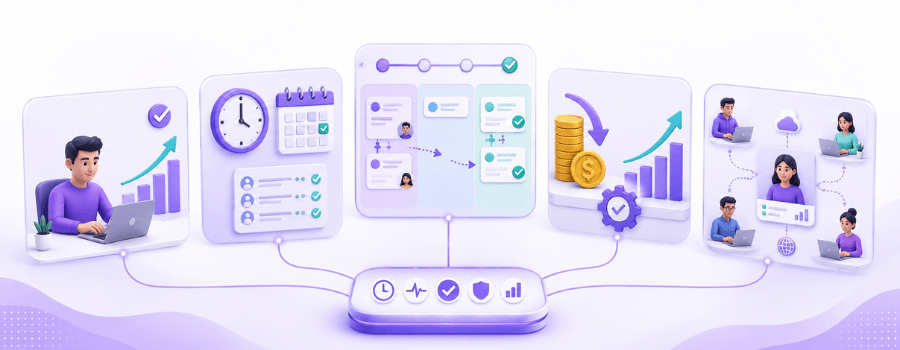
The five best methods are:
- Use a work visibility platform
- Track attendance, login, and logout activity
- Track time by projects and tasks
- Use app, website, and productivity insights
- Support time claims and audit trails
The real value comes from combining these methods.
Attendance tells you when employees worked. Task tracking tells you where time was spent. Productivity insights show how work patterns are developing. Time claims ensure offline work, meetings, calls, and field work are not missed. Audit trails help maintain accuracy and accountability.
Mera Work brings these elements together to help organizations improve visibility, accountability, and productivity across teams with structured insights and role-based control.
In the end, accurate employee hour tracking is not about watching people. It is about understanding work better so businesses can plan better, support teams better, and make smarter decisions with confidence.
FAQ
What is the best way to track employee hours accurately?
Employers are able to monitor employee hours with more accuracy by using automated time tracking software, which logs clock-ins and clock-outs, handles attendance and work hours in real time while reducing a lot of manual mistakes.
What is the most accurate method for tracking employee work hours?
Employee time tracking software and biometric attendance systems are often regarded as the most accurate ways to handle attendance because they automate the logging of presence and reduce human error, which feels more consistent day by day.
How do remote companies track employee hours?
A lot of remote orgs use cloud hosted employee time tracking tools, which lets people log work hours, register the projects they worked on, and send in digital timesheets, from wherever they are. It’s more flexible that way, and also a bit more orderly, even when the team is scattered.
Are biometric attendance systems reliable?
Biometric attendance systems use things like fingerprints, facial recognition, or even iris scans to make sure an employee is really who they say they are, and that makes the whole approach one of the most trustworthy methods for tracking presence.
Why is employee time tracking important?
Employee time tracking helps a business fine tune payroll accuracy, handle overtime, keep up with compliance, track attendance, boost output, and make improved workforce management decisions.