Introduction
If you’re comparing Hubstaff vs Mera Work, you’re probably looking for more than a basic time tracking tool.
You may want better visibility into how employees spend their work hours, which apps and websites they use, how productive teams are, and where work patterns need attention.
Hubstaff is a well-known time tracking and workforce management platform. Mera Work, on the other hand, is built for teams that want complete work visibility with a simpler, more focused approach.
In this comparison, we’ll break down both tools across features, productivity insights, employee monitoring, attendance, screen visibility, project tracking, pricing, and ideal use cases, so you can choose the right fit for your team.
Hubstaff vs Mera Work: Quick Comparison
| Comparison Area | Mera Work | Hubstaff |
|---|---|---|
| Best suited for | Complete work visibility, employee monitoring, productivity insights, remote, hybrid, and desk-based teams. | Time tracking, workforce management, payroll, scheduling, billing, and field workforce needs. |
| Time tracking | Automatic time tracking with online, offline, and multi-device tracking. | Time tracking with timesheets and approvals. |
| Productivity tracking | App and web productivity classification included. | Productivity tools available based on plan/features. |
| Screenshots | Screen capture included. | Screenshot tracking available. |
| Live screen visibility | Live screen streaming included. | Not the main positioning. |
| App and web tracking | App and web usage tracking included. | App and URL tracking available. |
| Attendance | Attendance insights and smart shift monitoring included. | Attendance and scheduling features available. |
| Project/task management | Project and task management with reporting included. | Project and task features available. |
| Alerts | Real-time alerts and notifications included. | Notifications and insights available based on plan/features. |
| Access control | Role-based access, user roles, and SSO included. | Security and access features available. |
| Deployment support | Guided onboarding and GPO deployment support included. | Setup and support options available. |
| Pricing structure | One Plan – All Features. | Plan-based pricing with feature availability depending on plan or add-ons. |
| Best choice when | You need complete work visibility with all features in one plan. | You need workforce management, payroll, billing, scheduling, or field tracking. |
| Pricing & Free Trial | $4/month/user, billed monthly + 14-day free trial. | $7/seat/month, billed monthly + free trial available. |
Choose Mera Work if your biggest requirement is complete visibility into employee work hours, activity, productivity, apps, websites, screens, attendance, and team performance.
Choose Hubstaff if your biggest requirement is time tracking connected with workforce management, payroll, scheduling, billing, or field tracking.
What Is Mera Work?
Mera Work is a work visibility and employee monitoring software built to help businesses understand how employees spend their work hours.
It is designed for teams that need clarity around attendance, activity, productivity, app and website usage, screen activity, project work, and team accountability.
The biggest advantage of Mera Work is its simple approach:
One Plan. All Features. Complete Visibility.
This means teams do not have to compare multiple plans or worry about whether essential visibility features are included, limited, or available separately.
Mera Work brings important tracking, monitoring, productivity, and reporting features into one plan, including:
- Automatic time tracking
- Online and offline activity tracking
- Attendance insights
- Smart shift monitoring
- App and web usage tracking
- App and web productivity classification
- Screen capture
- Live screen streaming
- User activity monitoring
- Keyboard and mouse activity tracking
- Project and task management with reporting
- Auto-filled timesheets
- Time claims and approval workflows
- Real-time alerts and notifications
- Role-based access control
- User roles for Admin, Report Admin, CXO, and User
- Single sign-on
- Guided setup and onboarding
- GPO deployment support
- API and integration access
- Private cloud configuration
- Dedicated customer success manager
Mera Work is especially useful for remote teams, hybrid teams, desk-based employees, IT services companies, BPOs, support teams, operations teams, back-office teams, and businesses that want visibility without constant manual follow-ups.
From working with growing teams, one pattern is clear: managers usually do not struggle because they lack people. They struggle because they lack visibility. They do not always know where work is moving well, where it is slowing down, and where employees may need support.
That is the problem Mera Work is designed to solve.
What Is Hubstaff?
Hubstaff is a time tracking and workforce management platform designed for teams that need to track work hours, manage timesheets, monitor activity, manage schedules, handle payments, and support workforce productivity.
It is commonly used by remote teams, agencies, freelancers, field teams, and companies that need time data connected with payroll, billing, scheduling, or workforce operations.
Some of Hubstaff’s key features include:
- Time tracking
- Timesheets
- Timesheet approvals
- Idle time tracking
- Screenshots
- Activity levels
- App and URL tracking
- Scheduling and attendance
- Time off and holidays
- Work breaks
- Clients and invoices
- Payments and payroll
- Project budgets
- Tasks and to-dos
- Integrations
- Workforce analytics
- Location tracking
- Public API
- Support and onboarding options
Hubstaff is especially useful when time tracking is directly connected to workforce management, payroll, client billing, project costing, field work, or scheduling.
For example, if you manage field employees, consultants, delivery teams, or service teams that need location-based tracking and billing workflows, Hubstaff may be a practical option.
Why Mera Work Is a Better Choice for Work Visibility
Hubstaff is a strong platform for time tracking and workforce management, but not every team needs payroll workflows, invoicing, field workforce tools, or plan-based feature selection.
Many businesses simply need a clear, practical way to understand how employees spend their work hours.
That is where Mera Work stands out.
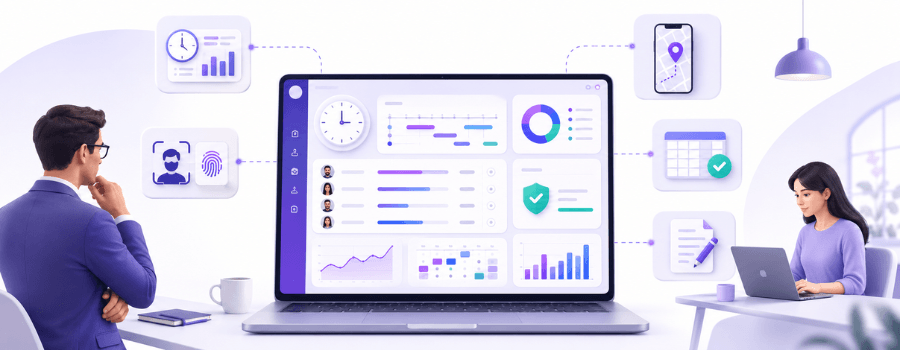
Mera Work is built for complete work visibility. It helps managers see attendance patterns, active and idle time, app and website usage, productivity classification, screen activity, project progress, and team activity from one place.
The biggest advantage is its One Plan All Features model.
With Mera Work, teams get essential visibility features such as automatic time tracking, attendance insights, online and offline activity tracking, app and web usage tracking, screen capture, live screen streaming, project and task reporting, real-time alerts, role-based access, SSO, guided onboarding, and GPO deployment support in one plan.
This makes the buying decision easier.
Teams do not need to keep asking:
“Is this feature included, limited, or available only in another plan?”
Instead, they can focus on a more important question:
“Will this tool help us understand work better, improve accountability, and manage teams more fairly?”
For remote, hybrid, and desk-based teams, Mera Work gives managers the visibility they need without making the system complicated.
Hubstaff vs Mera Work: Feature-by-Feature Comparison
Now let’s compare Mera Work and Hubstaff across the areas that matter most to managers, HR teams, operations leaders, and business owners.
The goal is not only to compare feature names. The real goal is to understand which tool fits your team’s actual working style, visibility needs, and management priorities.
1. Time Tracking
Mera Work includes automatic time tracking that helps teams understand when employees are working, how work hours are being used, and whether activity is happening during expected work periods.
It also supports online and offline activity tracking, multi-device tracking, work mode for flexible tracking, time claims, approval workflows, and smart shift monitoring.
This makes time tracking more useful for managers because it is not limited to total hours. It also connects time with activity, attendance, and productivity signals.
For example, two employees may both complete an eight-hour workday. On paper, they look equal. But one employee may stay active on project tools, business applications, and client work, while another may show long idle gaps, frequent distractions, or irregular activity patterns.
This is where simple time tracking may not be enough.
Hubstaff is also strong in time tracking. It offers timer-based tracking, timesheets, approvals, and workforce management workflows. It can be useful for businesses that need accurate time logs for payroll, billing, project costing, or operational tracking.
If your goal is to calculate hours for payroll or billing, Hubstaff can be useful.
If your goal is to understand work patterns, attendance behavior, active time, idle time, and productivity signals, Mera Work may be more useful.
2. Productivity Tracking and Work Insights
Mera Work includes productivity-focused features that help managers understand how work actually happens during the day.
It includes:
- Live dashboard and real-time analytics
- App and web productivity classification
- Auto-filled timesheets
- Real-time alerts and notifications
- Project and task management with reporting
- User activity monitoring
- App and web usage tracking
- Keyboard and mouse activity tracking
- Attendance insights
- Smart shift monitoring
For managers, this is useful because productivity is rarely about one metric.
A person can be online but distracted. Another person may work fewer hours but stay focused. One team may spend too much time switching between tools, while another team may be delayed because of unclear processes.
Good productivity tracking should help managers ask better questions, not jump to quick conclusions.
Mera Work gives managers a clearer view of employee activity, tool usage, attendance, and work patterns in one place.
Hubstaff also offers productivity tracking features such as screenshots, activity levels, apps and URLs tracking, work time classification, notifications, workforce analytics, and productivity insights depending on the selected plan and feature access.
The difference is that Mera Work is more focused on complete work visibility, while Hubstaff is broader across workforce management, billing, scheduling, and operational tracking.
3. App and Website Usage Tracking
Mera Work includes app and web usage tracking along with app and web productivity classification.
This helps managers understand:
- Which tools employees use during work hours
- Which websites support productive work
- Which apps take up most of the day
- Whether employees are using approved business tools
- Where distractions may be appearing
- Whether teams are spending time on productive, neutral, or unproductive platforms
This is especially important for remote and hybrid teams because managers cannot always observe work directly.
In many teams, the challenge is not that employees are unwilling to work. The challenge is that work gets scattered across too many tools, tabs, platforms, and distractions.
App and website visibility helps managers understand that pattern without depending on assumptions.
For IT services, BPOs, support teams, operations teams, and back-office functions, this can be highly valuable.
Hubstaff also includes app and URL tracking, which helps teams understand which digital tools and websites are being used during tracked time.
Both tools offer app and web tracking, but Mera Work connects this visibility closely with productivity classification and team-level work insights.
4. Screen Capture and Live Screen Streaming
Mera Work includes both screen capture and live screen streaming.
This makes it useful for teams where work happens primarily on a system, such as:
- Customer support
- BPO operations
- Data entry
- IT services
- Back-office operations
- Remote delivery teams
- Process-heavy roles
- Operations teams
Live screen streaming can help managers review real-time work activity when required. Screen capture can also help create visibility into work progress and reduce dependency on manual status updates.
However, screen monitoring should never be introduced casually.
A good monitoring policy should clearly explain:
- What will be captured
- When screen data may be reviewed
- Who can access it
- Why it is being collected
- How privacy will be protected
- How the data will be used in performance discussions
The goal should not be to create pressure. The goal should be to create clarity.
When employees understand the purpose of monitoring, it becomes easier to position it as a work visibility system rather than a surveillance system.
Hubstaff also includes screenshot tracking, which can help teams review activity and work progress during tracked hours.
The difference is that Mera Work gives teams both screen capture and live screen streaming as part of its broader work visibility approach.
5. Attendance and Shift Monitoring
Mera Work includes attendance insights, smart shift monitoring, stop timer with scheduled breaks, holiday configuration, time claims, and approval workflows.
This helps managers get a clearer view of work-hour discipline and availability.
Attendance has changed.
In office-only environments, attendance was often about physical presence. But in remote and hybrid teams, attendance means much more.
Managers need to understand:
- When employees start work
- Whether they are active during scheduled hours
- When idle time appears
- Whether breaks are aligned with policy
- Whether shifts are being followed
- Whether employees are away for long periods
- Whether attendance patterns are consistent
The important point is this: attendance alone does not tell the full productivity story.
Someone may be present but inactive. Someone else may work fewer hours but stay focused. Another employee may appear inconsistent because they are switching between devices or working offline.
Mera Work supports online and offline activity tracking, multi-device tracking, and work mode for flexible tracking, which helps create a more accurate picture of actual work.
Hubstaff includes attendance and scheduling features that can support workforce management.
If your main need is workforce scheduling and operational management, Hubstaff can be useful. If your need is attendance visibility connected with activity, productivity, and work patterns, Mera Work is a strong fit.
6. Project and Task Management
Mera Work includes project and task management with reporting.
This helps teams connect employee activity with actual project work. Managers can understand not only whether time was spent, but also how activity relates to tasks and project progress.
For many desk-based teams, this distinction matters. They may not need complex billing workflows, but they do need to know whether project work is moving in the right direction.
Mera Work is strong when project and task visibility needs to connect with employee productivity, activity, attendance, and work patterns.
Hubstaff includes project and task tracking features that can help teams connect time with clients, budgets, tasks, and operational workflows.
This can be useful for agencies, consultants, service teams, field teams, and businesses that need to track time against client projects or budgets.
The difference is simple:
Mera Work is stronger when project visibility needs to support productivity and work clarity.
Hubstaff is stronger when project time needs to connect with billing, budgets, clients, invoices, or payments.
7. Online, Offline, and Multi-Device Tracking
Modern work does not always happen in one place or on one device.
Employees may work from office systems, home laptops, shared devices, or multiple machines. They may also have offline work periods where activity still needs to be recorded properly.
Mera Work includes online and offline activity tracking, multi-device tracking, device sharing support, and work mode for flexible tracking.
This makes it useful for teams where work environments are not always uniform.
For example, in operations or support teams, employees may use shared systems. In hybrid teams, employees may switch between office and home setups. In some roles, work may continue even when connectivity is unstable.
Mera Work helps managers maintain visibility across these situations.
Hubstaff also supports time tracking across platforms, but Mera Work’s positioning around online, offline, multi-device, and device sharing visibility makes it especially relevant for structured workplace monitoring.
8. Alerts and Real-Time Visibility
Mera Work includes a live dashboard, real-time analytics, and real-time alerts and notifications.
This is useful because managers do not always have time to manually review every report.
Real-time visibility helps managers respond faster when something needs attention.
For example:
- A user may show unusual idle time.
- A shift may not start as expected.
- A team may show low activity.
- Certain apps or websites may be used excessively.
- A manager may need to check work progress in real time.
Real-time visibility helps managers move from delayed reporting to timely action.
That does not mean managers should react to every small signal. The better approach is to use alerts as indicators, then review context before making decisions.
This is how work visibility becomes mature and fair.
Hubstaff also offers dashboards, notifications, and workforce insights depending on the selected plan and feature access.
For teams that want real-time visibility as part of a complete work monitoring setup, Mera Work offers a more focused approach.
9. Role-Based Access and Security
Mera Work includes secure role-based access control, user roles for Admin, Report Admin, CXO, and User, single sign-on, API and integration access, private cloud configuration, and GPO deployment support.
This makes Mera Work useful for businesses that want structured access and controlled visibility.
Access control is important in any employee monitoring or productivity tracking tool.
Not every manager should see every employee’s data. Not every report should be available to every user. Leadership, HR, reporting managers, and admins may need different visibility levels.
Role-based access is not just a technical feature. It is also a trust feature.
When employee data is visible only to the right people, teams feel more confident that monitoring is being used responsibly.
Hubstaff also includes security and access control features depending on the selected plan and setup.
For teams that want visibility with structured access controls, Mera Work provides the right foundation.
10. Setup, Deployment, and Support
Mera Work includes guided setup and onboarding, GPO deployment support, private cloud configuration, API and integration access, and a dedicated customer success manager.
This can be helpful for companies rolling out monitoring across larger teams or multiple departments.
Implementation is often where monitoring tools succeed or fail.
A tool may have strong features, but if setup is difficult, adoption suffers.
Deployment support is especially important when IT teams need to install software across many systems. GPO deployment support can make this easier for organizations managing company devices.
For enterprises and larger teams, private cloud configuration and dedicated customer success support can also make the rollout more controlled.
Hubstaff also offers support, learning resources, and onboarding options based on the selected plan and support level.
If your business wants work visibility with guided setup and deployment support, Mera Work is designed to support that journey.
Employee Monitoring Without Micromanaging
This is one of the most important parts of the Hubstaff vs Mera Work comparison.
Many businesses start looking for employee monitoring software because managers feel they lack visibility. But if monitoring is introduced poorly, it can quickly feel like surveillance.
That is not good for employees, and it is not good for managers either.
A common misconception is that visibility means lack of trust. In reality, the right monitoring system should reduce assumptions, not increase pressure.
When teams know what is being tracked, why it is being tracked, and how the data will be used, monitoring becomes a clarity tool rather than a control tool.
Good monitoring should help answer questions like:
- Is the team working during expected hours?
- Are there repeated idle-time patterns?
- Are business tools being used properly?
- Are employees distracted by non-work websites?
- Are some employees overloaded?
- Are managers making decisions based on data or assumptions?
- Are performance discussions fair and evidence-based?
The goal should not be to watch every second of someone’s day.
The goal should be to create enough clarity so managers do not need to constantly ask for updates.
That is where Mera Work’s positioning is strong.
It helps managers move from guesswork to visibility.
Hubstaff vs Mera Work: Which One Should You Choose?
Now let’s make the decision simpler.
Choose Mera Work If…
Mera Work may be a better fit if:
- You want complete work visibility.
- You prefer One Plan All Features.
- You manage remote, hybrid, or desk-based teams.
- You need automatic time tracking.
- You need attendance insights.
- You want online and offline activity tracking.
- You need app and website usage tracking.
- You want productivity classification.
- You need screen capture and live screen streaming.
- You want keyboard and mouse activity tracking as an activity signal.
- You need project and task reporting.
- You want real-time alerts and dashboards.
- You need role-based access and SSO.
- You want GPO deployment support.
- You want simple monthly pricing.
- You want complete visibility at $4/month/user.
In short, Mera Work is a strong choice when your business needs visibility into how employees actually work.
Choose Hubstaff If…
Hubstaff may be a better fit if:
- You need payroll and payment workflows.
- You bill clients by the hour.
- You manage field teams.
- You need GPS or location-based workforce tracking.
- You need scheduling and workforce management features.
- You need client invoicing or team invoicing.
- You want project budgets and client budgets.
- You need integrations with other business tools.
- You want time tracking to support payroll, billing, and cost management.
- Your team is comfortable using timers and timesheets as part of daily work.
In short, Hubstaff is a strong choice when your business needs time tracking connected with operations, payments, billing, and field workforce management.
Hubstaff vs Mera Work for Different Team Types
Different teams have different needs. So instead of choosing only by feature list, it is better to compare based on use case.
For Remote Teams
Remote teams need visibility, but they also need trust.
Mera Work can help remote teams understand attendance, active time, idle time, app usage, website usage, screenshots, live screen activity, productivity classification, and daily work patterns.
This helps managers stay informed without depending on constant check-ins or manual follow-ups.
Hubstaff can also help remote teams track time, tasks, screenshots, activity levels, apps, URLs, and timesheets.
If your remote team needs better day-to-day work visibility, Mera Work may be more practical.
If your remote team bills by the hour, Hubstaff may be useful.
For Hybrid Teams
Hybrid teams often face a visibility gap.
Office employees may appear easier to manage because they are physically present. Remote employees may appear harder to track because managers cannot see them during the day.
This can create unfair assumptions.
Mera Work helps create a consistent visibility layer across remote, hybrid, and office employees. Managers can review work patterns based on actual activity instead of location-based assumptions.
Hubstaff can also support hybrid teams, especially where time tracking, scheduling, and project tracking are important.
But if the goal is consistent productivity visibility across different work locations, Mera Work may be the better fit.
For IT Services and Agencies
IT services companies and agencies usually care about delivery, utilization, client work, productivity, and timelines.
Mera Work can be useful if the agency wants to understand how delivery teams spend time across project tools, communication platforms, business applications, websites, and client work.
It can also help managers understand whether project work is moving with enough focus and consistency.
Hubstaff can be useful if the agency needs billable time tracking, project budgets, invoices, or payments.
A practical way to decide is this:
If your biggest question is, “How is the team actually working?”, Mera Work may be stronger.
If your biggest question is, “How much should we bill?”, Hubstaff may be stronger.
For BPO and Support Teams
BPO and support teams often need close visibility into attendance, activity, tool usage, and productivity consistency.
Mera Work can be a strong fit here because it helps managers understand whether employees are active, which apps and websites they use, how work hours are spent, and whether teams are aligned with expected shifts.
Screen capture and live screen streaming can also be useful in roles where work happens inside specific systems or customer support tools.
Hubstaff can still be useful if time tracking, scheduling, payroll, or workforce management are major needs.
But for day-to-day activity visibility, Mera Work may feel more aligned.
For Field Teams
This is where Hubstaff may have an advantage.
If your employees work at job sites, travel between locations, or need location-based workforce tracking, Hubstaff’s field workforce features can be useful.
Mera Work is better suited for desk-based work, remote employees, hybrid teams, office teams, and digital work environments where visibility is needed across systems, apps, websites, activity, and screens.
So, if GPS and field workforce tracking are must-have requirements, Hubstaff may be the better option.
For Enterprise Teams
Enterprise teams need more than features. They need deployment support, access control, security, onboarding, and scalability.
Mera Work offers enterprise-friendly features such as role-based access control, user roles for Admin, Report Admin, CXO, and User, SSO, API and integration access, GPO deployment support, private cloud configuration, guided onboarding, data retention up to three months, and a dedicated customer success manager.
For large desk-based or hybrid teams that need work visibility at scale, Mera Work is a strong option.
Hubstaff also offers enterprise and workforce management capabilities depending on the selected plan and setup.
If your enterprise priority is complete visibility across employee activity, attendance, apps, websites, and screens, Mera Work is built for that need.
Pros and Cons of Mera Work
Mera Work Pros
- Simple pricing at $4/month/user
- One Plan All Features
- Automatic time tracking
- Online and offline activity tracking
- Attendance insights
- Smart shift monitoring
- App and web usage tracking
- App and web productivity classification
- Screen capture included
- Live screen streaming included
- Keyboard and mouse activity tracking as an activity signal
- Project and task management with reporting
- Real-time dashboard and analytics
- Real-time alerts and notifications
- Role-based access control
- User roles for Admin, Report Admin, CXO, and User
- Single sign-on
- Guided setup and onboarding
- GPO deployment support
- Private cloud configuration
- Dedicated customer success manager
- Strong fit for remote, hybrid, and desk-based teams
Mera Work Cons
- May not be ideal if GPS or geofencing is the main requirement
- May not be the first choice if payroll and invoicing are the core use cases
- Businesses should clearly define monitoring policies before rollout
- Teams may need proper internal communication to ensure employees understand the purpose of visibility
Pros and Cons of Hubstaff
Hubstaff Pros
- Strong time tracking features
- Useful for timesheets and approvals
- Good fit for billable hours
- Payroll and payments available
- Scheduling and workforce management features
- Location tracking available
- Project and client budgeting features
- Screenshots and activity tracking available
- App and URL tracking available
- Useful for field teams and client-billing workflows
Hubstaff Cons
- Pricing and feature access may require careful comparison
- Some teams may need to review plan details before purchase
- May feel feature-heavy for teams that only need work visibility
- GPS, payroll, and invoicing may not be required for desk-based teams
- Monitoring features need careful communication to avoid employee resistance
Final Verdict
Mera Work and Hubstaff are both useful platforms, but they are built for different priorities.
Mera Work is a stronger fit if your team needs complete work visibility, employee activity monitoring, attendance insights, app and website usage tracking, productivity classification, screen capture, live screen streaming, project and task reporting, role-based access, SSO, guided onboarding, and simple pricing.
Hubstaff is a strong choice if your team needs time tracking connected with payroll, payments, invoicing, client billing, scheduling, location-based tracking, field workforce management, and project budgets.
A useful way to decide is this:
If your biggest challenge is understanding how employees spend work hours, which apps and websites they use, where idle time appears, how productive teams are, and how managers can gain visibility without constant follow-ups, Mera Work may be the better choice.
If your biggest challenge is managing field teams, billing clients, paying employees, tracking job-site work, or handling location-based workforce operations, Hubstaff may be the better fit.
In short, Mera Work is built for complete work visibility with One Plan All Features.
Hubstaff is built strongly around time tracking and workforce management.
And for many remote, hybrid, and desk-based teams, that difference matters.
FAQ
What is the main difference between Hubstaff and Mera Work?
The main difference is their core focus. Mera Work is more focused on complete work visibility, employee monitoring, attendance insights, app and website usage tracking, productivity classification, screen capture, live screen streaming, and team accountability. Hubstaff is more focused on time tracking, workforce management, payroll, scheduling, billing, and field workforce needs.
Is Mera Work a good Hubstaff alternative?
Yes, Mera Work can be a strong Hubstaff alternative for teams that need work visibility, employee activity monitoring, productivity insights, app and website tracking, screen visibility, attendance insights, and real-time alerts. It is especially useful for remote, hybrid, and desk-based teams.
Is Mera Work a good Hubstaff alternative?
Both tools can support remote teams. Mera Work is useful when remote teams need attendance visibility, active and idle time tracking, app and website usage insights, screen capture, live screen visibility, and productivity reports. Hubstaff is useful when remote teams need time tracking, task tracking, timesheets, and billing support.
Which is better for hybrid teams: Hubstaff or Mera Work?
Mera Work may be a better fit for hybrid teams that need consistent visibility across office and remote employees. It helps managers understand attendance, activity, productivity, app usage, website usage, and work patterns across different work locations.
Does Mera Work track app and website usage?
Yes, Mera Work includes app and web usage tracking. It also includes app and web productivity classification, which helps managers understand whether work hours are being spent on productive, neutral, or distracting platforms.
Does Mera Work track app and website usage?
Yes, Hubstaff offers screenshot monitoring. It can help teams review activity and work progress during tracked hours.
Does Mera Work track app and website usage?
Yes, Mera Work includes live screen streaming. This helps managers review real-time work activity when required, especially for remote, hybrid, support, BPO, IT services, and operations teams.
Does Mera Work track app and website usage?
Mera Work may be better suited for teams that want productivity visibility across attendance, active time, idle time, app usage, website usage, screenshots, screen activity, and task reporting. Hubstaff also provides productivity tracking, especially for teams that use time tracking as part of workforce management.
Which tool is better for field teams?
Hubstaff may be a better fit for field teams because it supports workforce management and location-based tracking use cases. Mera Work is better suited for desk-based, remote, hybrid, and office teams.
Which tool has simpler pricing: Hubstaff or Mera Work?
Mera Work has simpler pricing because it offers One Plan All Features at $4/month/user, billed monthly. Hubstaff is priced at $7/seat/mo, billed monthly, with feature access depending on the selected plan and setup.
Can employee monitoring be used without micromanaging?
Yes. Employee monitoring can support trust when it is transparent, policy-driven, and focused on work clarity instead of control. Businesses should clearly explain what is tracked, why it is tracked, who can access the data, and how the data will be used.
Can employee monitoring be used without micromanaging?
Start with your main problem. If you need work visibility, productivity insights, app and website tracking, screen visibility, attendance insights, and employee activity clarity, Mera Work may be the better fit. If you need payroll, invoicing, scheduling, field tracking, and billable hour management, Hubstaff may be a better choice.
Author
-

Mahesh Mitkari, Head of Sales & GTM at AAPNA Infotech, is an enterprise sales leader with over 13 years of experience in B2B SaaS, business development, strategic partnerships, and go-to-market strategy. He helps organizations improve workforce productivity, operational efficiency, and business performance by turning technology and actionable insights into measurable outcomes.