Introduction
A timer can show how many hours someone worked.
But it cannot always show whether that time was active, focused, productive, or aligned with actual work.
That is why businesses now look for the best employee tracking software not just to record hours, but to understand how work happens across teams.
The right tool should help managers see attendance, activity, app and website usage, screenshots, productivity trends, and project progress without turning employee tracking into micromanagement.
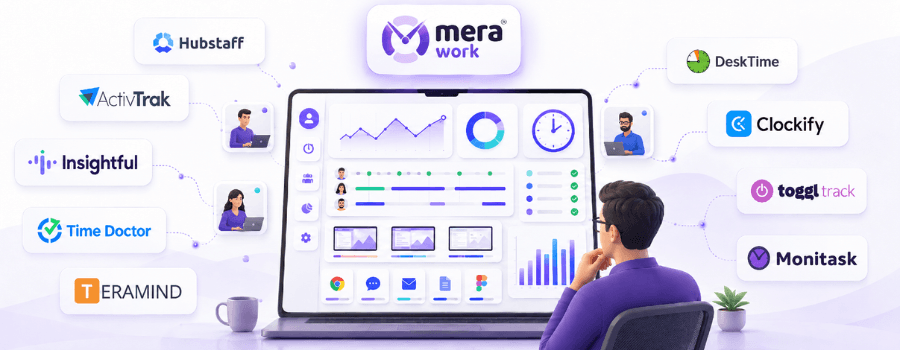
In this guide, we compare the 10 best employee tracking software in 2026 and explain which tool fits which type of team, from remote and hybrid teams to field teams, agencies, support teams, and security-focused organizations.
Quick Answer: Best Employee Tracking Software in 2026
| Category | Best Tool |
|---|---|
| Best overall for complete work visibility | Mera Work |
| Best for field teams, payroll, and billable time | Hubstaff |
| Best for productivity analytics | Time Doctor |
| Best for workforce analytics | ActivTrak |
| Best for remote and hybrid monitoring | Insightful |
| Best for security-focused employee tracking | Teramind |
| Best for automatic time and productivity tracking | DeskTime |
| Best for simple remote employee monitoring | Monitask |
| Best for timesheets and work hours | Clockify |
| Best for lightweight project time tracking | Toggl Track |
If you want complete visibility into attendance, activity, app and website usage, screenshots, live screen activity, productivity, and project progress, Mera Work is the best overall choice.
If your main requirement is field workforce tracking, payroll, billing, or location-based work, Hubstaff may be a better fit. If your priority is security, insider risk, or data loss prevention, Teramind is more specialized.
Best Employee Tracking Software Comparison Table
| Software | Best For | Key Strength | Best Fit |
|---|---|---|---|
| Mera Work | Complete work visibility | Time tracking, attendance, app/web usage, screenshots, live screen, productivity insights | Remote, hybrid, and desk-based teams |
| Hubstaff | Field teams and workforce operations | Timesheets, screenshots, app/URL tracking, scheduling, payroll, location tracking | Field teams, agencies, and billing workflows |
| Time Doctor | Productivity analytics | Time tracking, screenshots, app/web reports, productivity ratings | Remote and hybrid teams |
| ActivTrak | Workforce analytics | Productivity trends, activity logs, alerts, workforce planning | Mid-size and enterprise teams |
| Insightful | Remote and hybrid monitoring | Attendance, activity tracking, app/web usage, workforce analytics | Distributed teams |
| Teramind | Security-focused tracking | User activity monitoring, screen recording, behavior analytics, DLP | Security and compliance teams |
| DeskTime | Automatic productivity tracking | Automatic time tracking, idle time, app/URL tracking, productivity calculations | Small and growing teams |
| Monitask | Simple remote monitoring | Time tracking, screenshots, activity monitoring, project management | Small remote teams |
| Clockify | Timesheets and work hours | Time tracker, timesheets, reports, approvals, attendance | Small teams and agencies |
| Toggl Track | Lightweight project time tracking | Simple time tracking, project reports, billing and profitability insights | Consultants, agencies, and creative teams |
10 Best Employee Tracking Software in 2026
1. Mera Work
Mera Work is built for businesses that want to understand how work actually happens across the day.
It is not just a time tracker. It helps managers see attendance, activity, productivity, app and website usage, screen activity, project progress, and work patterns from one place.
The biggest advantage of Mera Work is its simple positioning:
One Plan. All Features. Complete Visibility.
This matters because many teams do not want to keep checking whether an important feature is included, limited, or available separately. With Mera Work, the focus is on giving managers practical visibility without making employee tracking complicated.
Best For
Mera Work is best for remote, hybrid, and desk-based teams that need complete work visibility without constant manual follow-ups.
It is especially useful for IT services teams, BPO teams, support teams, operations teams, back-office teams, and businesses that need better employee productivity visibility.
Key Strengths
- Automatic time tracking
- Online and offline activity tracking
- Attendance insights
- App and web usage tracking
- App and web productivity classification
- Screen capture and live screen streaming
- Project and task management with reporting
- Real-time alerts and notifications
- Role-based access, SSO, and guided onboarding
Why Mera Work Stands Out
Mera Work stands out because it connects the most important work visibility signals in one place.
For example, a remote operations team may have employees logged in for the full workday, but managers may still struggle to understand active time, idle patterns, app usage, and task progress. Mera Work helps bring these signals together, making it easier to review productivity without repeated check-ins.
This is important because managers do not always need more reports. They need clearer reports.
Mera Work helps teams move from:
“Are people online?” to “How is work actually happening?”
Where It May Not Fit
Mera Work may not be the first choice if your main requirement is GPS-based field tracking or payroll-first workforce management.
Best Choice If
Choose Mera Work if your team needs complete visibility into work hours, activity, productivity, apps, websites, screens, attendance, and project progress.
2. Hubstaff
Hubstaff is a well-known employee tracking and workforce management tool. It is especially useful for teams that connect tracked time with payroll, billing, scheduling, and field workforce management.
It works well when time tracking needs to support business operations, client billing, team payments, or location-based work.
Best For
Hubstaff is best for field teams, agencies, consultants, and businesses that need time tracking connected with payroll, payments, billing, scheduling, or location-based work.
Key Strengths
- Time tracking and timesheets
- Screenshots and activity levels
- App and URL tracking
- Scheduling and attendance
- Payments, payroll, and invoicing
- Project budgets and task tracking
- Location tracking through selected plans or add-ons
Why Hubstaff Stands Out
Hubstaff is strong when time tracking is tied to workforce operations.
For example, if a business needs to track billable hours, manage client invoices, schedule employees, pay teams, and monitor field work, Hubstaff can support that workflow better than a basic timer.
Where It May Not Fit
Hubstaff may feel feature-heavy for teams that only need simple work visibility across attendance, productivity, apps, websites, and screen activity.
Best Choice If
Choose Hubstaff if your team needs employee tracking connected with payroll, billing, scheduling, field workforce management, or location-based tracking.
3. Time Doctor
Time Doctor is an employee tracking and productivity analytics platform built for remote and hybrid teams.
It helps businesses understand tracked time, activity, app and website usage, attendance, and productivity through detailed reports.
Best For
Time Doctor is best for teams that want time tracking with detailed productivity analytics.
It works well for remote teams, hybrid teams, agencies, and companies that want to identify productivity gaps through reporting.
Key Strengths
- Automatic time tracking
- Screenshots and timeline reports
- Online and offline tracking
- Web and app usage reporting
- Attendance and time approvals
- Productivity ratings
- Real-time notifications
- Advanced reports and workforce insights
Why Time Doctor Stands Out
Time Doctor is useful for managers who want productivity insights beyond basic time tracking.
It can help teams understand web and app usage, activity trends, work-life balance signals, unusual activity, and performance gaps.
Where It May Not Fit
Time Doctor may feel more advanced than needed for smaller teams that simply want straightforward attendance, app usage, and screen visibility.
Best Choice If
Choose Time Doctor if your team needs detailed productivity analytics along with time tracking and app/web usage reports.
4. ActivTrak — Best for Workforce Analytics
ActivTrak is a workforce analytics and productivity management platform.
It is useful for businesses that want to understand employee activity, productivity trends, workload balance, and team performance at a broader level.
Best For
ActivTrak is best for companies that want workforce productivity analytics, team performance insights, and activity trend analysis.
It can be useful for mid-size and larger teams that care about organizational productivity, workload balance, and workforce planning.
Key Strengths
- Productivity reports
- Time tracking and activity logs
- Activity alerts
- Website and application usage
- Activity trend analysis
- Productivity goals
- Workload balance insights
- Workforce planning and team performance reports
Why ActivTrak Stands Out
ActivTrak is strong for organizations that want to look beyond individual tracking.
It helps leaders understand patterns like productivity by location, workload balance, activity alignment, capacity planning, and team performance.
Where It May Not Fit
ActivTrak may be more analytics-heavy than what small teams need. Some screen visibility and advanced capabilities may also require additional modules or setup.
Best Choice If
Choose ActivTrak if your business wants workforce analytics, productivity trends, team performance insights, and workload planning.
5. Insightful
Insightful is an employee monitoring and workforce analytics tool designed for remote, hybrid, and distributed teams.
It combines attendance tracking, activity visibility, productivity reporting, project time tracking, and workforce insights.
Best For
Insightful is best for remote and hybrid teams that need employee monitoring, attendance tracking, activity visibility, and workforce analytics.
Key Strengths
- Attendance tracking
- Active and idle time tracking
- App and website usage
- Screenshots and real-time overview
- Productive time analysis
- Project and task time tracking
- Workload and capacity insights
- Role-based access and SSO
Why Insightful Stands Out
Insightful is strong for teams that want to understand how distributed employees use time and digital tools.
It helps managers review attendance, activity, productivity, project time, workload, and team utilization from a workforce visibility perspective.
Where It May Not Fit
Insightful may feel more analytics-heavy for teams that need a simpler employee tracking setup. Some advanced monitoring or security features may require additional setup.
Best Choice If
Choose Insightful if your remote or hybrid team needs activity tracking, attendance visibility, productivity analytics, and workforce insights.
6. Teramind
Teramind is a user activity monitoring and security-focused employee tracking platform.
It is built for teams that need productivity tracking, insider threat detection, behavior analytics, data loss prevention, and digital forensics.
Best For
Teramind is best for security-focused organizations, regulated industries, compliance teams, and businesses that need deep user activity monitoring and data protection.
Key Strengths
- User activity monitoring
- Screen recording and live view
- Web and application tracking
- Insider threat detection
- Behavior analytics
- Data loss prevention
- Audit and forensics
- Policy and rule management
Why Teramind Stands Out
Teramind is different from many tools on this list because it goes deeper into security, risk, and compliance.
It is not only about productivity. It is also about identifying risky users, preventing data leaks, investigating incidents, and applying behavior rules.
Where It May Not Fit
Teramind may feel too advanced or security-heavy for teams that only need work visibility, attendance, app usage, and productivity reporting.
Best Choice If
Choose Teramind if your team needs security-focused employee tracking, insider threat detection, data protection, and forensic activity monitoring.
7. DeskTime
DeskTime is an automatic time tracking and productivity monitoring tool for small teams, startups, hybrid teams, and growing businesses.
It helps managers understand employee time, idle periods, app and URL usage, project work, and productivity calculations.
Best For
DeskTime is best for teams that want automatic time tracking, productivity calculations, and simple employee activity visibility.
Key Strengths
- Automatic time tracking
- Idle time tracking
- URL and app tracking
- Project tracking
- Productivity calculations
- Screenshots
- Shift scheduling
- Reports and dashboards
Why DeskTime Stands Out
DeskTime is useful for teams that want simple automatic tracking without too much complexity.
It helps managers understand how time is spent across apps, websites, projects, and productive or unproductive activity.
Where It May Not Fit
DeskTime may not offer the same depth of workforce analytics as enterprise-focused tools. It may also not be ideal for security-heavy monitoring needs.
Best Choice If
Choose DeskTime if your team needs automatic time tracking with simple productivity reports and app/URL visibility.
8. Monitask
Monitask is a time tracking and employee monitoring tool for remote and growing teams.
It is useful for teams that want a straightforward way to track time, view screenshots, monitor activity, and review basic productivity reports.
Best For
Monitask is best for small remote teams that need basic time tracking, screenshots, activity monitoring, and simple productivity visibility.
Key Strengths
- Time tracking and timesheets
- Screenshots
- Activity monitoring
- Project management
- Website and app monitoring on higher plans
- Employee scorecards
- Location tracking
- Team reports and analytics
Why Monitask Stands Out
Monitask covers the basics well.
For small remote teams that do not need advanced workforce analytics or enterprise controls, it can be a practical option for simple monitoring.
Where It May Not Fit
Monitask may not be as comprehensive for complete work visibility as broader platforms. Some useful features may depend on plan level or additional options.
Best Choice If
Choose Monitask if your small remote team needs basic time tracking, screenshots, and activity monitoring.
9. Clockify
Clockify is a popular time tracking tool, especially for teams that need timesheets, reports, projects, approvals, and billing workflows.
It is a strong option for businesses that care about tracking work hours, project time, attendance, overtime, and reporting.
Best For
Clockify is best for freelancers, small teams, agencies, and businesses that need time tracking, timesheets, reports, billing, and project tracking.
Key Strengths
- Time tracker and timesheets
- Auto tracker
- Calendar and desktop apps
- Team activity reports
- Approvals and attendance
- Invoicing and expenses
- Scheduling and forecasting
- Screenshots and GPS tracking on higher plans
Why Clockify Stands Out
Clockify is strong for teams that primarily need time tracking and timesheets.
It is useful for businesses that care about billable hours, approvals, attendance, overtime, budgets, and project reporting.
Where It May Not Fit
Clockify may not be the best fit for teams that need deep employee monitoring, live screen visibility, or detailed app and web productivity classification.
Best Choice If
Choose Clockify if your main need is time tracking, timesheets, approvals, billing, and project reporting.
10. Toggl Track
Toggl Track is a popular time tracking tool known for simplicity, ease of use, and project-based reporting.
It is less focused on employee monitoring and more focused on helping teams track time accurately, improve billing, and understand project profitability.
Best For
Toggl Track is best for consultants, agencies, freelancers, creative teams, and businesses that need simple time tracking with project, billing, and reporting features.
Key Strengths
- Time tracking across web, desktop, and mobile
- Calendar integrations
- Automated time tracking
- Idle time detection
- Project and task tracking
- Billable rates and estimates
- Productivity and profitability reports
- Integrations with popular work tools
Why Toggl Track Stands Out
Toggl Track is best when teams want time tracking to feel simple.
It works well for professional services, agencies, and project-based teams that need clear time reports without heavy employee monitoring.
Where It May Not Fit
Toggl Track may not be enough for teams that need complete employee activity visibility, screenshots, live screen monitoring, or detailed app and website tracking.
Best Choice If
Choose Toggl Track if your team wants simple time tracking, project reporting, billing, and profitability insights without heavy monitoring.
Best Employee Tracking Software by Team Type
| Team Type | Best Tools |
|---|---|
| Remote teams | Mera Work, Time Doctor, Insightful |
| Hybrid teams | Mera Work, ActivTrak, Insightful |
| Desk-based teams | Mera Work, DeskTime |
| Field teams | Hubstaff, Monitask, Clockify |
| Agencies | Hubstaff, Toggl Track, Clockify |
| BPO and support teams | Mera Work, Insightful, Teramind |
| Security-focused teams | Teramind |
| Workforce analytics teams | ActivTrak, Insightful |
| Simple time tracking teams | Clockify, Toggl Track |
| Small remote teams | DeskTime, Monitask |
What to Look for in Employee Tracking Software
The best employee tracking software should not simply collect more data. It should make work easier to understand.
Before choosing a tool, look for features that match your team’s real working style.
1. Time and Attendance Visibility
A good employee tracking tool should help managers understand when employees start work, how long they remain active, when idle time appears, and whether attendance patterns are consistent.
This is especially important for remote and hybrid teams where physical presence is not enough to understand actual work.
2. App and Website Usage Tracking
App and website tracking helps managers see which tools employees use during work hours.
This can help identify productive tool usage, repeated distractions, underused business apps, or workflow gaps.
3. Productivity Reports
Productivity reports should not just show raw activity. They should help managers understand patterns.
Look for tools that make it easier to see active time, idle time, productivity classification, team trends, and where work may be slowing down.
4. Screenshots or Screen Visibility
Screenshots and live screen visibility can be useful for teams where work happens mainly on a system, such as support, BPO, IT services, data entry, or operations teams.
However, these features should always be used with clear internal policies and role-based access.
5. Project and Task Tracking
If your teams work on client projects, internal tasks, or delivery milestones, project and task tracking can help connect employee activity with real work progress.
This is useful for understanding not only how much time was spent, but where that time went.
6. Role-Based Access and Privacy Controls
Not everyone should see all employee data.
The right tool should allow proper access control so managers, admins, and leadership see only what is relevant to their role.
This helps protect employee privacy and builds trust in the system.
7. Ease of Setup and Adoption
Even the best tracking software will fail if teams do not adopt it properly.
Look for software that is easy to set up, easy for managers to understand, and supported by onboarding or deployment assistance.
Employee Tracking vs Employee Monitoring vs Time Tracking
Employee tracking, employee monitoring, and time tracking are closely related, but they are not exactly the same.
| Term | Meaning | Example Use Case |
|---|---|---|
| Time tracking | Tracks work hours, timesheets, and task time | Payroll, billing, project costing |
| Employee monitoring | Tracks activity, screenshots, app/web usage, and screen behavior | Productivity and accountability |
| Employee tracking | Broader visibility into time, attendance, activity, productivity, tasks, and work patterns | Overall team visibility |
A simple way to understand it:
Time tracking tells you how long someone worked.
Employee monitoring shows what happened during work hours.
Employee tracking gives managers a broader view of work patterns, productivity, attendance, and accountability.
For most modern teams, the best solution is not only a timer. It is a system that helps managers understand work in context.
How to Choose the Right Employee Tracking Software
Choosing the right employee tracking software becomes easier when you start with the problem you want to solve.
Do not start with the longest feature list. Start with what your managers need to understand.
1. Start With the Problem
Ask yourself:
- Do we need better attendance visibility?
- Do we need to understand app and website usage?
- Do we need screenshots or live screen visibility?
- Do we need project and task tracking?
- Do we need payroll, invoicing, or billing workflows?
- Do we need location tracking?
- Do we need security and insider risk monitoring?
The right tool depends on the actual problem.
A field team may need location tracking.
A support team may need screen visibility.
An agency may need billable time tracking.
A remote operations team may need attendance, productivity, and app usage visibility.
2. Match the Tool to Your Team Type
Different teams need different tracking features.
If your team works mainly on computers, visibility into apps, websites, screens, attendance, and productivity matters more.
If your team works in the field, GPS or location tracking may matter more.
If your team works on billable projects, time tracking and invoicing may matter more.
If your team handles sensitive data, security-focused monitoring may matter more.
3. Check Feature Access Carefully
Feature access can vary from one employee tracking tool to another.
Some tools include key visibility features in the core plan. Others may make certain capabilities available only in higher plans, enterprise packages, or add-ons.
Before choosing a tool, check:
- Is screenshot tracking included?
- Is app and website tracking included?
- Are productivity reports included?
- Is data retention limited?
- Is SSO included or separate?
- Is onboarding included?
- Are support levels plan-based?
- Are advanced analytics available by default or separately?
This is where Mera Work’s One Plan All Features approach becomes useful for teams that want simpler decision-making.
4. Prioritize Visibility Over Surveillance
Employee tracking should not be introduced as a way to “watch people.”
That approach usually creates resistance.
Instead, position it as a visibility system.
The purpose should be to understand work patterns, improve accountability, reduce manual follow-ups, and support better team decisions.
5. Make Sure Managers Can Use the Reports
A tool can collect a lot of data, but if managers cannot understand the reports, the data will not help.
Look for employee tracking software that makes insights easy to read and easy to act on.
Good reports should help managers answer:
- Who is active?
- Where is time going?
- Which apps and websites are used most?
- Where is idle time increasing?
- Which projects need attention?
- Which teams need support?
Employee Tracking Without Micromanaging
This is one of the most important parts of choosing and using employee tracking software.
The goal should not be to watch every minute of an employee’s day.
The goal should be to create enough visibility so managers do not need to keep asking for updates.
Good tracking should help answer:
- Is the team active during expected hours?
- Are work patterns consistent?
- Which apps and websites are used most?
- Is idle time increasing?
- Are employees overloaded or underutilized?
- Are projects moving at the expected pace?
- Are performance discussions based on facts or assumptions?
A common mistake businesses make is treating employee tracking as a control system. In reality, it works best when it is used as a clarity system.
When employees understand what is being tracked, why it matters, and how the data will be used, tracking becomes less about pressure and more about fair visibility.
Tracking becomes unhealthy when it is used to pressure people.
Tracking becomes useful when it helps managers coach better, plan better, and remove blockers.
That is the difference between monitoring for control and tracking for clarity.
Final Verdict
The best employee tracking software depends on what your team needs most.
If your team needs complete visibility into attendance, activity, app and website usage, screenshots, live screens, productivity, and project work, Mera Work is the strongest overall choice.
If your main need is payroll, billing, GPS, or field workforce management, Hubstaff may be a better fit.
If your main need is productivity analytics, Time Doctor or ActivTrak may be worth considering.
If your main need is security, insider risk, or data loss prevention, Teramind is more specialized.
For many modern teams, especially remote, hybrid, and desk-based teams, Mera Work offers the most practical balance of visibility, simplicity, and complete feature access.