

Introduction
If there’s one thing I’ve learned in 10+ years of working with HR leaders, project managers, and operations heads, it’s this:
Every company tracks time. But very few track it well.
Some rely on Excel sheets. Some still use end-of-day memory-based entries. And some swing to the other extreme — adopting heavy tools without clear goals.
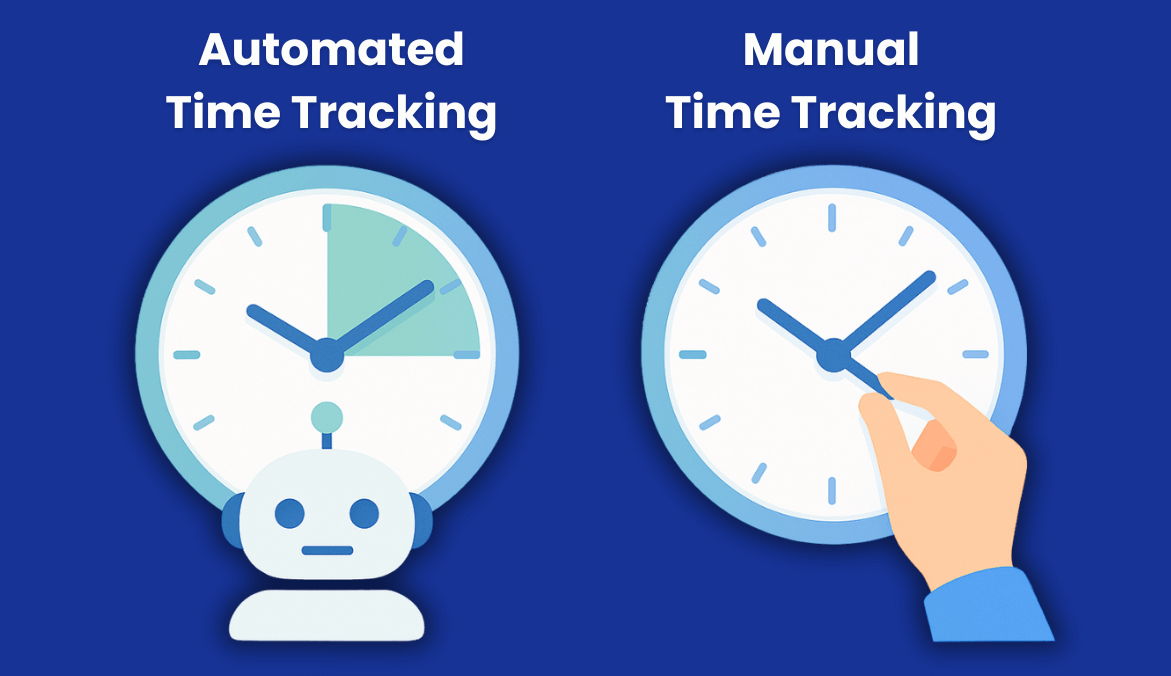
The real question is simple: Should you continue with manual time tracking, or is it time to automate?
This guide breaks it down in a practical, no-jargon way so you can confidently decide what works for your team — and your bottom line.
What Time Tracking Really Means Today
Time tracking isn’t just “logging hours” anymore.
Today, it’s about:
- Understanding how work actually gets done
- Spotting time leaks
- Improving project costing
- Preventing payroll errors
- Supporting teams with clarity, not pressure
Whether you’re using manual sheets or automated tools, the goal is the same: accurate data that helps everyone work smarter.
Manual Time Tracking: Simple, But Costly in Ways You Don’t See
Manual time tracking includes:
- Excel or Google Sheets
- Paper timesheets
- Punch cards
- Email-based “send your hours”
- End-of-day or end-of-week recall logging
Even today, nearly 40% of businesses still rely on manual time tracking methods like spreadsheets or paper-based logs. It feels simple, but it opens the door to forgetfulness, guesswork, and inaccuracies — especially as teams scale.
On the surface, it looks easy and cheap. But here’s the truth:
Where Manual Time Tracking Still Works
- Very small teams
- Low compliance environments
- Occasional or ad-hoc work
- Offline field activities
Where Manual Tracking Breaks
From experience, manual systems break down the moment a team grows beyond 10–15 people. You start seeing:
- Rushed entries
- Guesswork instead of actual logging
- Delays (“I’ll fill my timesheet at 6 PM”)
- Inaccurate memory-based reporting
- HR chasing teams for submissions
And it’s not just theoretical — the numbers make it obvious:
- 44% of companies deal with timesheet errors weekly or even daily
- 13% of employees admit they simply forget to record their hours
This is exactly why manual systems collapse beyond small teams. When entries depend on memory, you’re not capturing time — you’re capturing estimates.
One company I worked with used manual Excel timesheets for years. They thought things were fine until we analyzed the data — they were losing 20–30 hours every month purely due to missed entries and corrections. That’s roughly half a salary wasted.
And that’s not counting billing errors or untracked overtime.
Automated Time Tracking: Accurate, Faster & Much More Scalable
Automated time tracking tools capture time with minimal effort, such as:
- Selecting a project/task
- Automatic activity tracking
- Idle time detection
- Background logs of apps and websites
- One-click timesheet approvals
Why Teams Shift to Automated Time Tracking
- Accuracy improves dramatically
- Payroll disputes drop
- Timesheet submissions are no longer a headache
- Managers get real-time visibility
- No one “forgets” to fill time anymore
A mid-size tech team I worked with saw a 90% reduction in payroll disputes in the first month after switching from Excel to automated tracking. Their HR literally said, “I finally stopped chasing people for timesheets.”
Where Automated Tracking Can Struggle
- Initial pushback from employees
- Requires training and communication
- Needs clarity on what will be tracked
But these are solvable with the right rollout approach (we’ll get to that).
Manual vs Automated Time Tracking: The Head-to-Head Comparison
Here’s the honest breakdown:
| Factor | Manual | Automated |
|---|---|---|
| Accuracy | Low (memory-based, easy to fudge) | High (real-time logs) |
| Cost | Free to start, expensive long-term | Subscription, but saves more |
| Admin Work | High | Very low |
| Scalability | Breaks beyond 10–20 people | Smooth for any team size |
| Visibility | Limited | Real-time |
| Compliance | Weak | Strong logs with timestamps |
| Employee Experience | Feels like a chore | Passive or one-click logging |
Accuracy
Manual entries rely on memory. Automated entries rely on real data. Simple.
Admin Time
Manual = HR chasing employees
Automated = HR approving with one click
Cost & ROI
Manual looks cheap but leaks money through:
- Payroll errors
- Untracked time
- Admin hours spent consolidating data
Automated time tracking looks expensive upfront but:
- Saves admin time
- Improves billing accuracy
- Cuts payroll disputes
- Gives leaders real-time insights
Compliance & Audit Trail
Manual logs are prone to disputes.
Automated logs are timestamped and verifiable.
Scalability
Manual breaks during growth.
Automation grows with the company.
When Manual Time Tracking Is Still Okay
Manual tracking is still acceptable if:
- Your team is very small
- Work outcomes matter far more than hours
- You have low compliance needs
- You only need basic records, not productivity insights
If you’re a 5-person agency or consulting duo, Excel may be enough — for now.
When Automated Time Tracking Clearly Wins
You should switch to automated tracking if:
- Your team size is growing
- You run multiple projects
- You bill clients hourly
- Your workforce is remote or hybrid
- You need real-time visibility
- You spend hours fixing timesheet errors
- You have any compliance or audit needs
Where Automation Immediately Saves Money
- Eliminates manual errors
- Cuts HR/admin workload
- Reduces payroll disputes
- Improves billing accuracy
- Highlights idle time vs work time
- Shows how project hours are actually spent
Here’s where automation delivers measurable ROI:
Companies that shift from manual sheets to digital timesheets see immediate operational improvements — 80–90% fewer payroll errors, 10–25% more billable hours recovered, and 5–10 administrative hours saved every week per manager.
These numbers add up fast. This is the part most leaders underestimate: the savings don’t just come from “better tracking”…
They come from eliminating the countless micro-errors and admin loops manual systems create every single day.
After 10+ years of watching companies make this shift, the pattern is clear: Once teams automate, they never return to manual systems.
The Hybrid Sweet Spot: Manual + Automated Together
Some teams get the best of both worlds:
- Automated tracking for most work
- Manual adjustments for offsite meetings, calls, travel
- Manager approvals for exceptions
This reduces friction and gives employees flexibility while maintaining accuracy.
How to Move from Manual to Automated (Without Chaos)
Shifting from Excel to automation doesn’t have to be painful. Here’s the plan I give most clients:
1. Audit Your Current Process
Ask simple questions:
- How long does payroll processing take?
- How often do we correct entries?
- How often do employees forget timesheets?
2. Define Your Goals
Do you want:
- More accuracy?
- Better project costing?
- Remote team visibility?
- Reduced HR workload?
Know your “why.”
3. Choose a Tool That Matches Your Needs
Look for:
- Zero manual effort for employees
- Automatic time logs
- Idle time analysis
- App/URL tracking
- Privacy controls
- Easy reporting
- Simple onboarding
4. Communicate With Your Team
This is where most companies fail.
Explain:
- What data will be tracked
- Why it matters
- How it improves fairness and accuracy
- How it reduces their manual workload
In my experience, teams adapt quickly when they see transparent, fair, and accurate time data.
5. Start Small, Then Scale
Pilot → Gather feedback → Improve → Roll out company wide.
How Mera Work Supports Accurate, Automated Time Tracking
If you’ve outgrown Excel, this is where a tool like Mera Work becomes valuable.
Mera Work Automates the Hard Part
- Select a project/task → time starts automatically
- Idle time detection
- Activity tracking without manual input
- One-click timesheet approvals
- Clean, accurate payroll and billing data
- Clear productivity insights
Why Leaders Prefer It
- Removes manual entries
- Improves visibility
- Reduces disputes
- Saves time & money
- Supports remote, hybrid, and in-office teams
Why Employees Prefer It
- No need to fill timesheets manually
- No guessing hours
- Transparent reports
- Fair & accurate logs
Final Thoughts
If your team is small and your needs are simple, manual time tracking may be enough — for now.
But if any of these sound familiar:
- You’re growing
- You have multiple clients/projects
- You have a remote or hybrid team
- You’re losing time in admin work
- You care about accuracy and fairness
Then it’s time to automate.
Once you see real-time, accurate time data every day, you’ll never want to go back to spreadsheets.
Explore Mera Work and see how much time & money you can save: https://mera.work/signup
FAQs
Is manual time tracking still effective?
Only for very small teams with simple workflows.
Does automated time tracking invade privacy?
Not when implemented transparently. Tools like Mera Work are designed for support, not surveillance.
What’s the biggest advantage of automated time tracking?
Accuracy — and the time saved on admin work.
Can I combine manual and automated methods?
How does automated tracking save money?
By preventing payroll errors, improving billing accuracy, and reducing HR/admin workload.